Drawing the first design of the drone!
- Session
- 3 of 33
- Date
- 25 April 2026
- Time worked
- 1 h 15 min
- Reading time
- 3 min
- Images
- 4
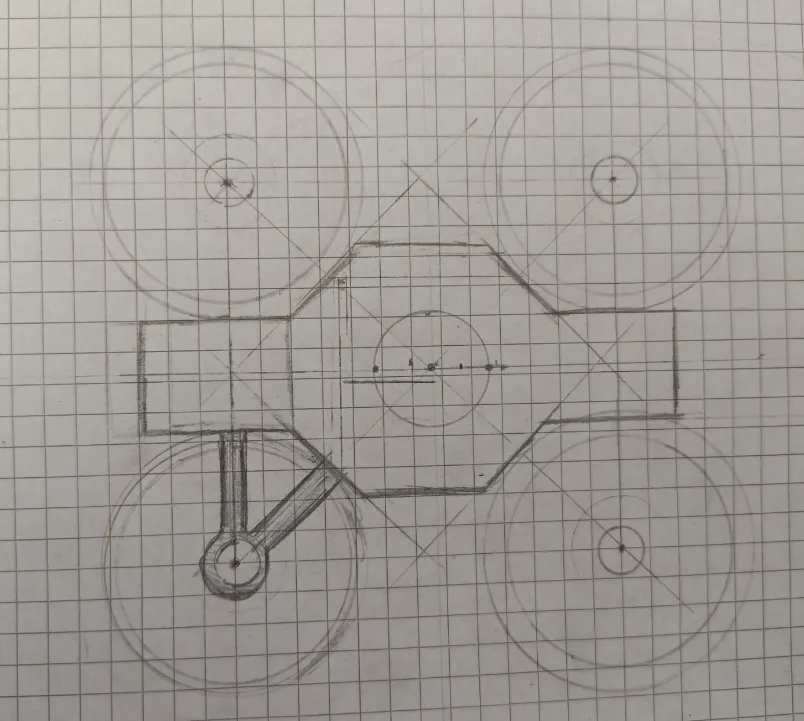
Originally, I wanted to start today with the PCB, but when I thought about how everything should be connected and fit, the center of weight, and optimal design for the drone, that’s why I decided to first make a sketch and design the drone from a top view and side view (in 1:2 scale), for brainstorming positioning and finding the right distances and angles for the parts placement. Here’s how I started:
1. Wheelbase
I decided to use a 180 mm wheelbase because, after looking it up for 3" propellers, the sweet spot is about 2x–2.5x the propeller diameter.
76 mm (propeller diameter) * 2.5 = 190
76 mm * 2 = 152
→ about 180 mm is best for me and indoor use because I have a bit more room, also for the Raspberry Pi, FC, etc. (which will become a problem soon T-T).
So the nearest motor-to-motor distance is about 127 mm, calculated by dividing the 180 mm wheelbase by √2:
2. Propeller protection + base design
In the next step I drew the propellers with protection, which are 4 mm thick and will be 10 mm tall, so that it will hopefully be much safer, and because it’ll fly autonomously. For the base (the most important part for me ):
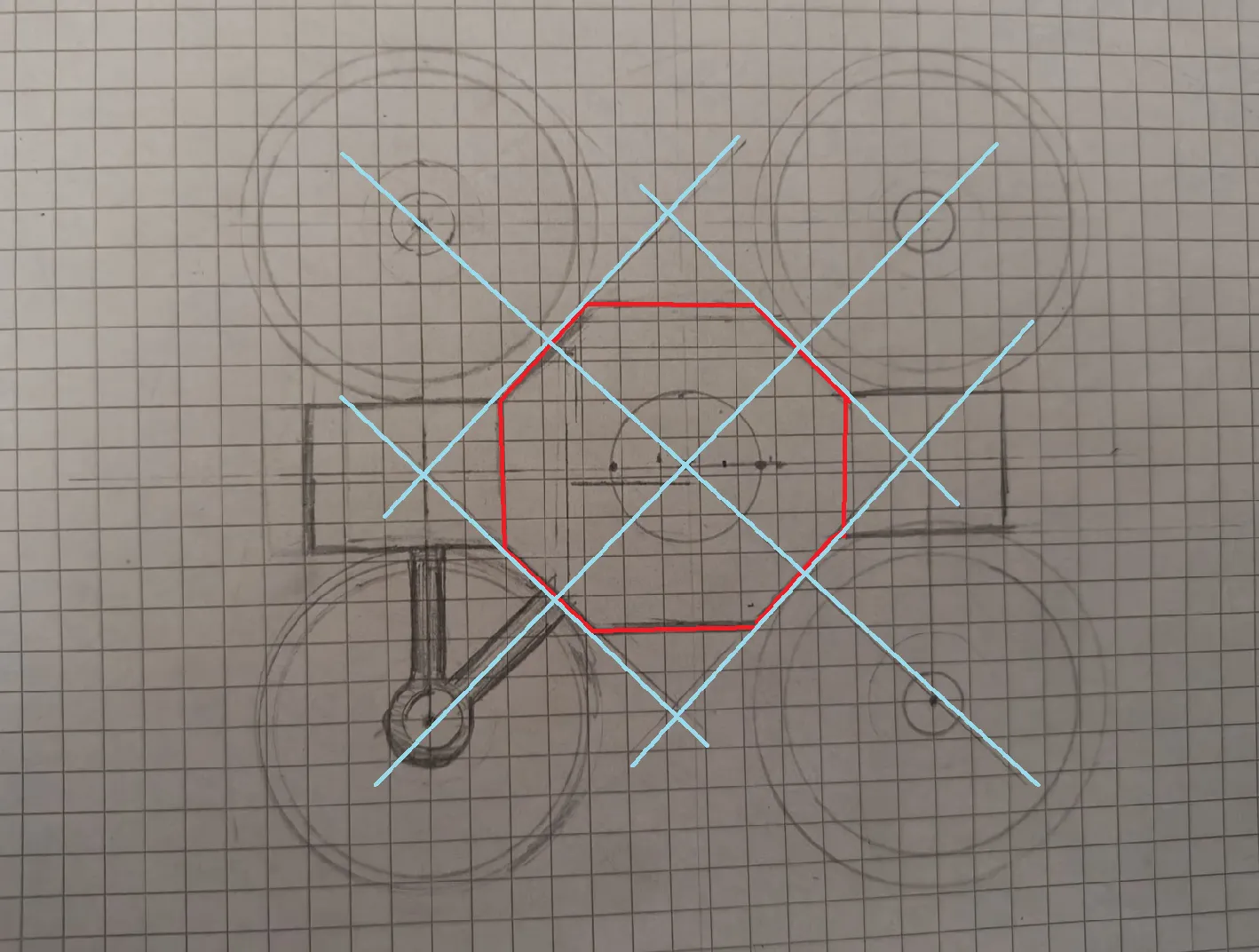
For the main base (the red part), I chose an octagon shape because it fits the design perfectly. I drew lines that go straight through the center of each motor, and the corners of the red base sit exactly on these lines. By using an octagon instead of a simple square, I can cut away the extra corners to save weight. It also gives me flat sides to attach the arms easily and creates a clean space in the middle for all my electronics.
Additionally, I also added small squares on the ends of the octagon: the camera and servo (left) and (right) the battery.
3. Motor arm design
Then I also planned the arms for the motors:
I made them come in a 90-degree angle from the straight base that connects normally like every other drone, but I also added a second arm for every motor that is at a 45-degree angle from the first arm, for more stability and less vibrations during flight. I also tried to pay attention not to design the arms too thick, so that the air can flow nicely and without problems through the propellers, so I kept them at a thickness of 7 mm.
4. PCB and electronics layout
Now I was mostly finished with the main design and then I thought about the PCB.
Here is a basic schematic of all the parts assembly and the position of the PCB:
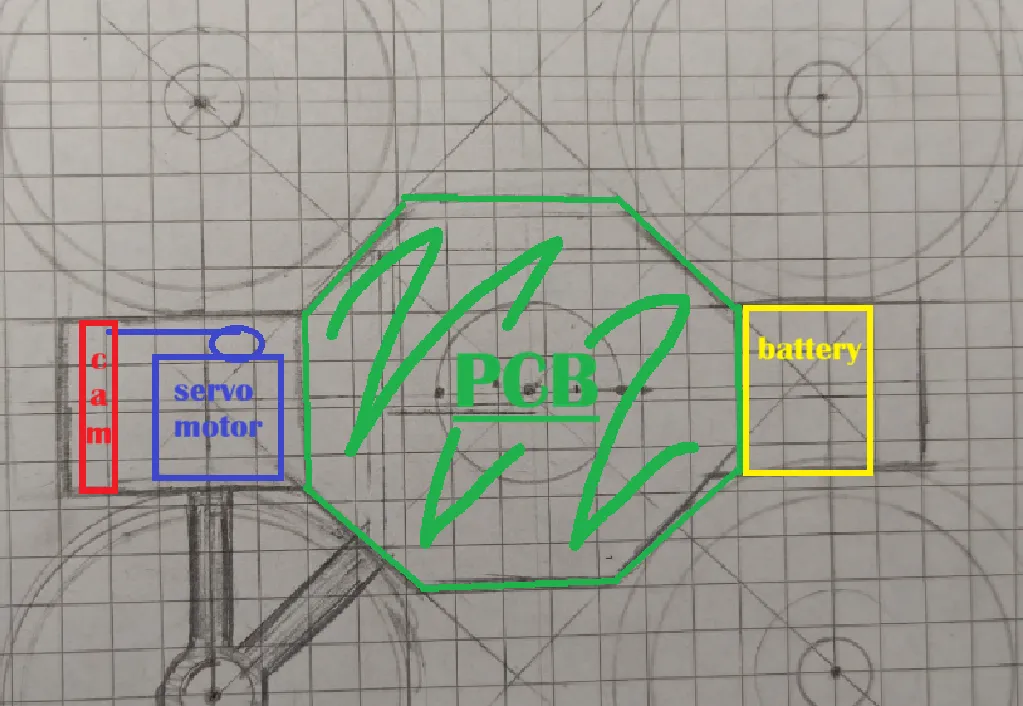
But then I encountered a problem: there wasn’t enough place for the FC and Raspberry Pi. But after googling and thinking, I came up with the idea that I could stack the Raspberry Pi over the FC to save space.
But even after that I would have problems with routing, because the Raspberry Pi (which I would connect over GPIO pins (male/female)) would block most of the PCB because it would go from one side to the other, so I decided to only use GPIO pins for the signals I really need.
Position of the Raspberry Pi and FC:
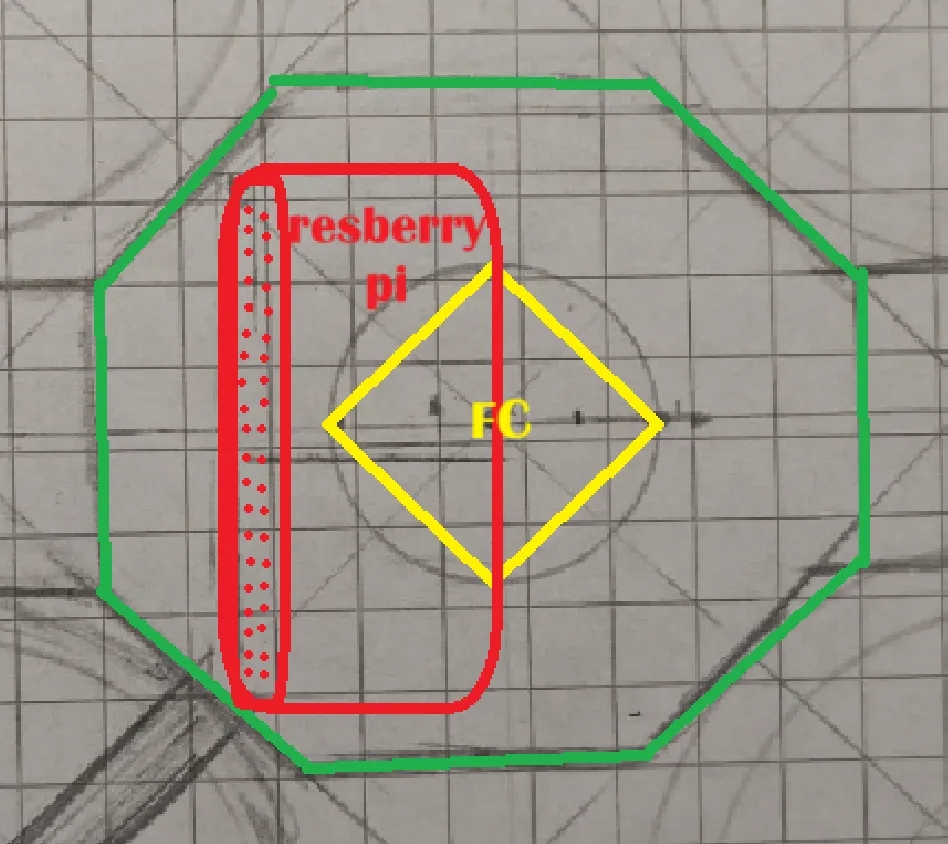
I also thought about the problem that the battery would be too far back and the center of gravity would be off, but then I had the idea that the battery could be mounted upright (vertical), and that should minimize the problem.
Overall happy with the progress! Tomorrow I’ll really start with the 3D design / PCB and I’m excited to continue (I had problems connecting Lapse with Fallout so if I didn’t find another solution, check here: https://lapse.hackclub.com/timelapse/HnbnaB-3Kzma ~1.3h)
Session recordings
Timelapse recordings of this session.