Fixed last issue with schematics and started the routing!
- Session
- 20 of 33
- Date
- 15 May 2026
- Time worked
- 3 h 7 min
- Reading time
- 4 min
- Images
- 17
I was placing the parts last time, but then I saw that the pogo pins were actually male pins
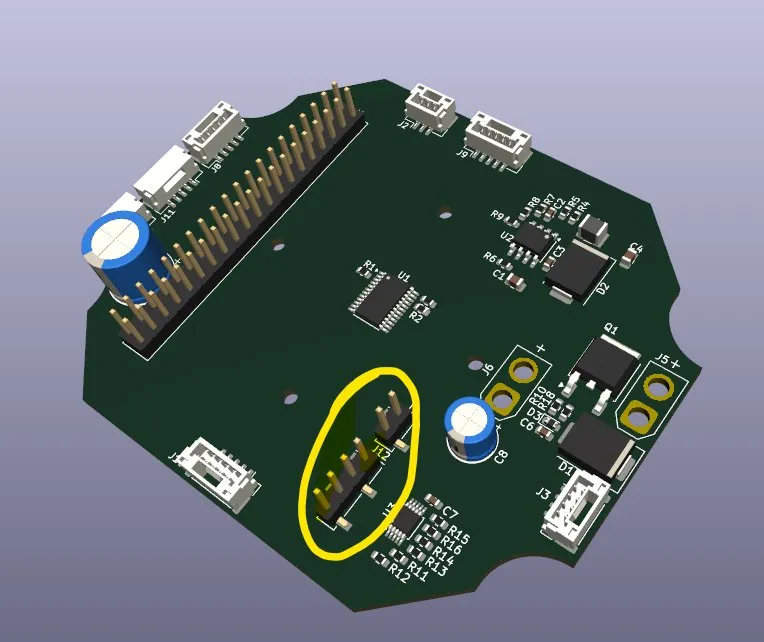
but I wanted to have like copper plates or something like that to solder the things on it, and they should be on the other side.
But then I had a better idea: for the 4 data cables, I could use the JST-GH adapter again, but for the power, I would use soldering pads with a diameter of 3mm.
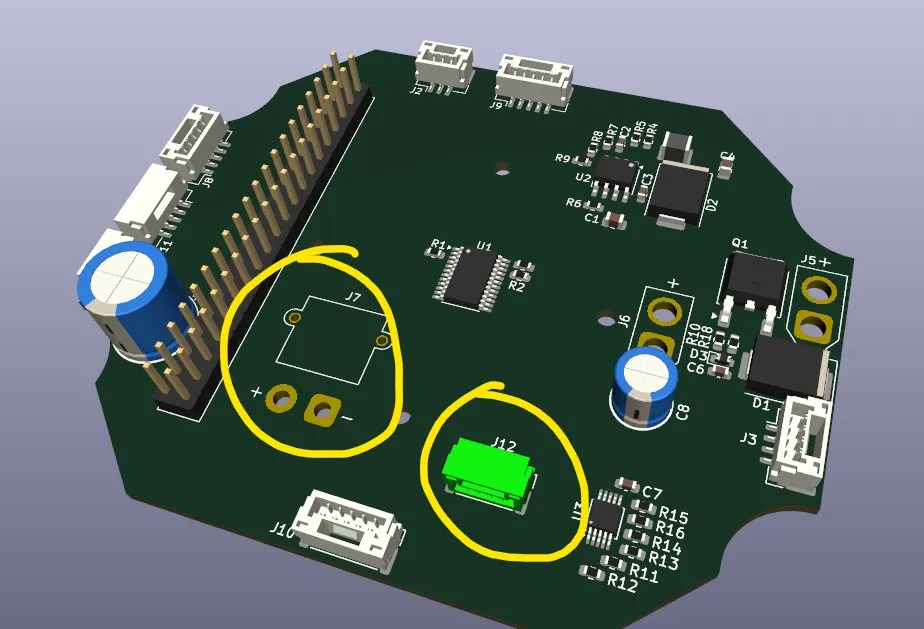
So I changed the J12 to a JST-GH with 4x1 pins
But then while searching for the soldering pads, I had the idea that I could also just use XT30 connectors for the voltage horizontally, which I then also did, so that I could very easily remove the PCB Raspberry Pi, FC from the drone and debug, which is PERRFECT.
And after saving, opening the PCB, and loading the 3D view it looked like that:
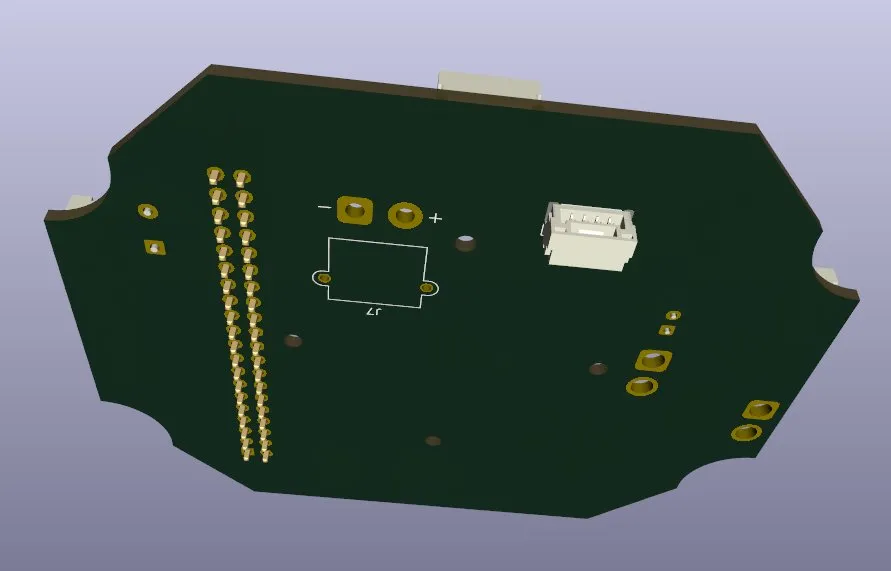
Now I only had to figure out how to place them on the other side, and after finding out that you have to press F to flip, it looked like that:
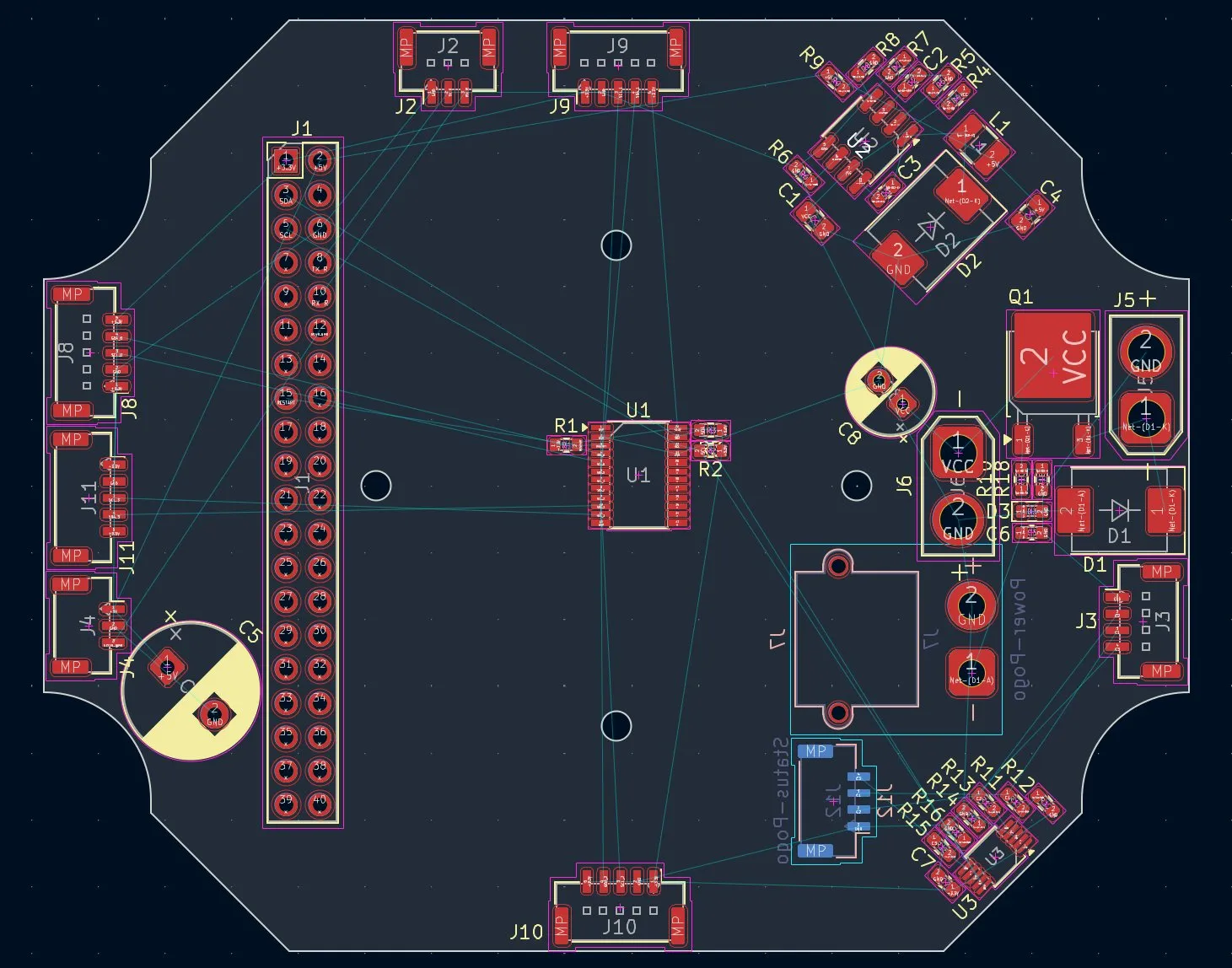
But then I quickly had a tough problem, the J7 pogo pins control and the J17 place was hard to find the perfect place. But then I had a good idea, I could rotate some parts to 45 degrees and my PCB would have much more space and the cable could be much, much better: so after a bit of trying, changing the position of the capacitor C8, and rotating the U3 block and the U2 block, it looked like that:
And then I also got some feedback on my circuit from someone who knows A LOOOOOT about electronics, and he said that it looks really good, but I had one critical thing: The servo motor: The 1000nF capacitor is good but not enough and risky to shut down my Raspberry Pi, etc. And because the way to the servo is about 10 cm long, it would be even riskier, so he said that I should additionally use a 100uF before the C5 capacitor and then a 100nF capacitor, and close before the 5V pin from where the part gets the voltage, to also set a ferrite bead (this model Murata BLM21SN601SN1L) because it can handle up to 8.5 A and a resistance from 600 at 100MHz, which should be perfect for the servo noise. So I switched back to the schematics and added those things, and after I inserted it into the schematics, it looked like this:
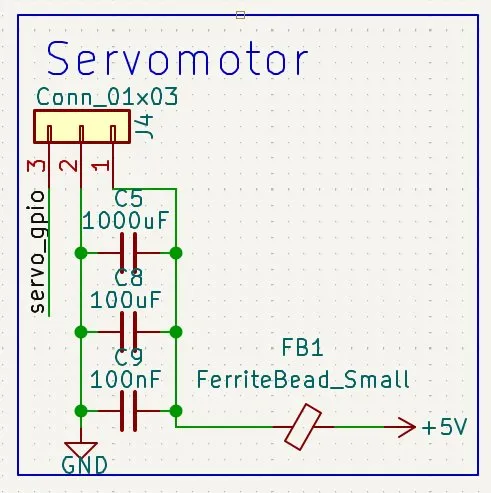
And after giving it the corresponding footprint, I saved and went back to the PCB design to place them. So I quickly changed it so it looked like that.
But then I understood that I placed the 1000uF C5 wrong, it should be as close as possible to the input voltage point so it looked like that after fixing:
And after finding the perfect place and fixing the order of the components, it looked like that:
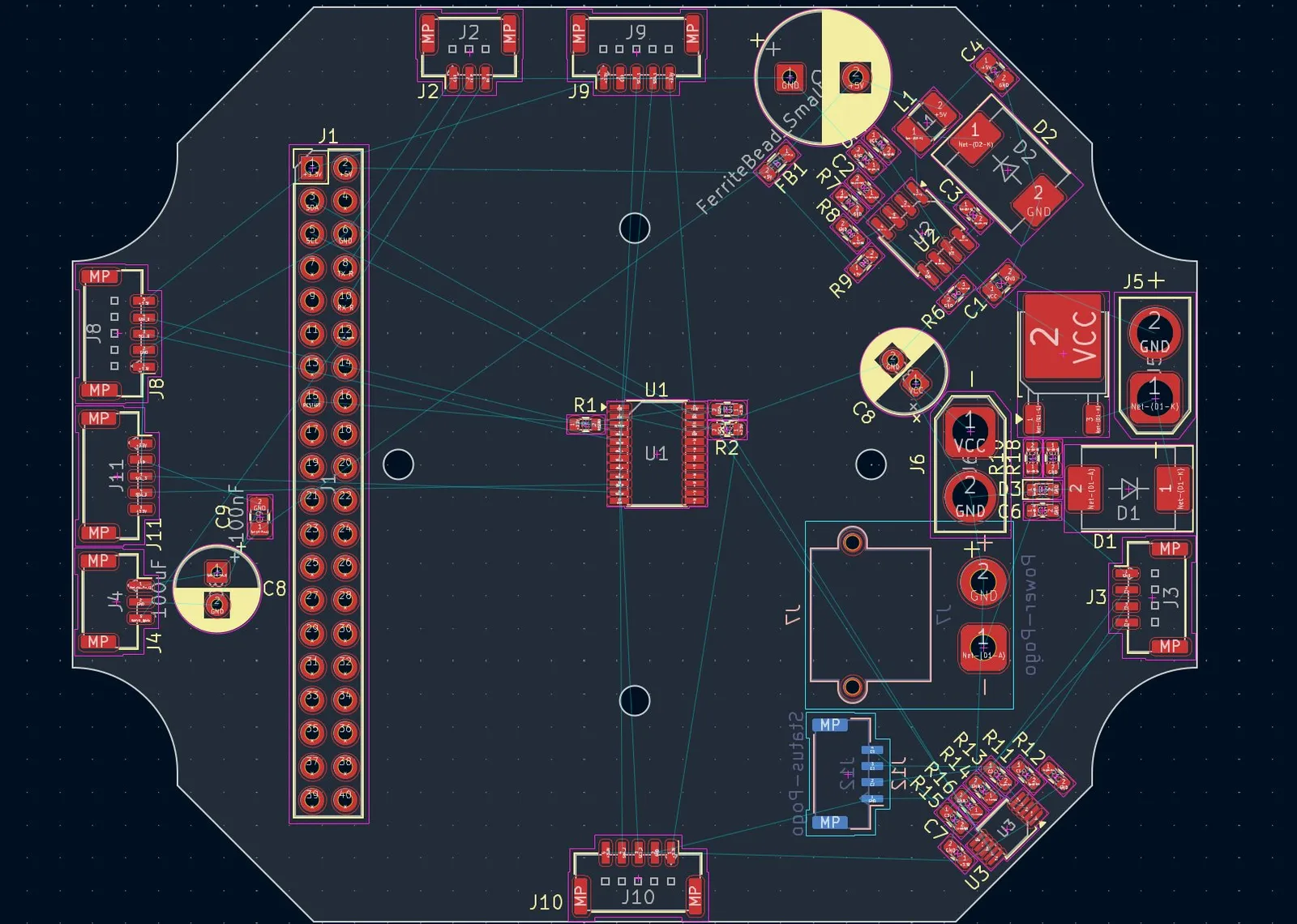
And after all my PCB placing was finished!!!!! And now the routing begun.
Then I first gave the 4 layers different names: F.Cu: TOP-SIGNALS, In1.Cu: GND-PLANE, In2.Cu: POWER-PLANE and B.Cu: DOWN-SIGNALS
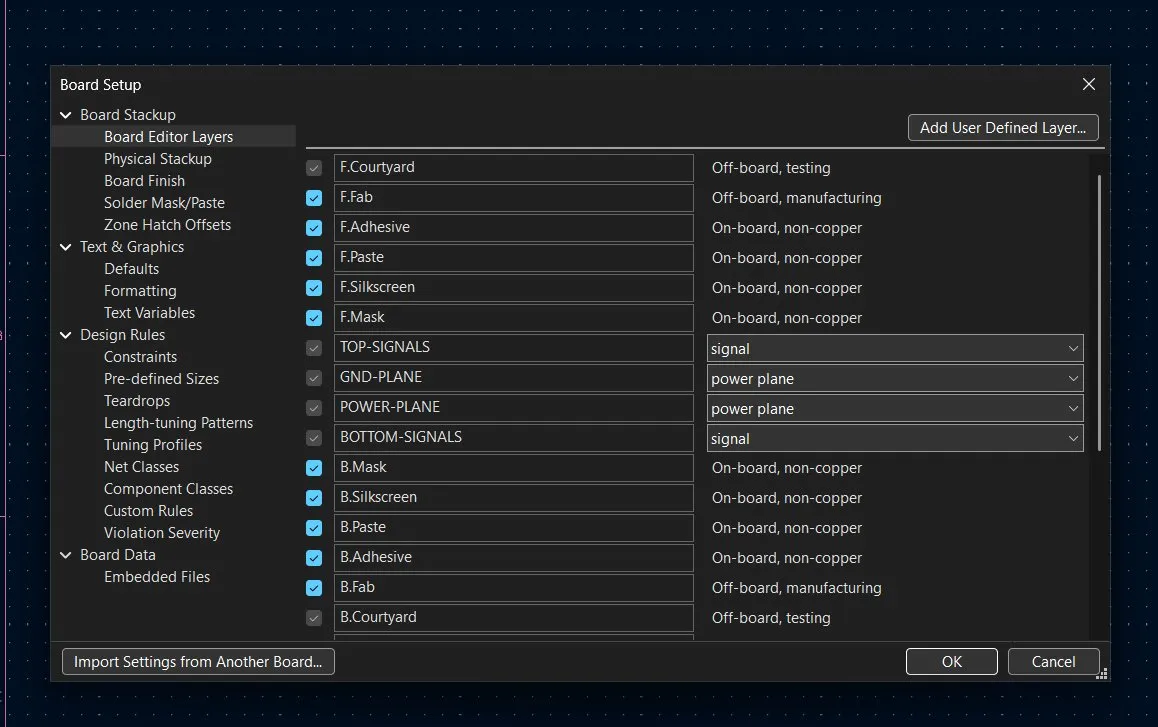
Then I made Design rules:
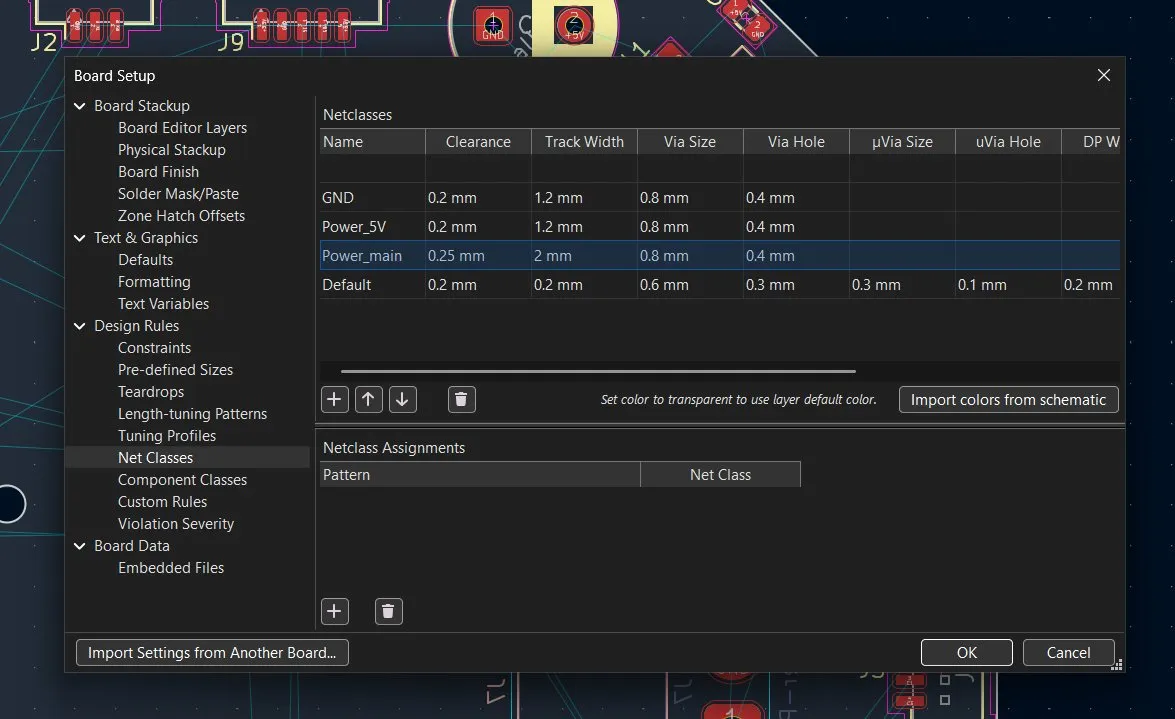
And after also making the assignments, I started with the connection for the battery, and after placing the first things, I quickly noticed that I did something wrong:
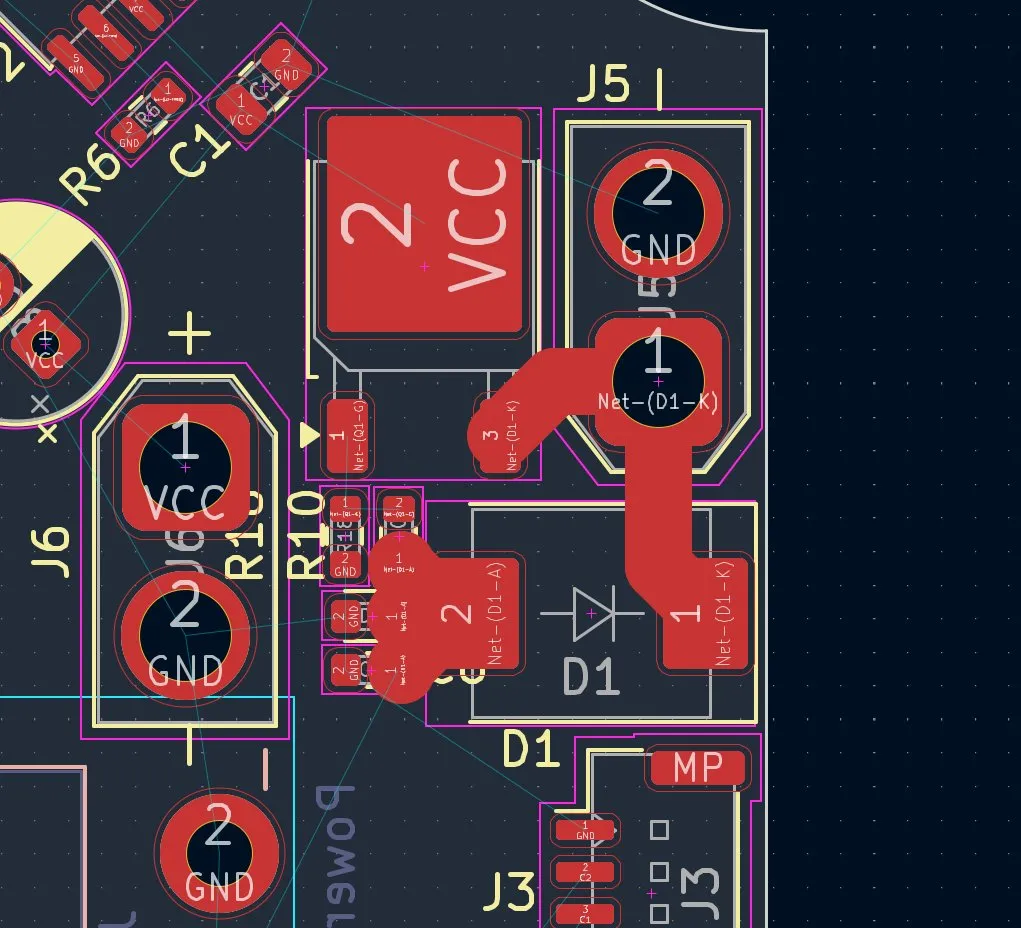
The nets at the resistor were too big so that it was at risk of a short circuit:
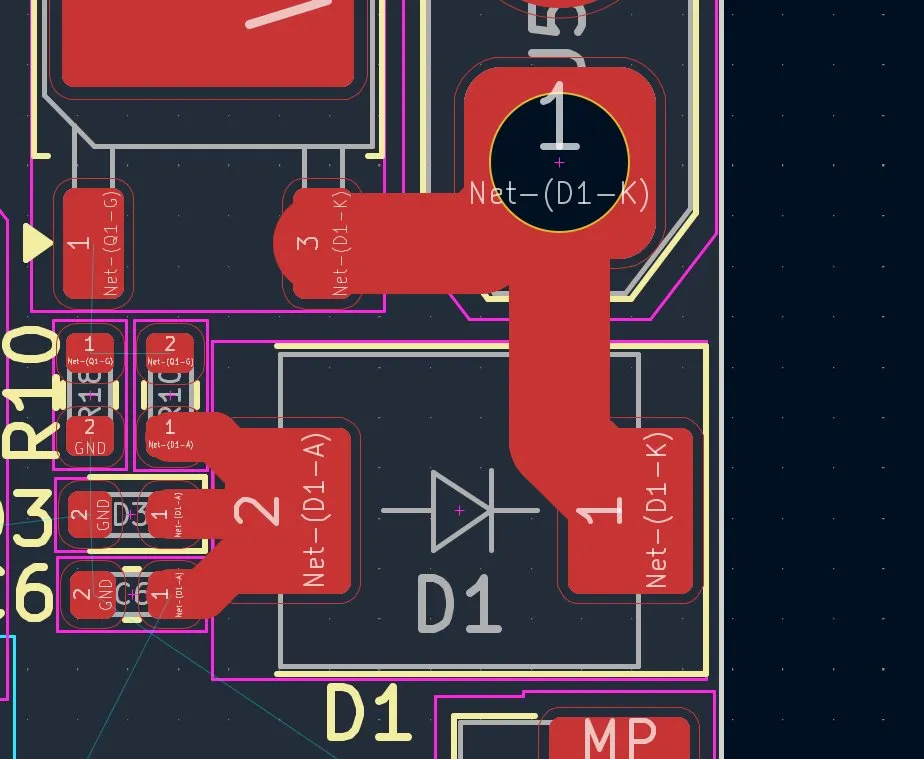
And lastly, I added Copper Pours and made it even cleaner through it:
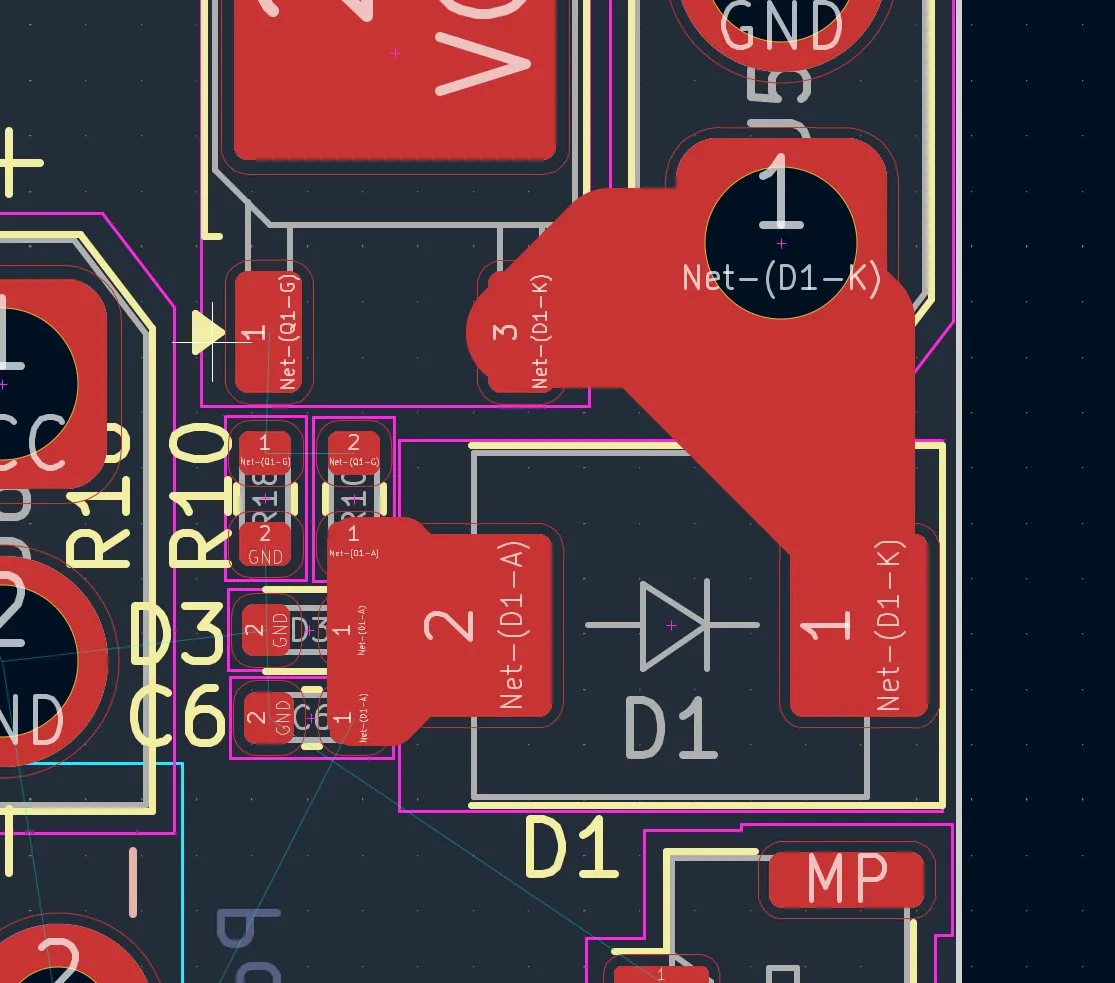
And after connecting the other parts from this, it looked like that:
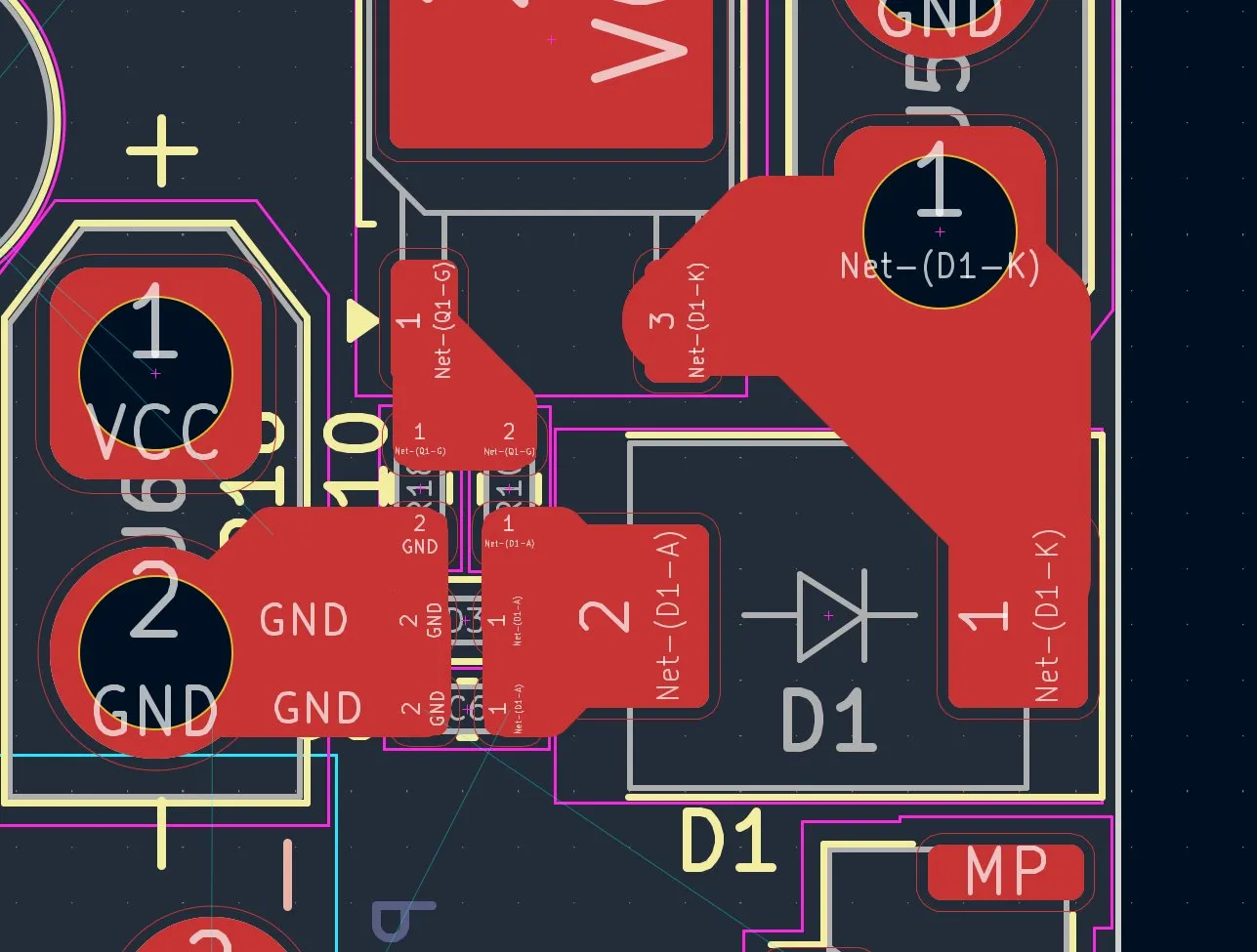
Lastly in that part of the PCB, I connected the GND with the GND plate
And after selecting the board I pressed B and filled the net and directly all other GND parts connected and it looked like that:
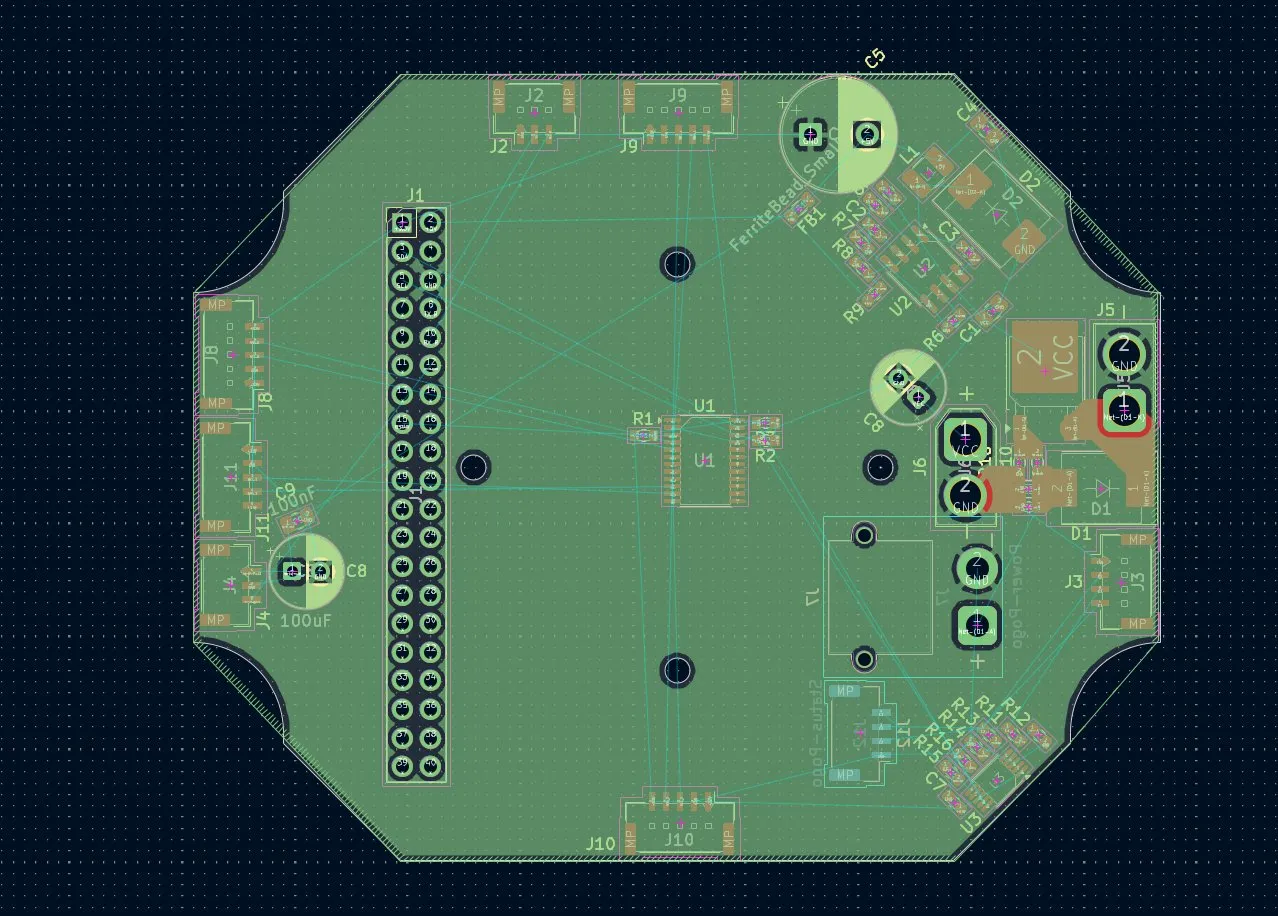
After finishing the most important part, I continued on the battery status pins:
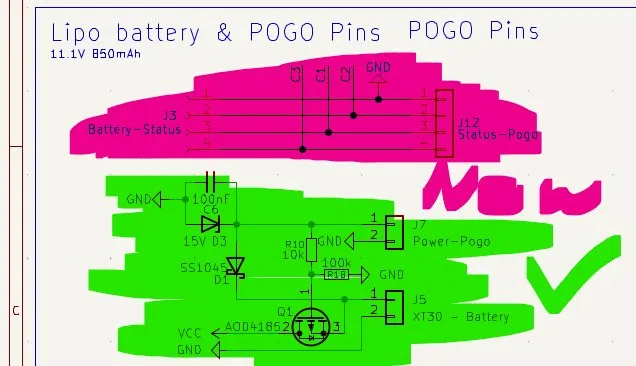
Therefore I used the default tracks 0.2mm for the signals lines and for 3.3V and GND 0.3mm, and also for Power, but for the capacitor, I used 0.3mm because there is more power, and after designing that, it looked like this:
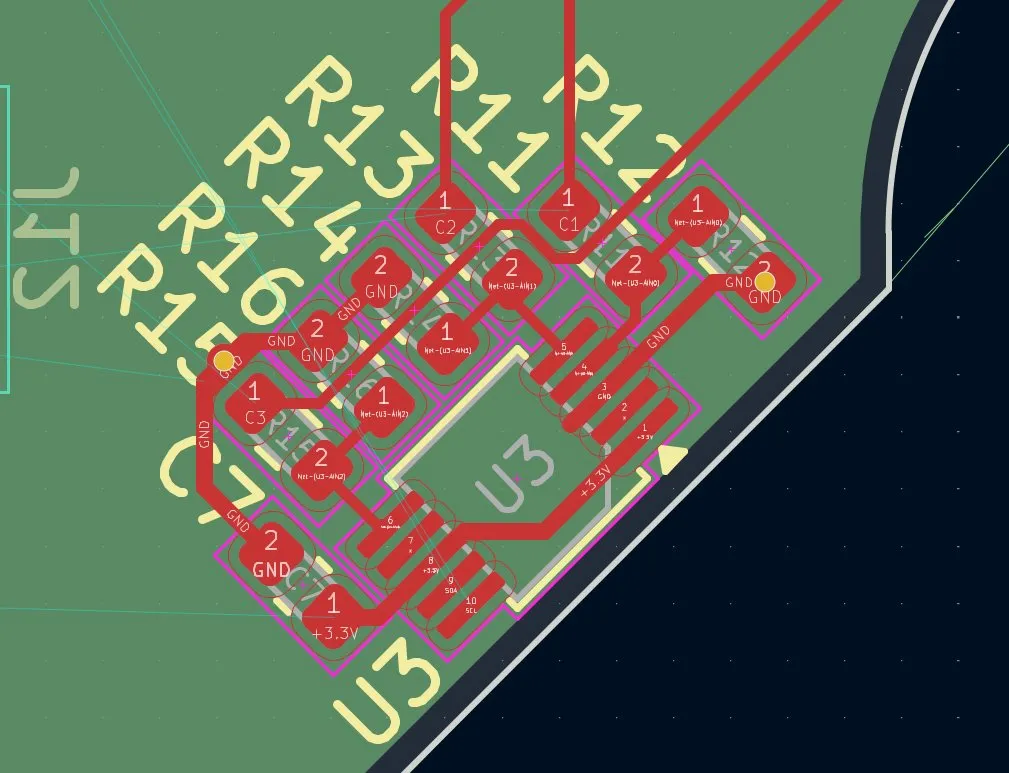
During that process, I also placed VIAS, so that the GND can go to the GND plate, but the problem was that the VIAS didn't connect to the GND:
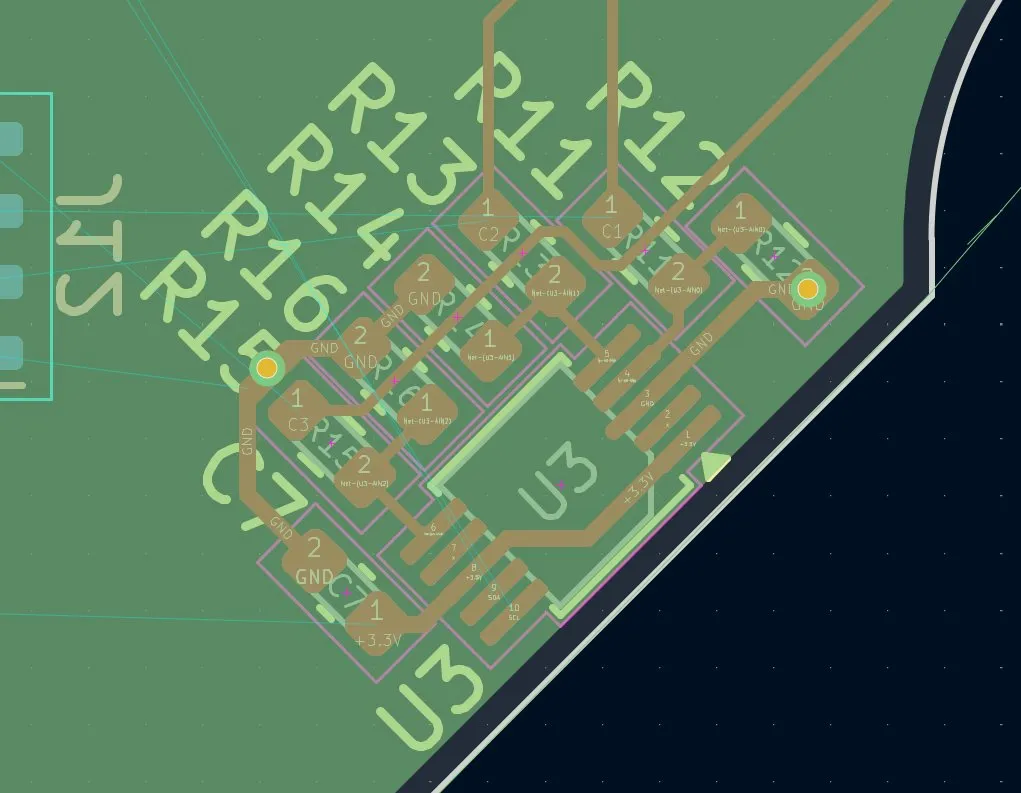
But I tried for about 30 min to find a solution and I didn't find one. Soo I'm gonna sleep now and this is how the PCB looks today:
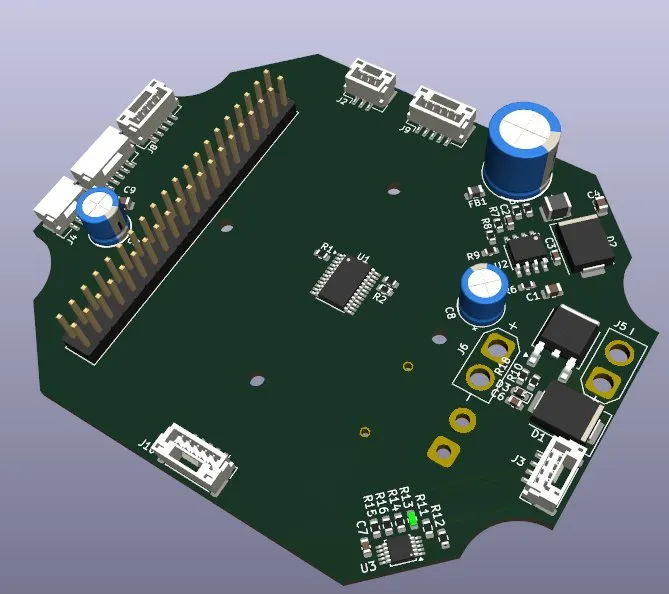
Happy with the progress today, fixed the last issues with the schematics and started the routing of the components!
Session recordings
Timelapse recordings of this session.