Fixing last issues in the drone schematics!
- Session
- 21 of 33
- Date
- 17 May 2026
- Time worked
- 3 h 56 min
- Reading time
- 7 min
- Images
- 18
I wanted to fix the via connections to the GND plane now, and after searching online a bit, I found out that you have to open the GND plane properties and change the pad connection from thermal reliefs to solid so that it also connects if it is near a chip, etc.
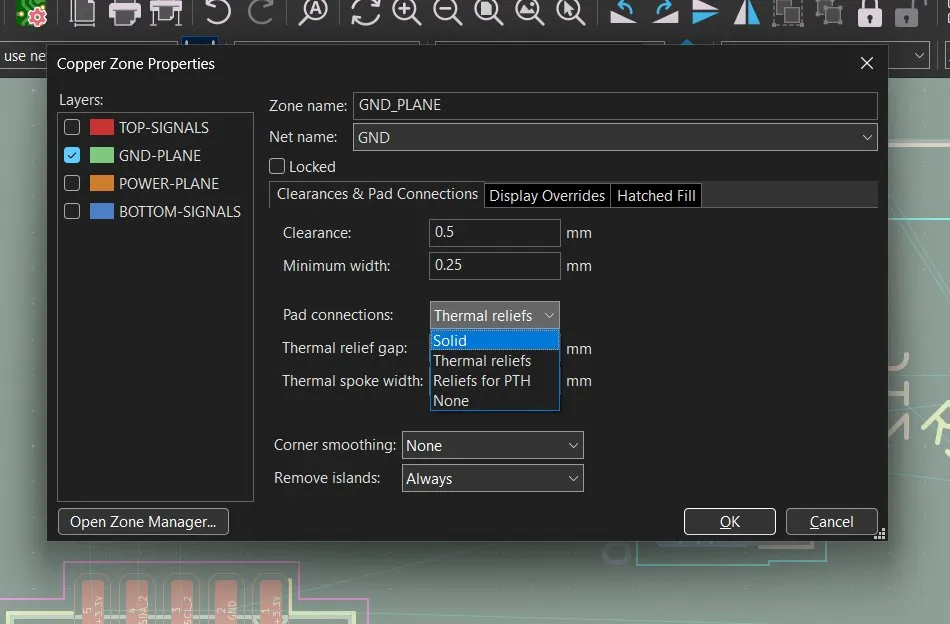
But unfortunately, that didn't fix my problem. However, after taking a second look, I saw that the clearance zone was very high at 0.5mm, and I changed it to 0.2mm because I read that this is standard.
But that also didn't do anything, even after re-rendering with B.
I just didn't understand why it didn't work, why??? T-T
But then I saw that it actually worked and was connected! Yes, it was fine the whole time, I just didn't know that it looked like that. I thought it should have those little legs.
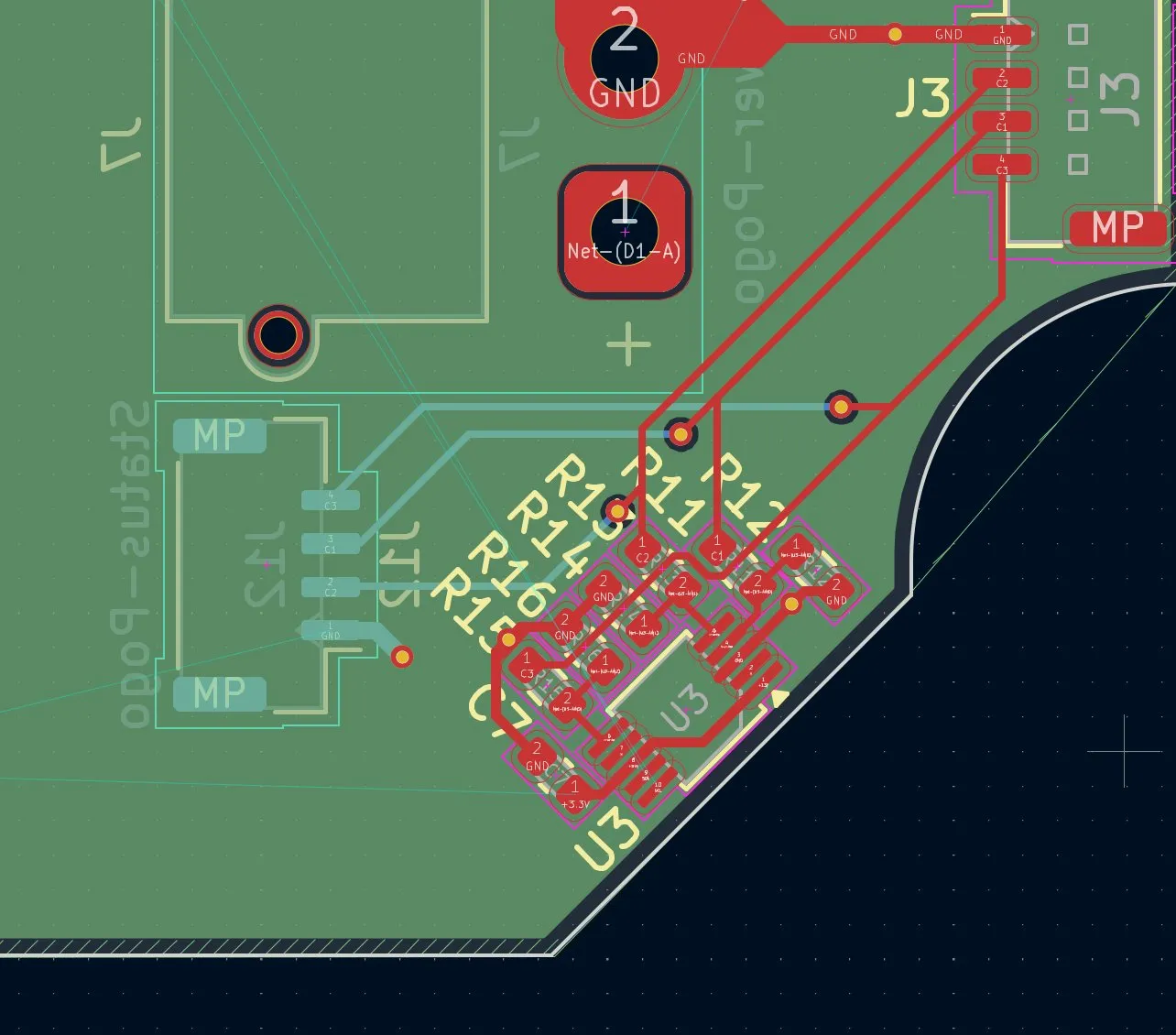
But never mind. I continued connecting the pogo pins, data cable, and battery with the J3 battery status pins. Because the connector to the pogo pins was on the bottom layer, I had to make vias to the bottom and connect it with the status pogo pin connector. Then I saw that I had forgotten to connect the GND pin with the GND plane through a via, so I quickly changed it.
I also decided to add the vias for the connection with J15 on the bottom pogo connector. I paid attention to placing them at the correct height so that the routing would be easier later.
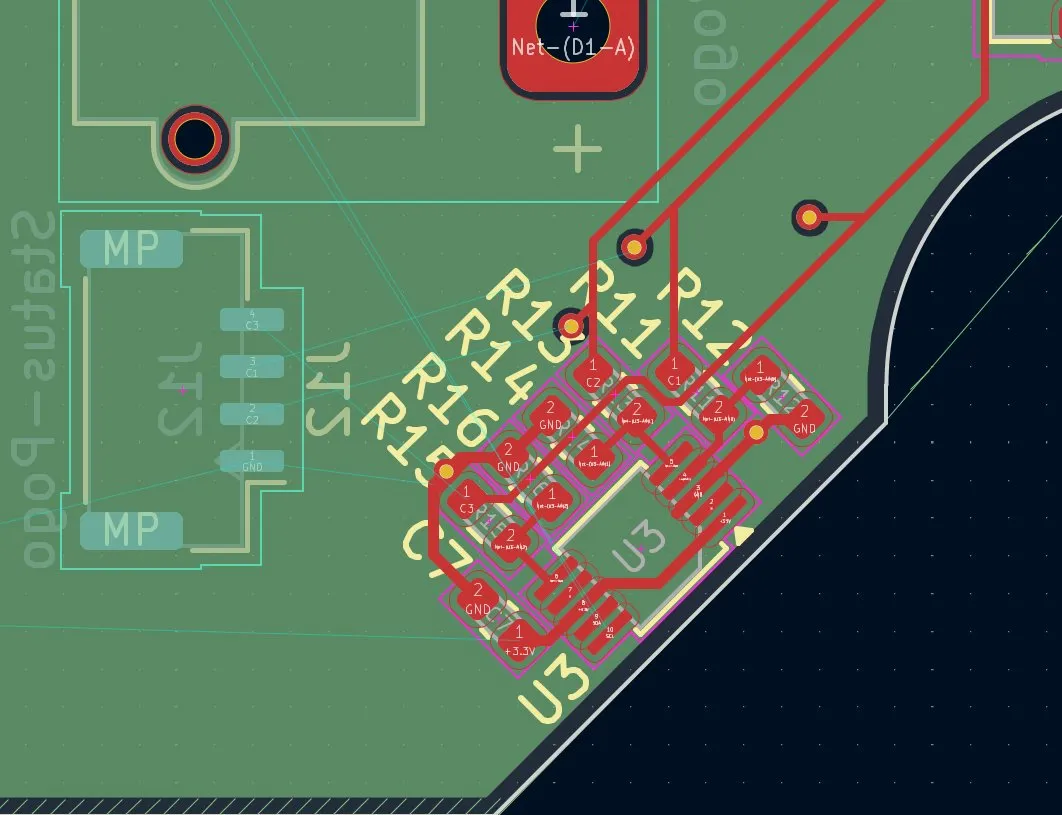
And after connecting the 4 vias with the connector, it looked like this:
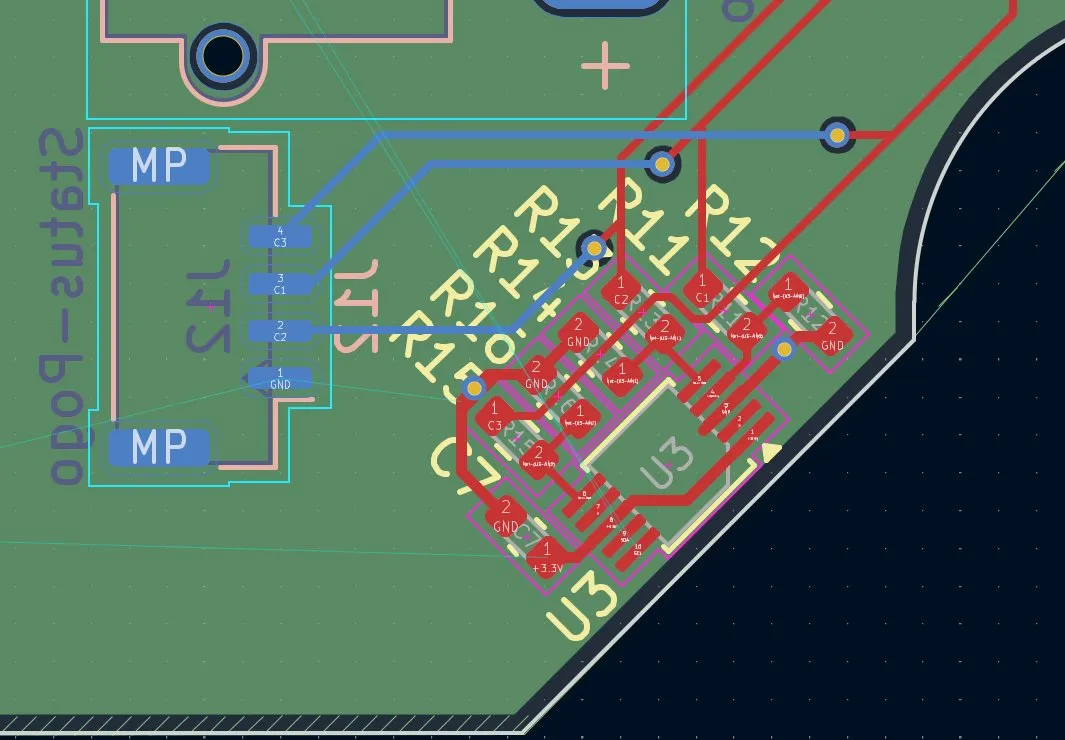
Lastly, I only had to connect the GND with the GND plane, so it ended up looking like this:
Next, I continued on this part, which was also the most important and the hardest because the components have to be as close as possible to each other. FOR THIS ONE, I HAVE TO FOLLOW THE exact description from the datasheet.
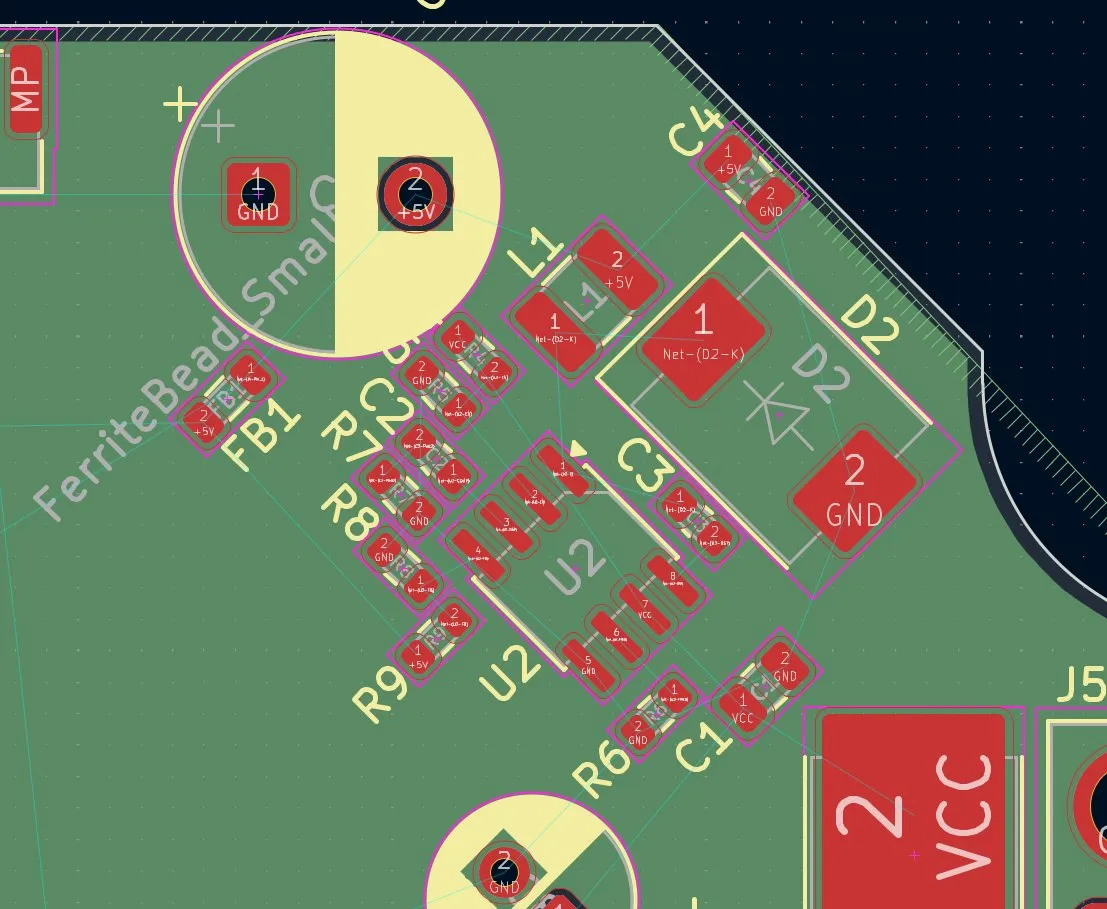
I firstly started by making the huge connection between VCC and the VCC input of the buck converter.
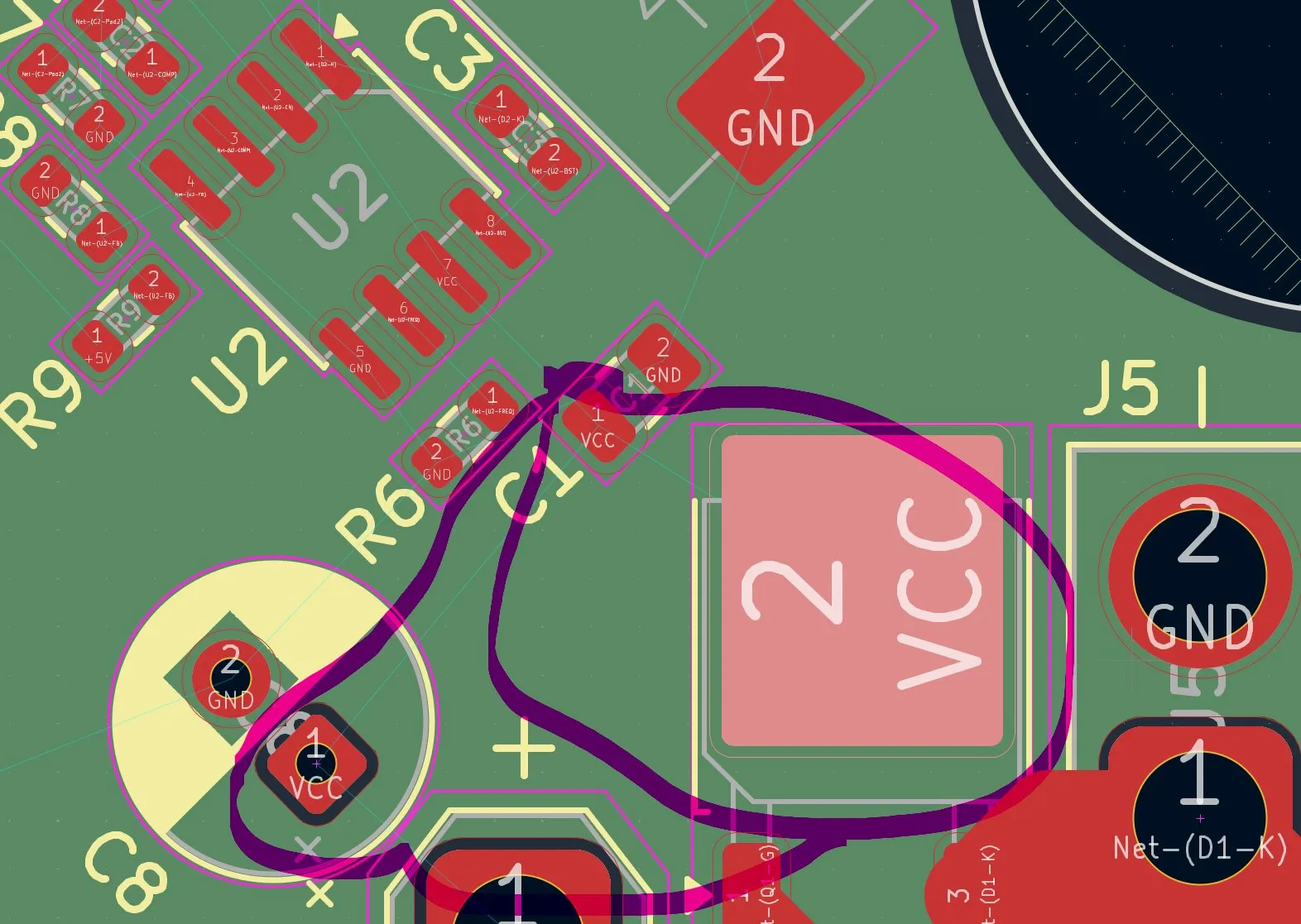
I made the VCC connection into the buck converter and the drone directly to the XT30 over the C8 capacitor so that I was finished with that step.
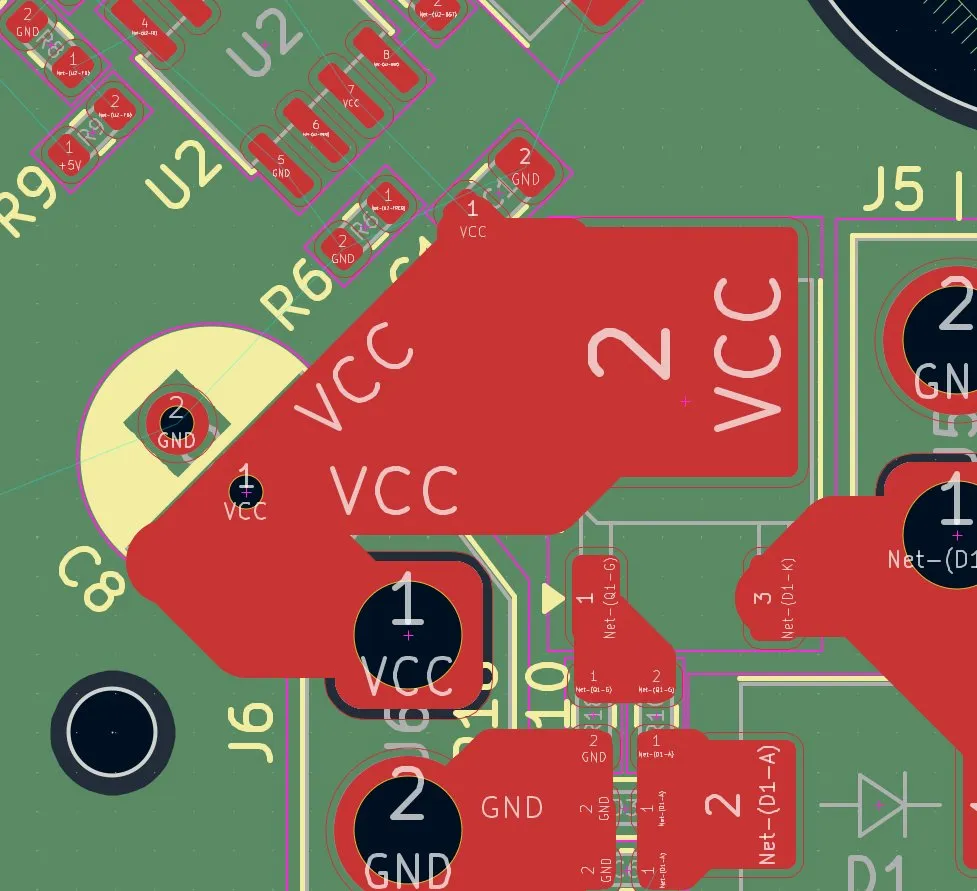
AND I NOTICED A HUUUUUUUUUGGGGGGGGGGEEEE mistake that cost me 3-4 hours of work! Here comes the ultra-long description why:
So I had to delete D1 because it has a small resistance that would cause a voltage drop of -0.5V. I thought I could change it software-wise, but this wouldn't work because the values from the cells would be wrong and the risk would be too high that the battery would explode. SO I needed something like a diode, but with almost no resistance.
And then I stopped for the day because I was at my limits. Almost the whole work I did on placing and routing was for nothing, and I was very afraid that there would be many more errors, etc., and that I would destroy my drone. After asking in Slack, nobody could really help me.
But then, I got very clear feedback that my PCB would not turn on and would catch fire (not so good).
First, I had a problem in my charging/power circuit which I wanted to solve, but then I saw what kind of bullshit I made. J12 pin 5 was completely useless and Q3 too, SO I decided to remove them. Because they wouldn't do anything special, after removing them it looked like this:
And after thinking logically about it, it was perfect and 10x easier and correct now, here it is:
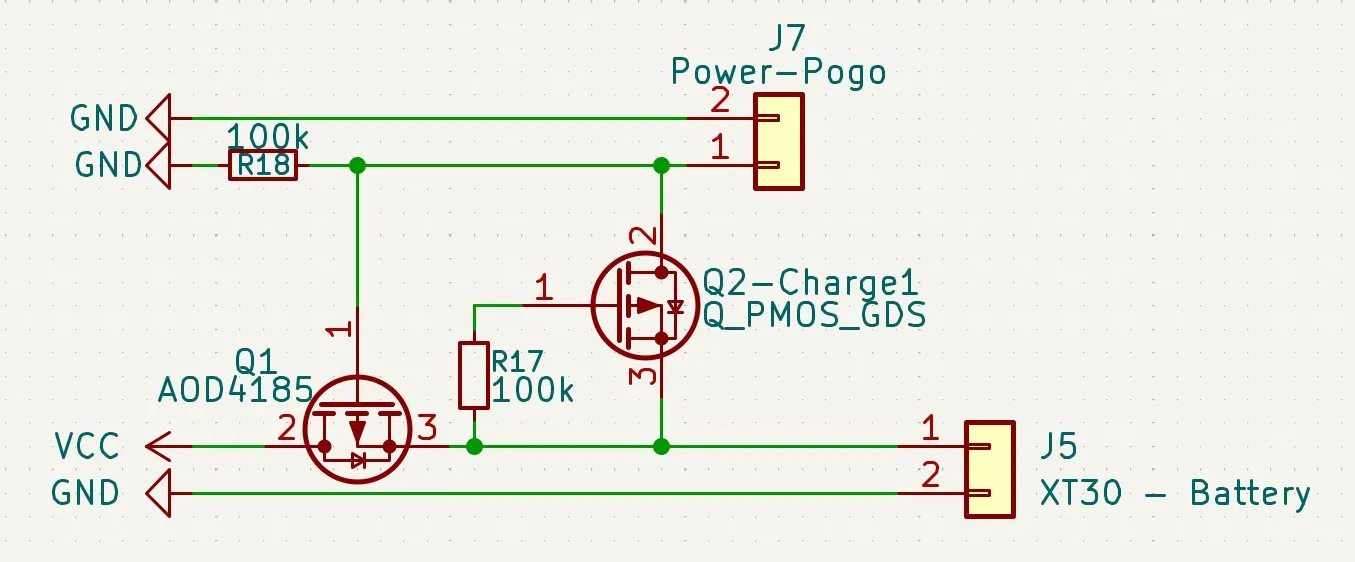
During flight: J5 pin 1 can go normally through Q1 because the input is at the Source, and Drain is VCC. The other part's pin 1 allows it to go through because it is connected through GND, so that works perfectly. Q2 blocks itself, so that during flight, if you touch the pogo pins, the battery doesn't get cooked. This is the perfect system! After that, I wanted to be completely sure, so I decided to simulate it in KiCad.
Therefore, I had to find the SPICE file for the AOD4185. After finding a PDF that had 108 PAGES (!!!), I found the correct part and created a new text file so that I could save that section. Then I had to double-click on the MOSFETs, add the TXT files to them, and also change the pin layout because it was different in the TXT file. After that, I added virtual voltage sources. But after running the simulatio... ERROR, and over and over I tried for sooooo lnog to fix that but it didn´t work, tired to export it to other simulator, but they weren't that good and I didn´t knew what to do, but then I managed to run one. But it came out, that my system for charging/battery-switch didn´t fork, SO I tried finding the solution, but I kept failing...
After that, I took a walk outside and thought about whether I could even build this drone, etc., and fell into a rabbit hole... But then I thought the thing that is holding me back the most right now is the electronics for the landing station. So I decided to build the landing station, but NOT to make the drone charge through the landing station automatically. You will just have a button or switch built into the drone to turn it on and off and then charge the battery manually. This saves me a lot of time to finish this project and also raises my chances to attend the in-person event in Shenzhen! (Who knows, maybe I'll do the automatic charging in V2 of the project). But I am happy with my decision. And I set a personal deadline for myself: 1 WEEK! It's tough because I have to finish the PCB, make the poster, write the code, and do the 3D CAD of the landing station, but that was the ONLY solution for me to attend the in-person event. So I switched right back and deleted the parts for the landing station electronics.
Excluding J7, J12, and their electronics. After that, it looked like this:
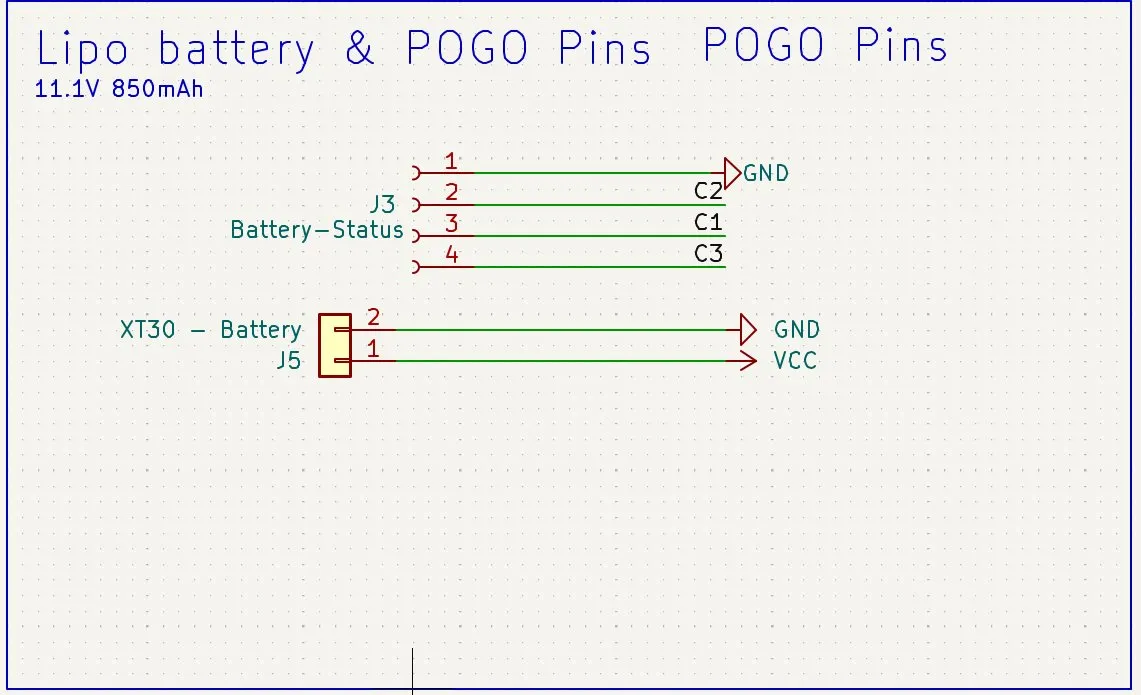
But then I had to think of a switch to turn the drone on and off for charging, but also for saving energy, etc.
I wanted to add a switch like this on the side of the drone:
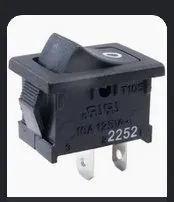
But I had to search up how to add it, etc.
SO after searching online, I found an idea on how to do this. Because if I would put the switch in series, it would melt and the whole circuit would not work. For switching it off, I decided to use a P-Channel MOSFET.
And after connecting the Source with pin 1 of the battery and Drain with VCC, it looked like this:
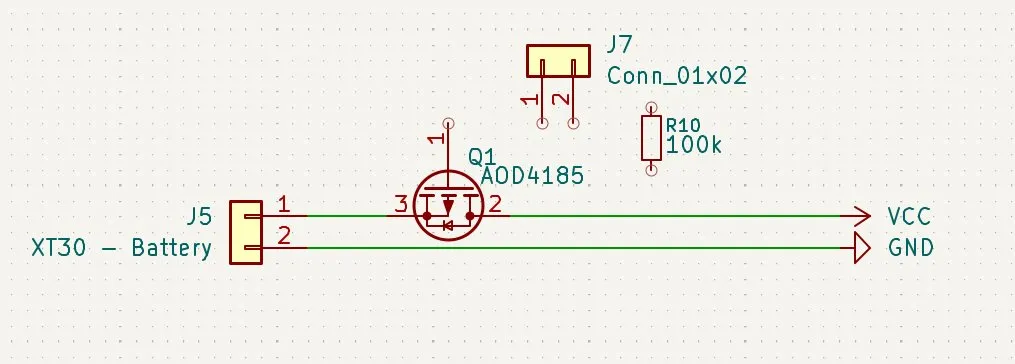
And after finishing it, it looked like this:
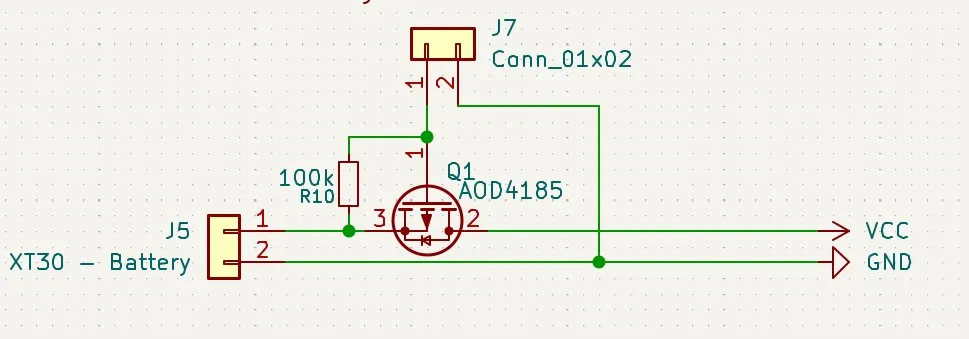
Next, I wanted to check again if I calculated it right, so that the output will be max 3.3V here:
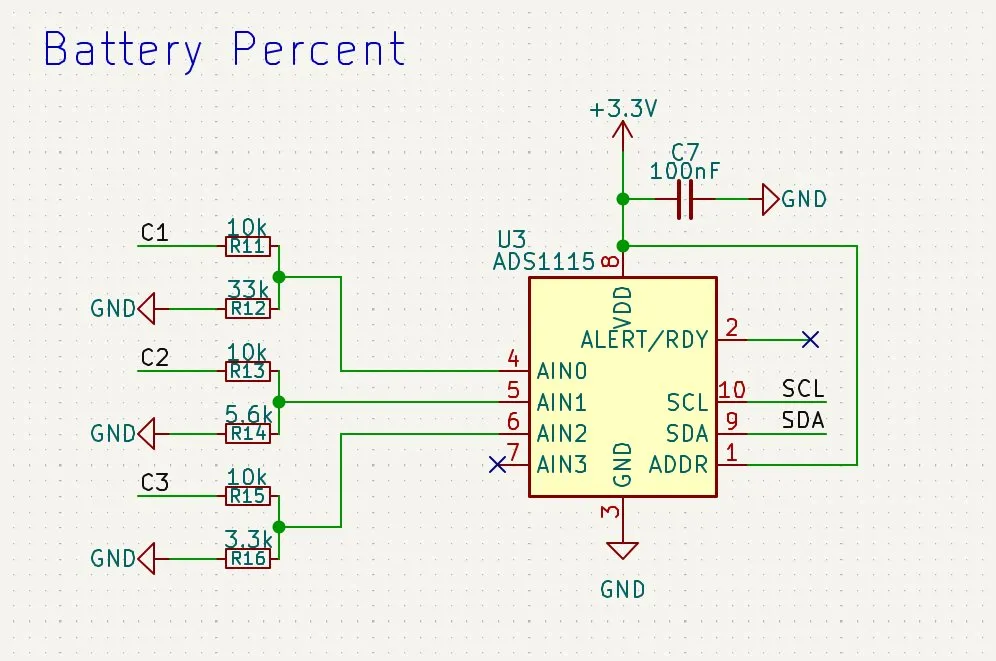
But I remembered that I did that in an older journal, so I checked it again and it was correct. So this part is fine!
Then I wanted to check the Raspberry Pi power supply because I got feedback here that L1 was too small, but the rest should be fine:
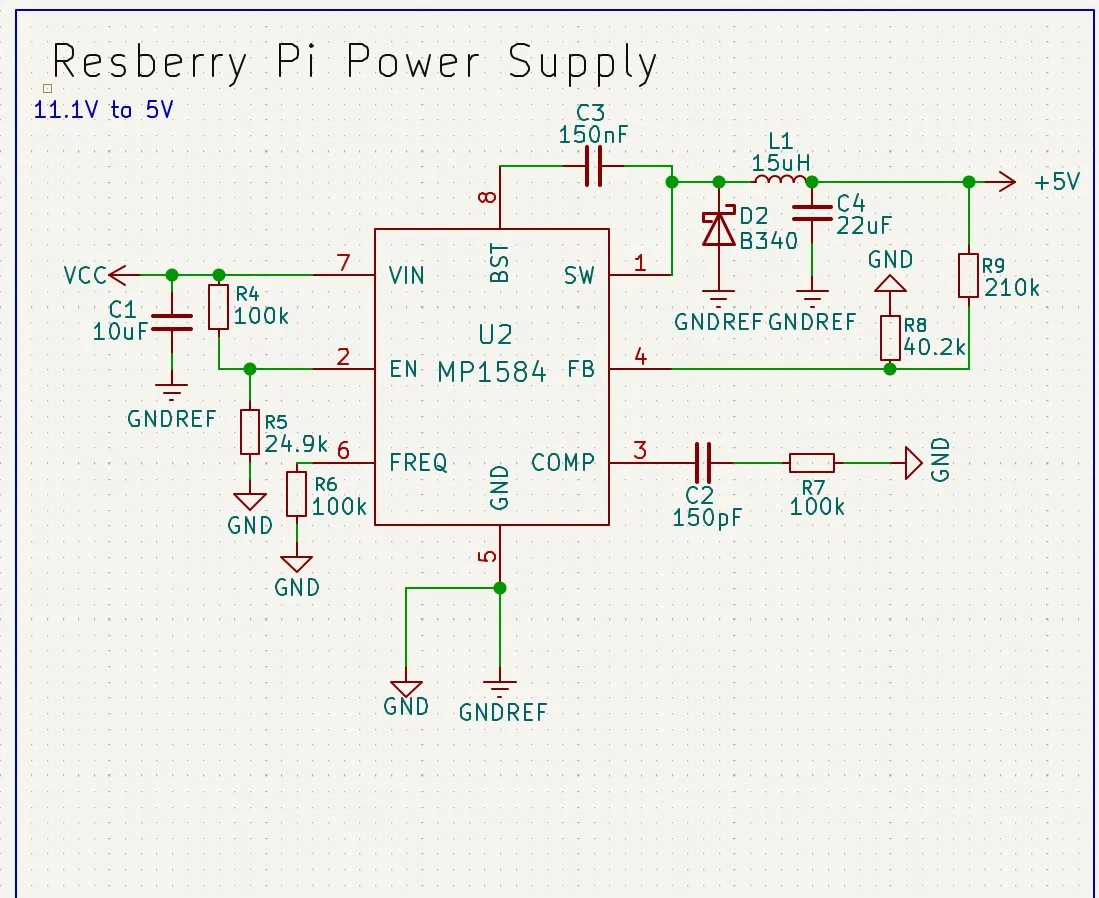
But then I saw that I actually used 2 GND flags because I thought it needed 2 separate GND nets. But now I know that it doesn't, so I changed everyone to normal GND.
So that it looked like this:
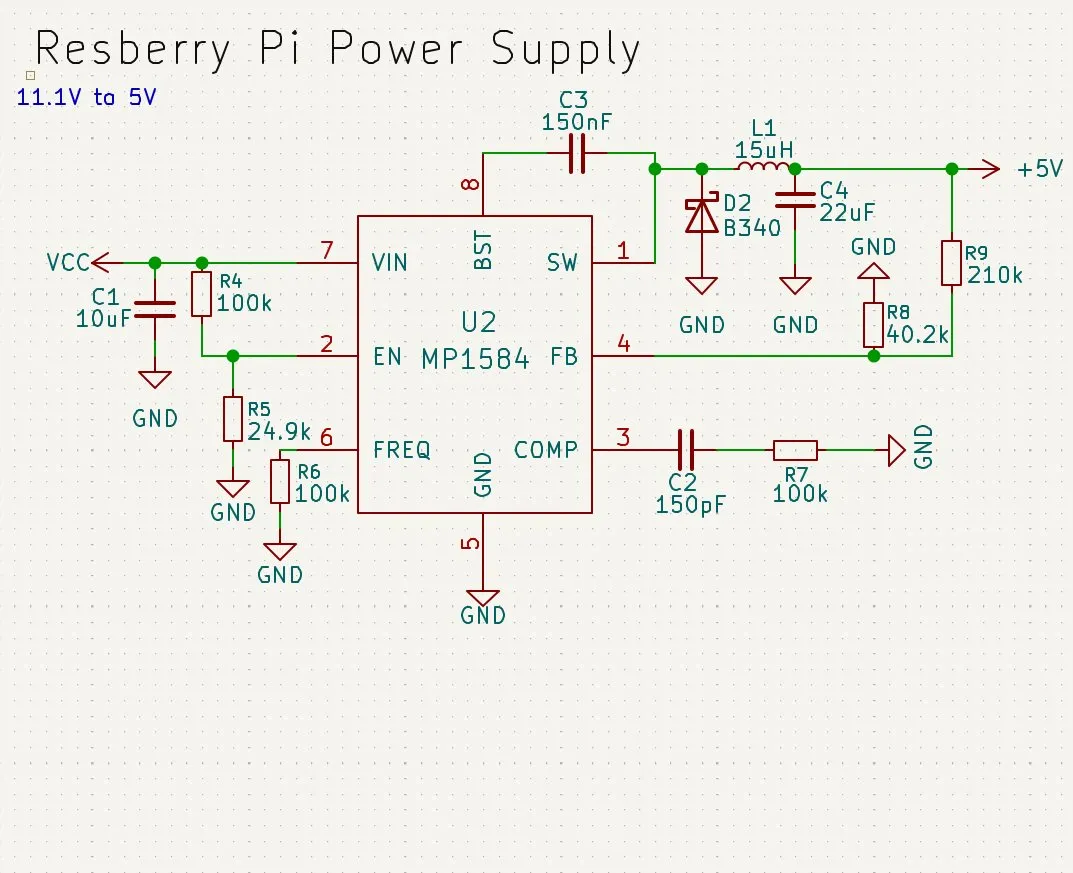
Then I went to the footprints and updated L1 to a bigger model so that it can handle more than 3A.
So after a bit of searching, I decided to take this one: L_7.3x7.3mm_H4.5mm
It is big enough, but not too big so that it will block other parts on the PCB, and it can handle up to 4A, so it was perfect! Lastly, I updated the footprint and it looked like this:
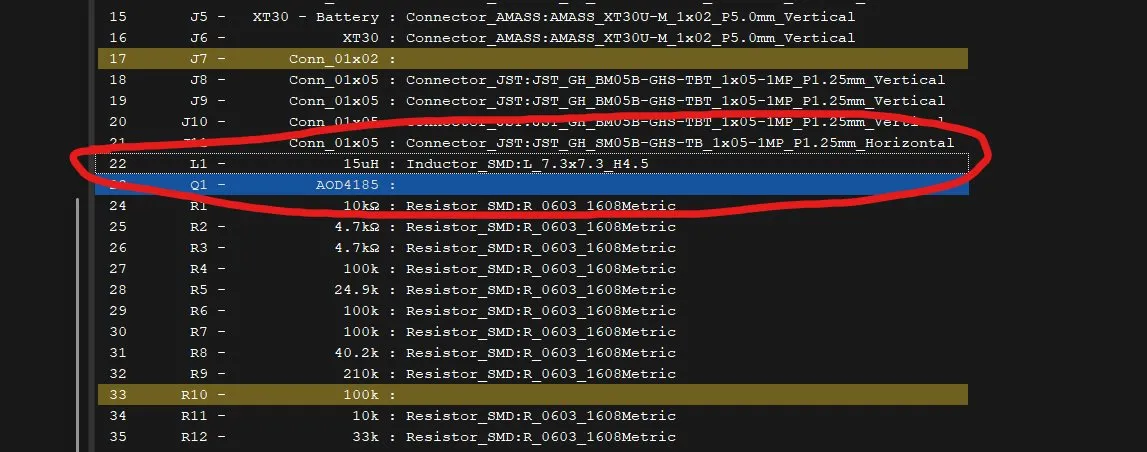
Then I noticed a mistake: the sequence of those pieces was wrong.
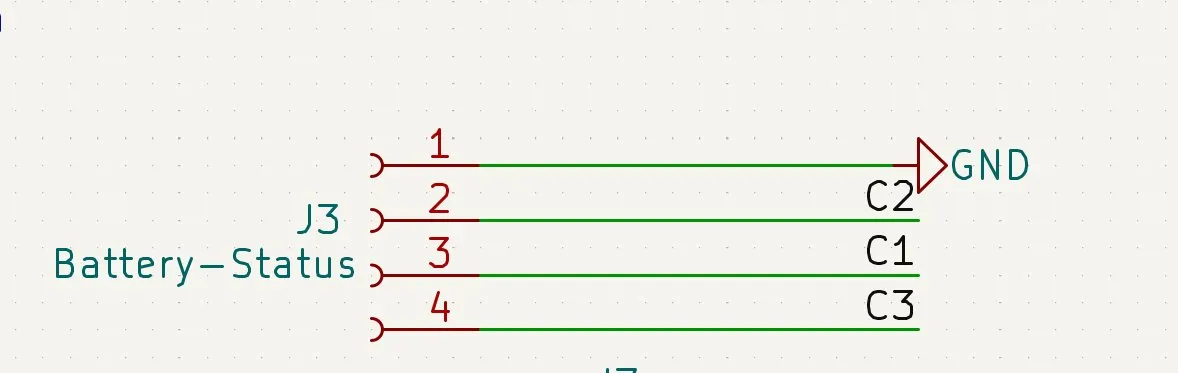
So I quickly changed the order from C2 C1 C3 to C1 C2 C3.
And now the schematics were perfect! I only needed to fill in the rest of the footprints and then I could finally continue working on the routing of the PCB!!!
The only things that I had to change were J7 to just a JST-GH.
Then for Q1, I'll use the TO-252-2. Why use this?
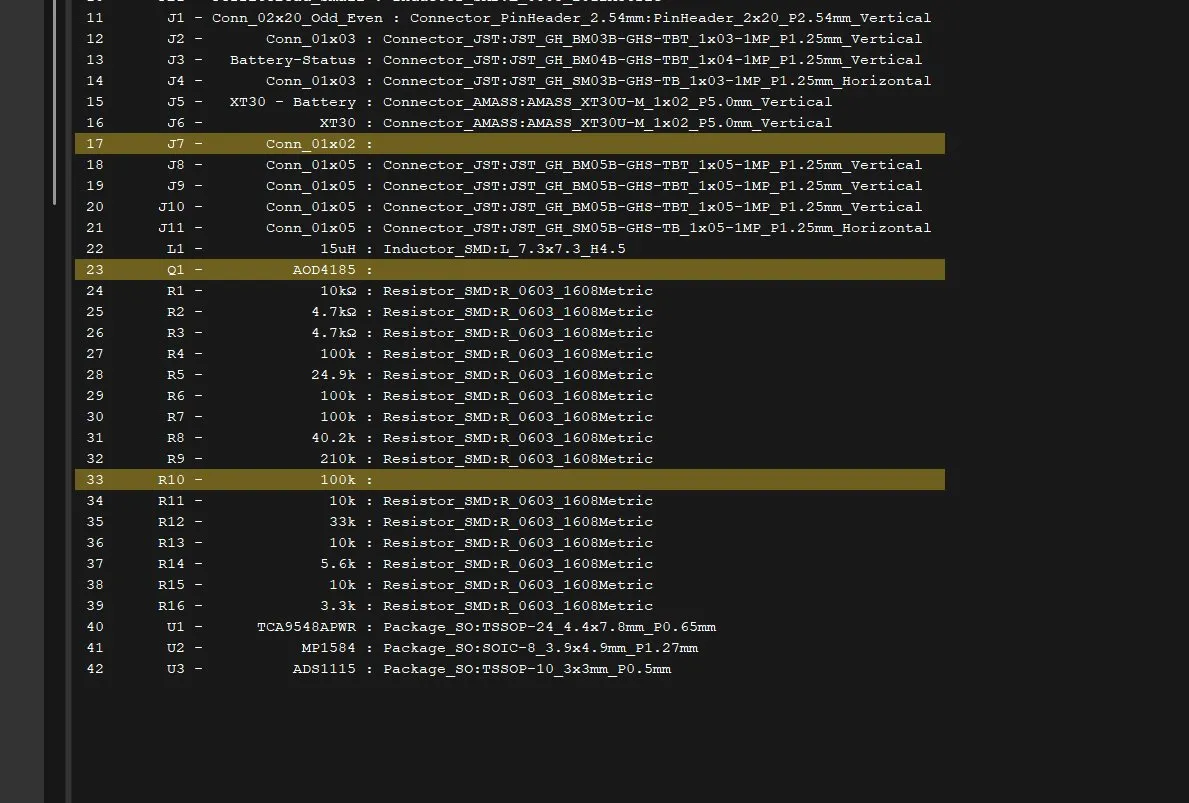
Then, for J7 I decided to take the JST-GH 01x02 pin like the others, and for the resistor, I chose 1608 (0603) like all the others. And then I was finished with the schematics—hopefully for the WHOLE PROJECT!!!!!
The last 2 days were really interesting. I learned a lot about electronics and how hard it can sometimes be to find the correct thing and try to fix errors. Although I'm very happy that I finished the schematics and will route the PCB tomorrow!!
Session recordings
Timelapse recordings of this session.