Finished the battery percentage and started the sensor I2C connection!
- Session
- 23 of 33
- Date
- 19 May 2026
- Time worked
- 1 h 2 min
- Reading time
- 2 min
- Images
- 18
I started by connecting the C1, C2, and C3 pins from the connector with the I2C chip.
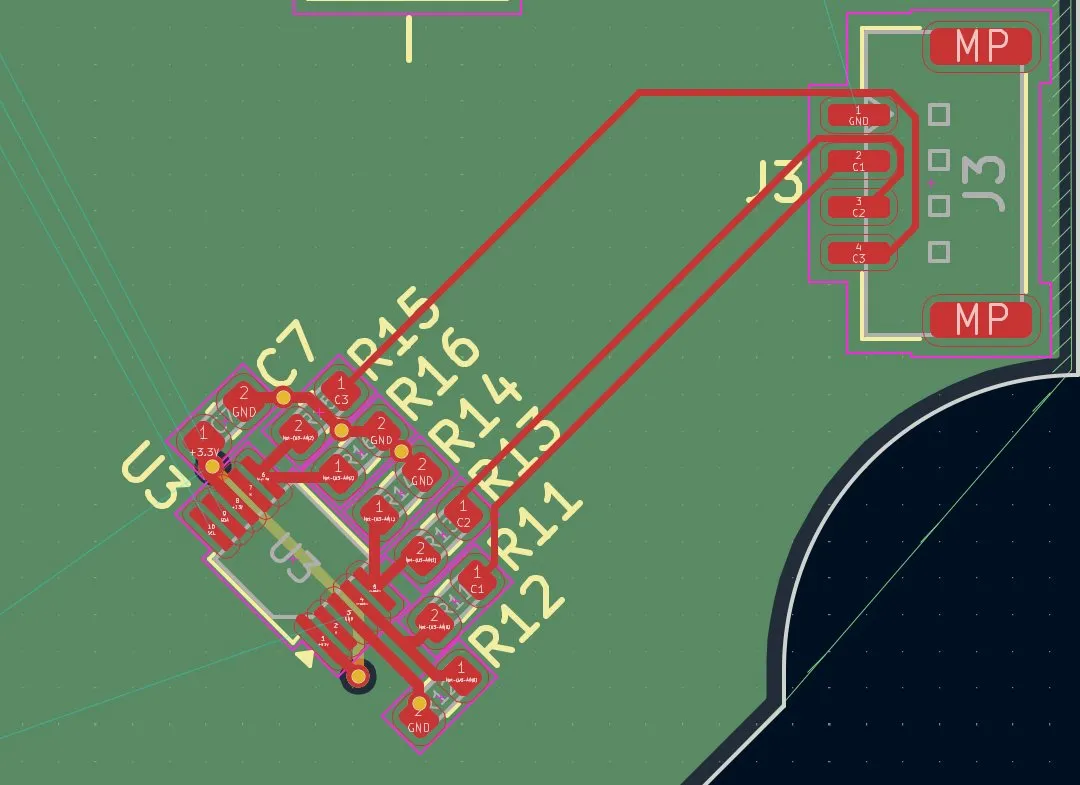
But that wasn't the best solution because it would be under J3, which is not ideal. It would waste pretty much space and is also much longer, so I decided to do it with vias on the 4th layer.
And after firstly drawing the vias to the right height, I could easily draw the connections.
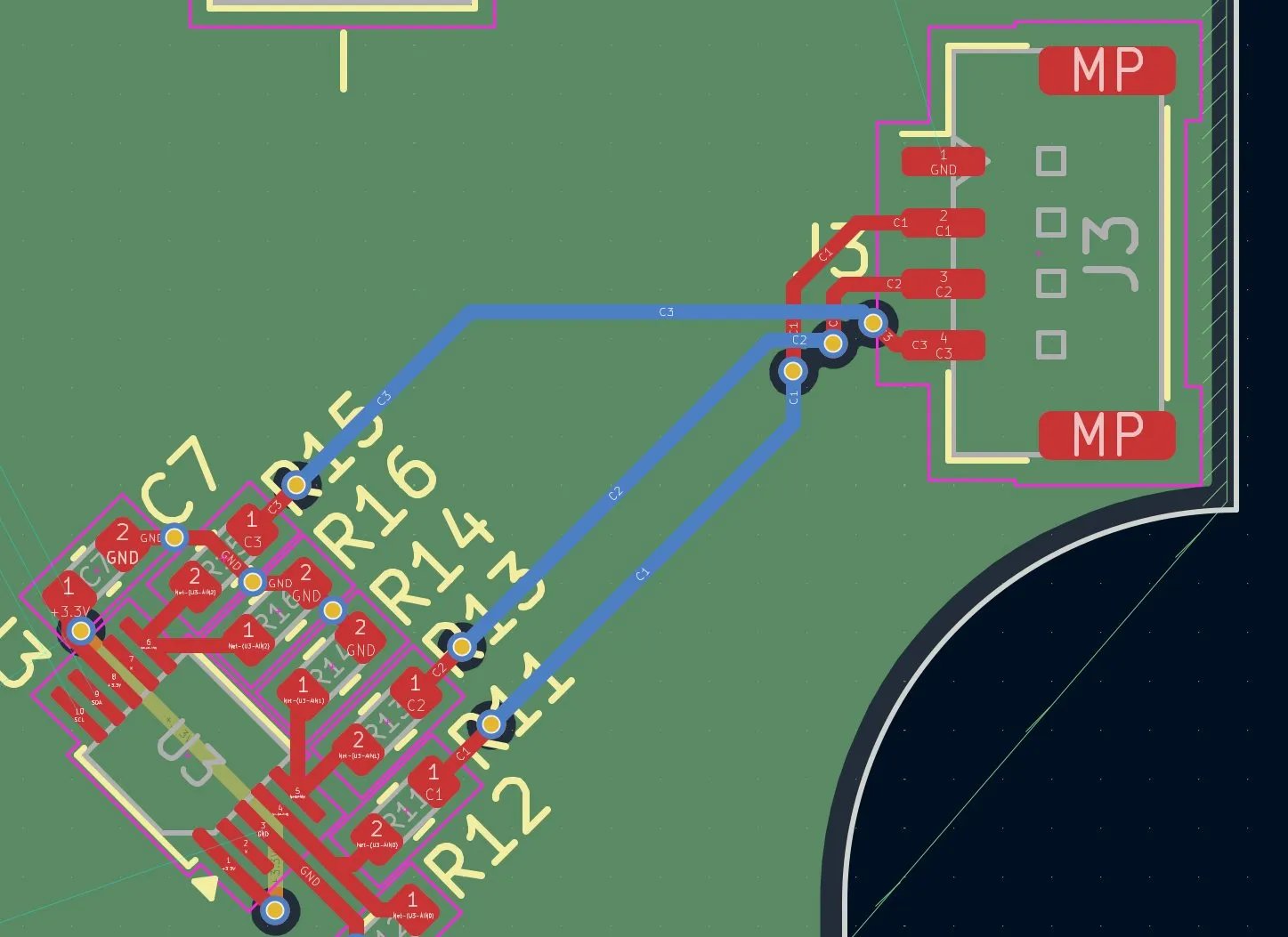
And lastly, I connected the GND pin from J3:
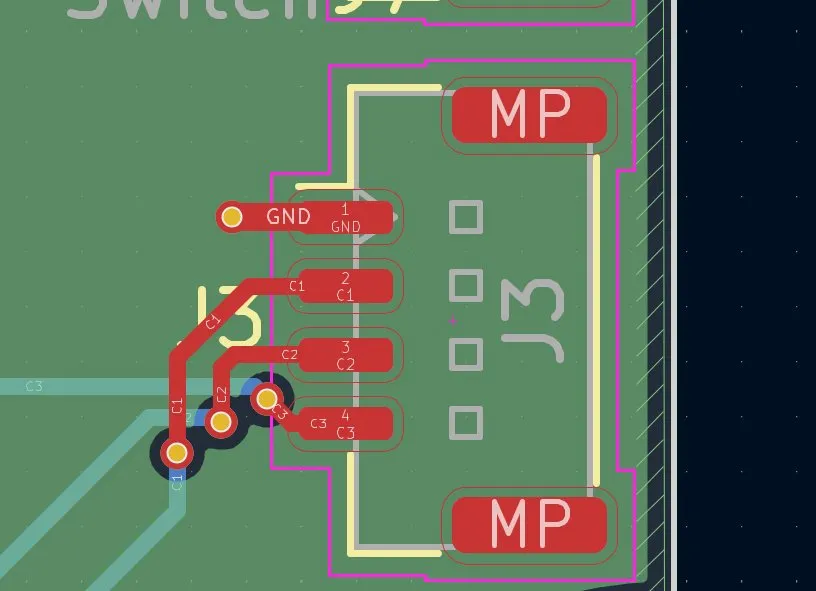
And then I continued routing U1 with the 4 ToF sensors.
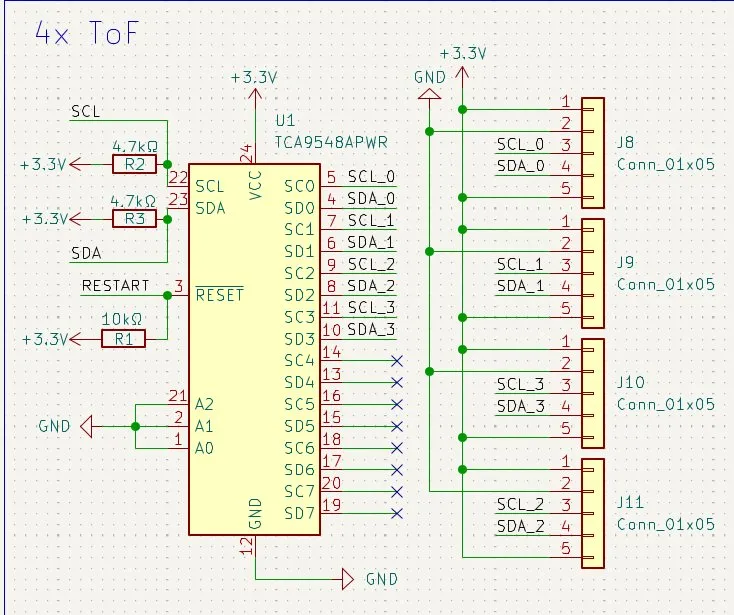
Then I wanted to connect them, but I encountered a small issue: the connectors and their pins weren't in the perfect position. Because, for example, J10 had more upper pins, but optimally it would have the pins of J11.
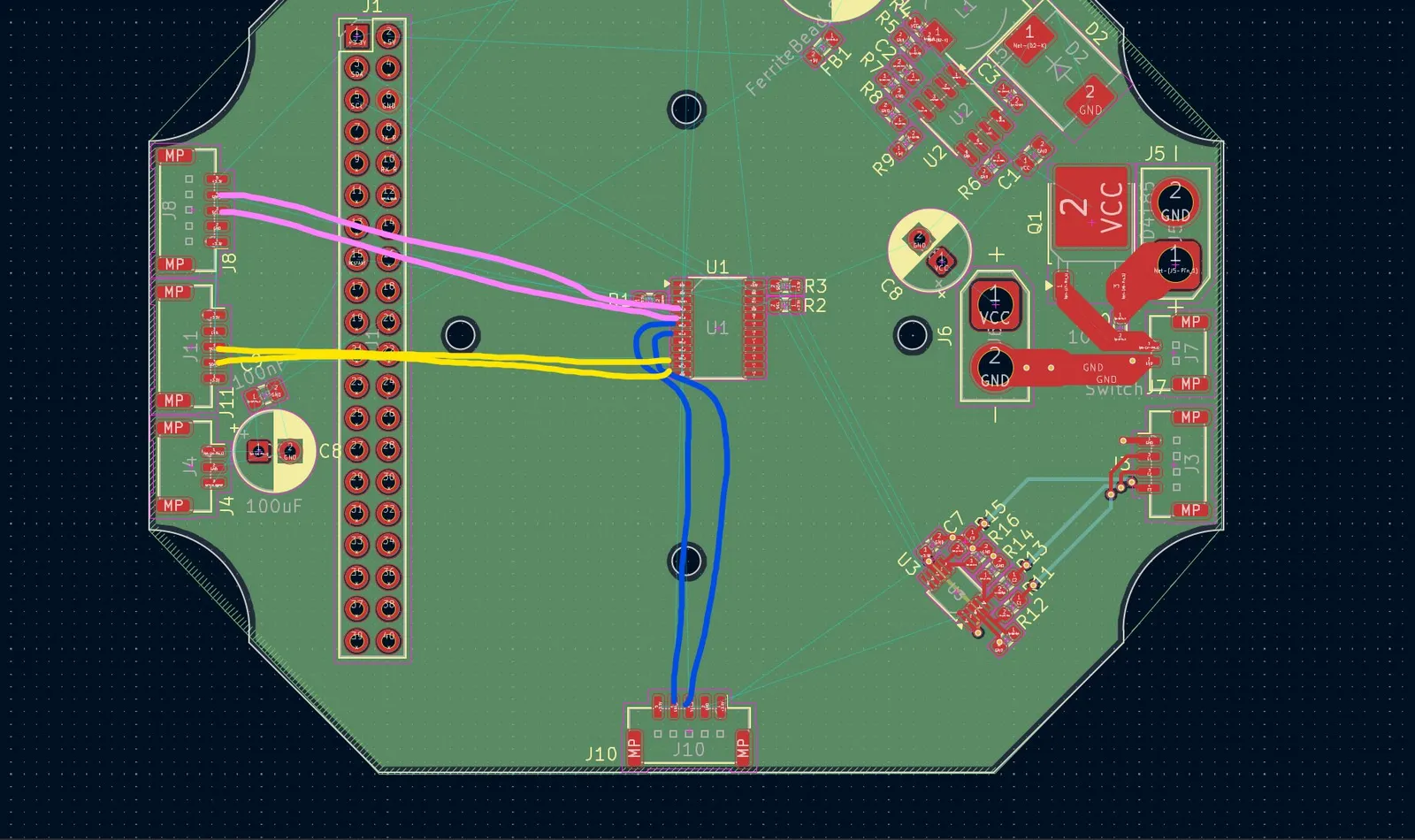
So I decided to give J9 the 0 pins because they are the highest ones, J8 the 1 pins, J11 the 2 pins, and lastly J10 the 3 pins. After I updated the schematics, it looked like this:
And then I started routing the J10 SDA_3 and SCL_3 pins.
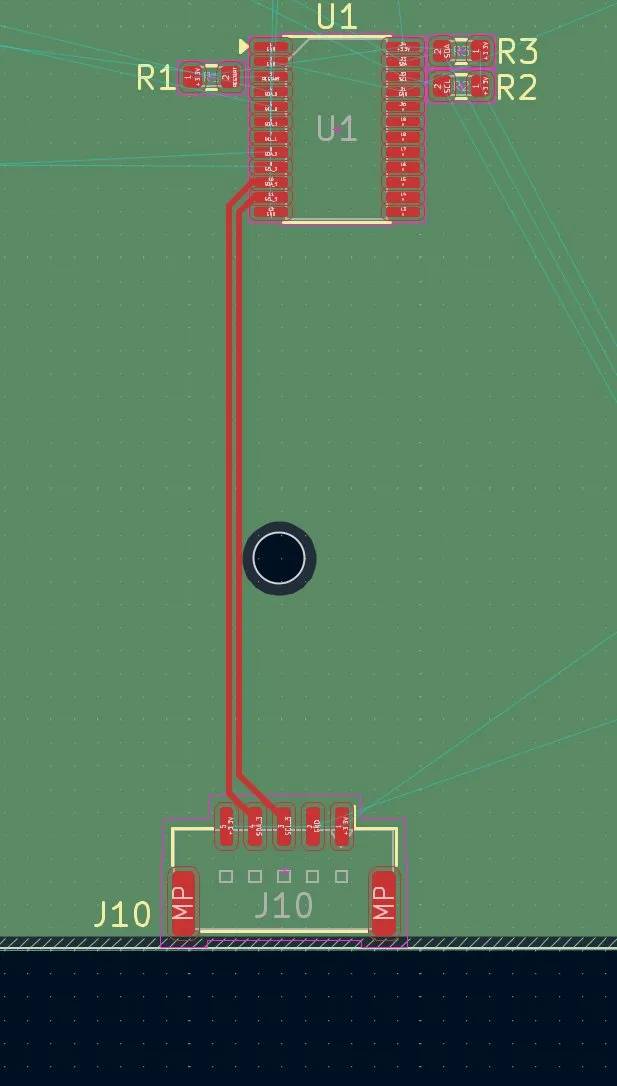
I decided to firstly do all data connections and then do the 3.3V and GND. After that, I continued with J11 and the SCL_2 and SDA_2 pins, but there I had 2 problems. There was a capacitor that could cause interference (noise), etc., and the Raspberry Pi Zero 2 W pins were there.
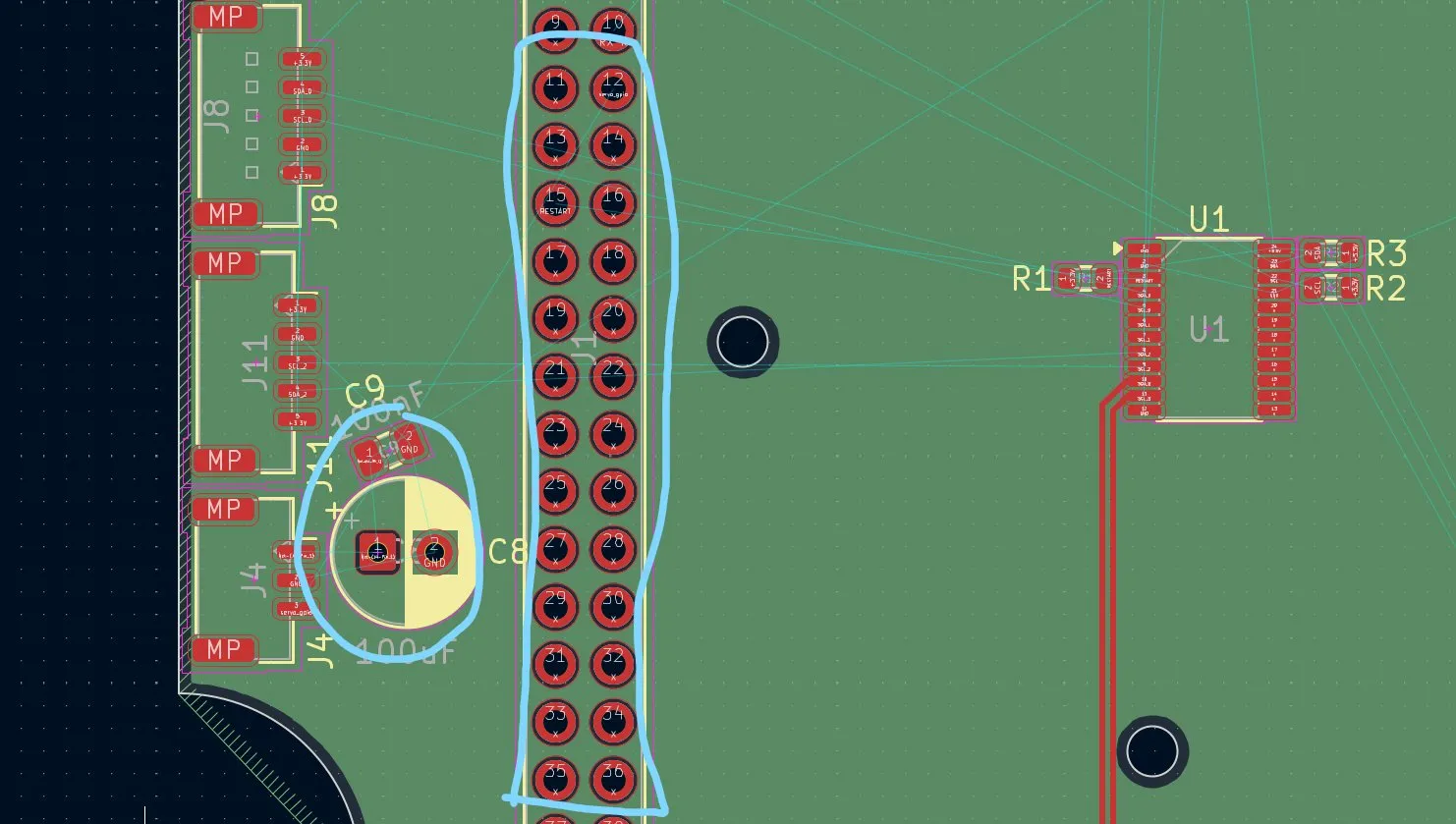
And because of the interference, the noise, and the fear of soldering a bit of the pins, I decided not to route the pins through the pinout, but through vias on the 4th layer.
But the C9 capacitor was still a bit in the way, so I decided to move it to the other side.
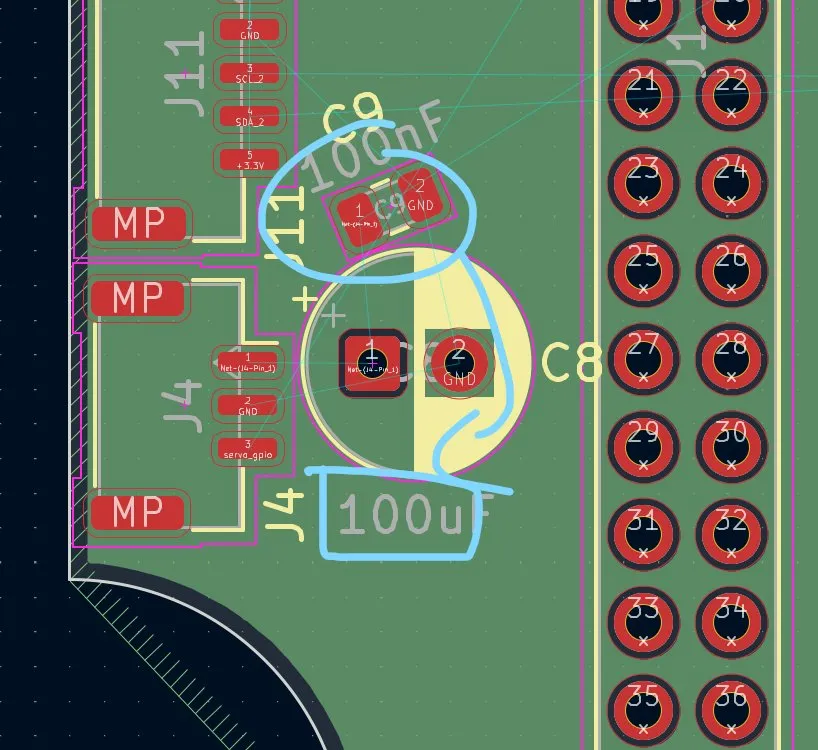
And then I saw that the lines had to switch positions, so I did the same as with the battery percentage I2C. But the twist would happen at the I2C chip so that it spends the least possible time on the first layer. Afterwards, it looked like this:
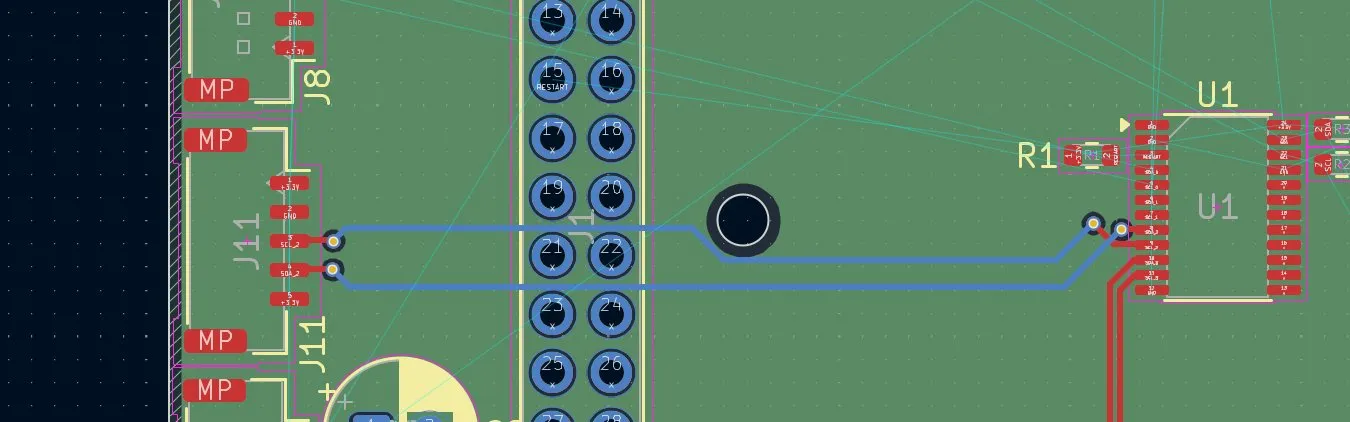
And then I continued on J8, where I used the exact same principle.
But then I decided to put them on the same height so that they don't steal space from the other pins.
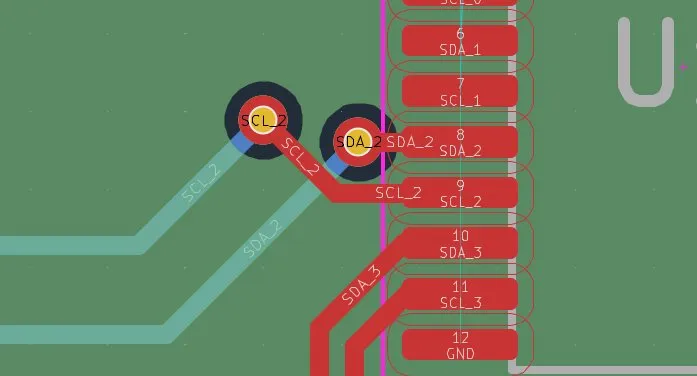
And after that and routing it again, it looked like this:
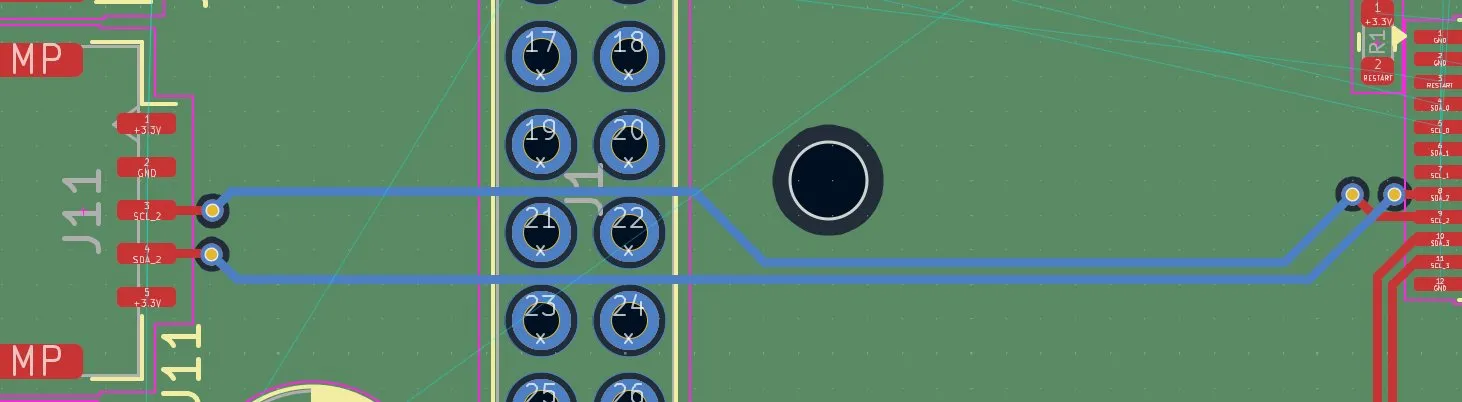
And after doing that also for J8, it looked like this:
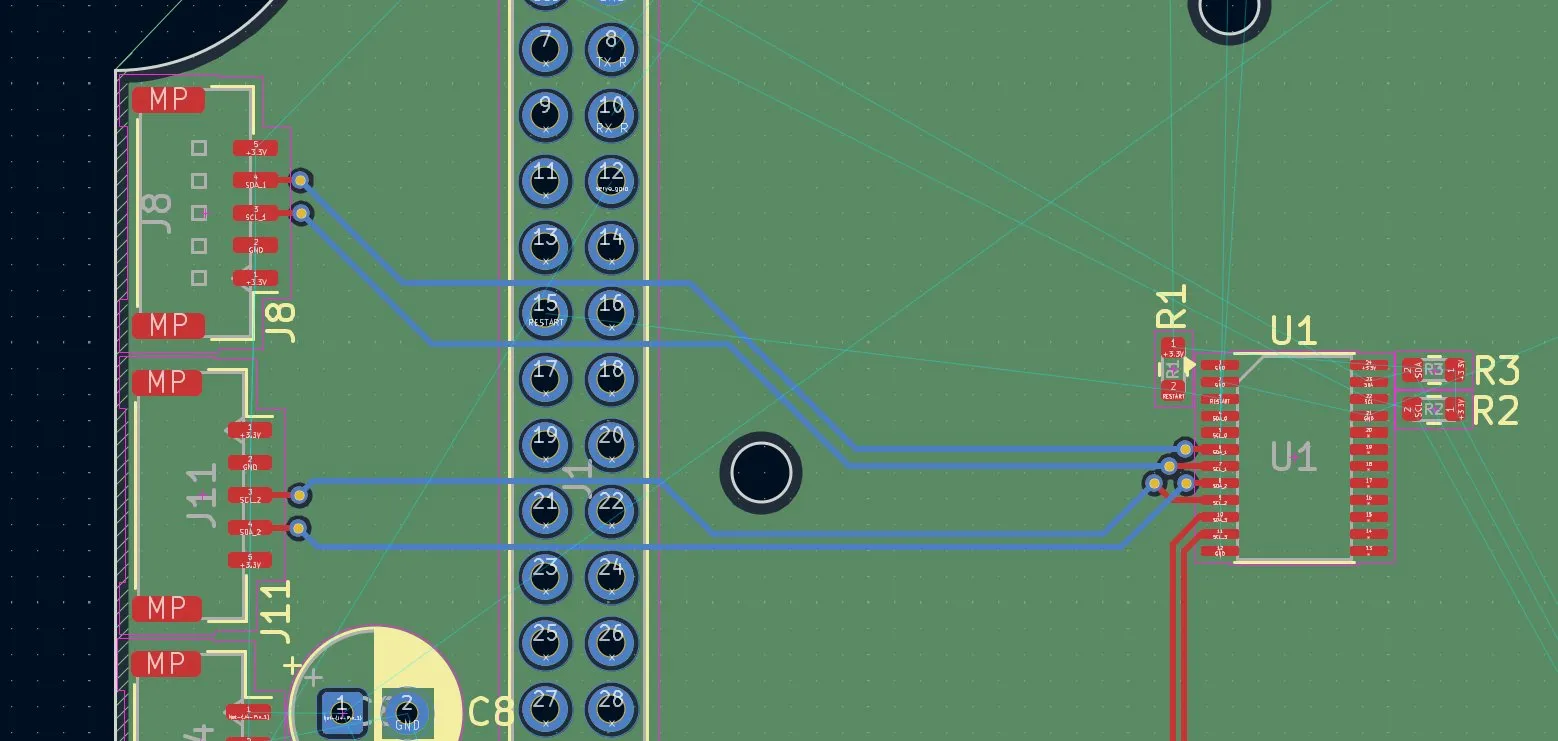
And then I placed the J9 connection.
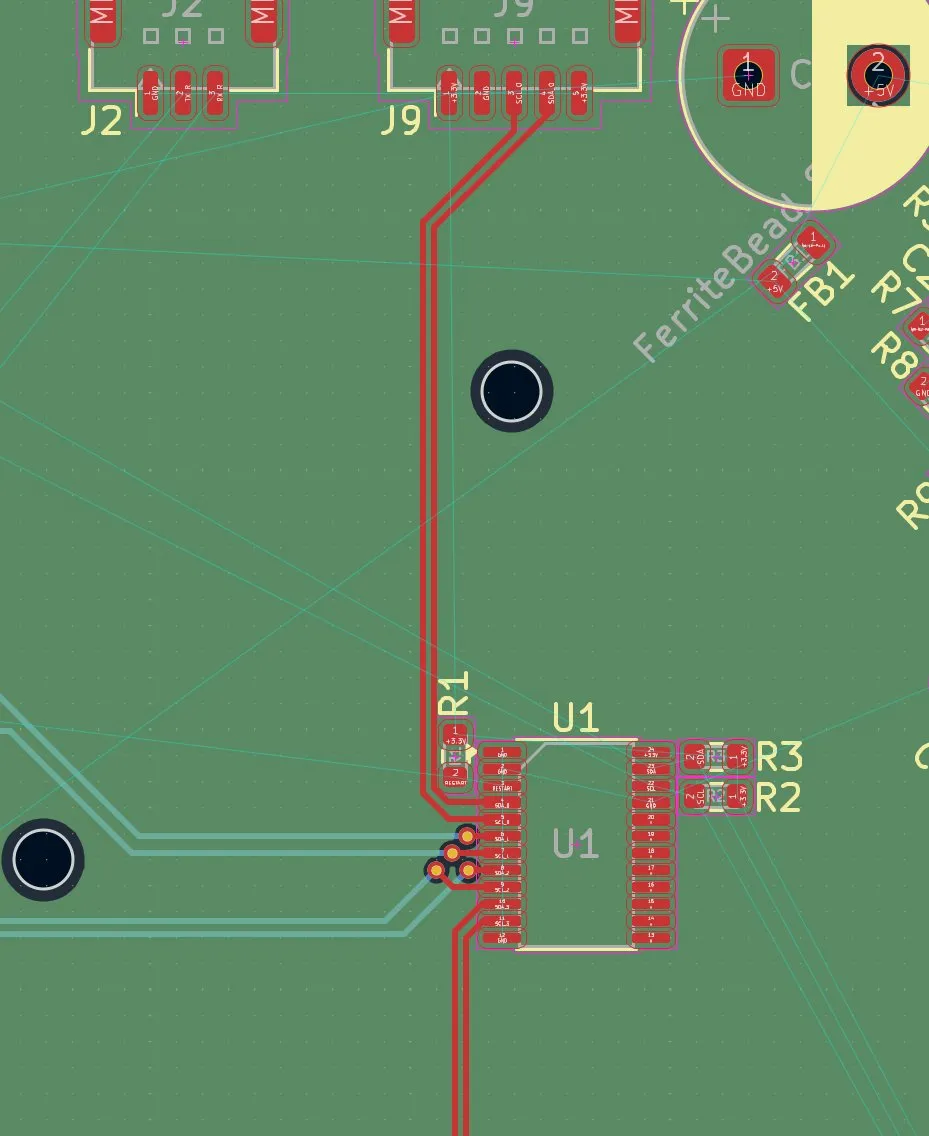
But then I saw a mistake: the lines were blocking R1.
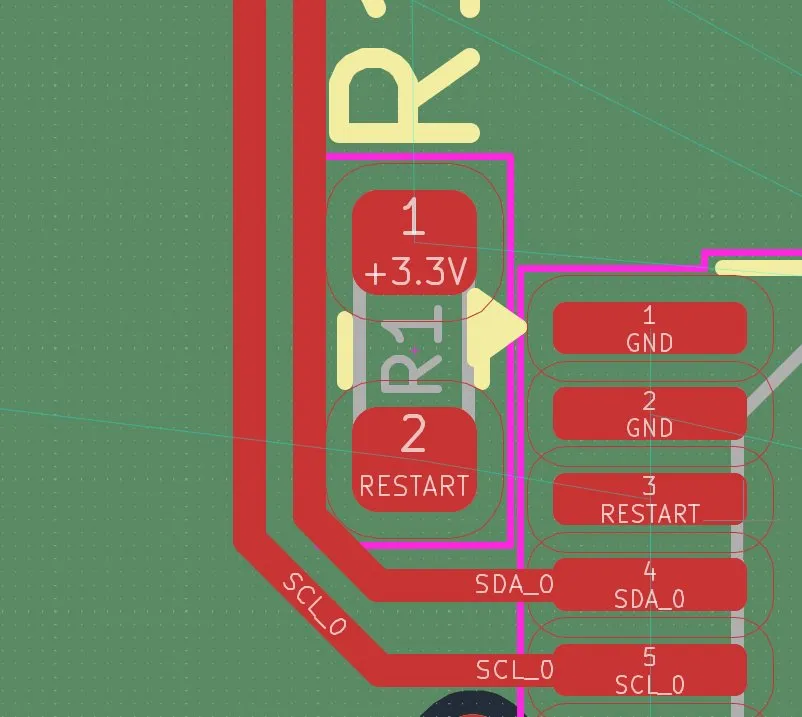
So I deleted the old ones and moved them further to the left. After adding the traces, it looked like this:
Lastly, for that session, I made the GND and 3.3V connections to every sensor. I started with the GND pin because I would just need a via:
And then it looked like this, for example, in that part:
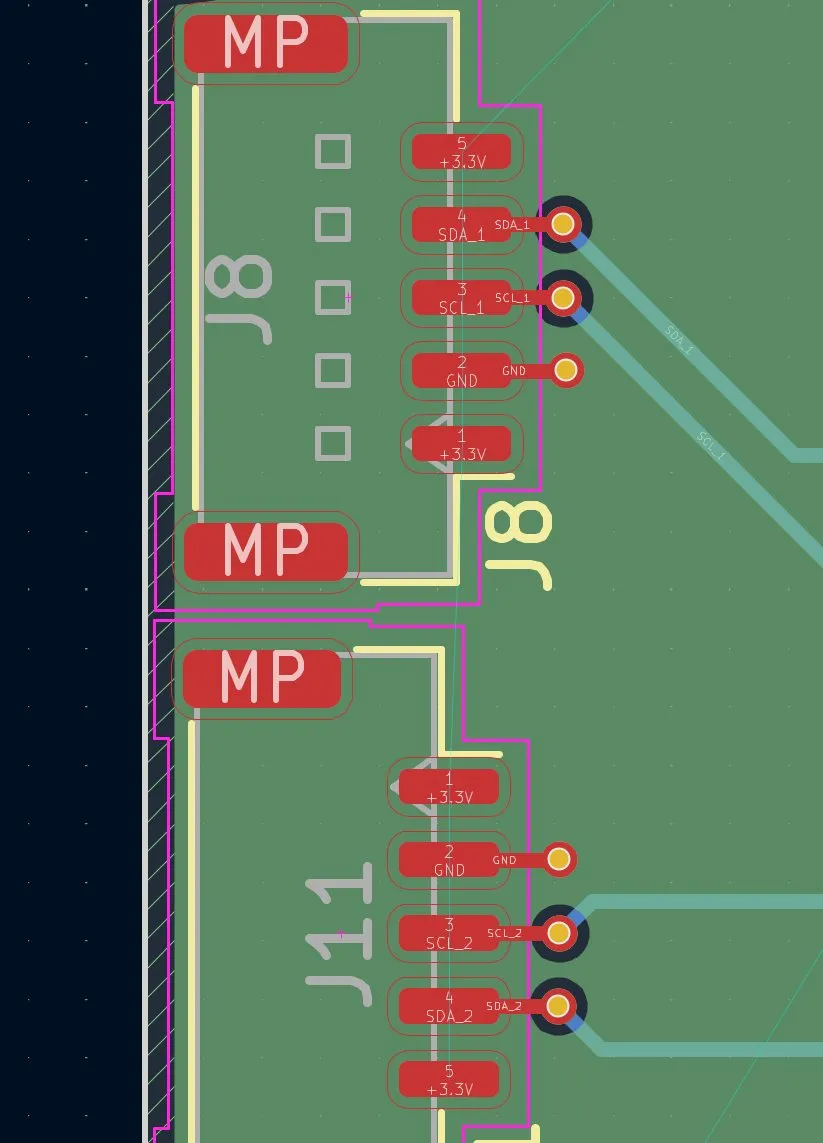
And then I had to connect the 3.3V to the sensors through vias.
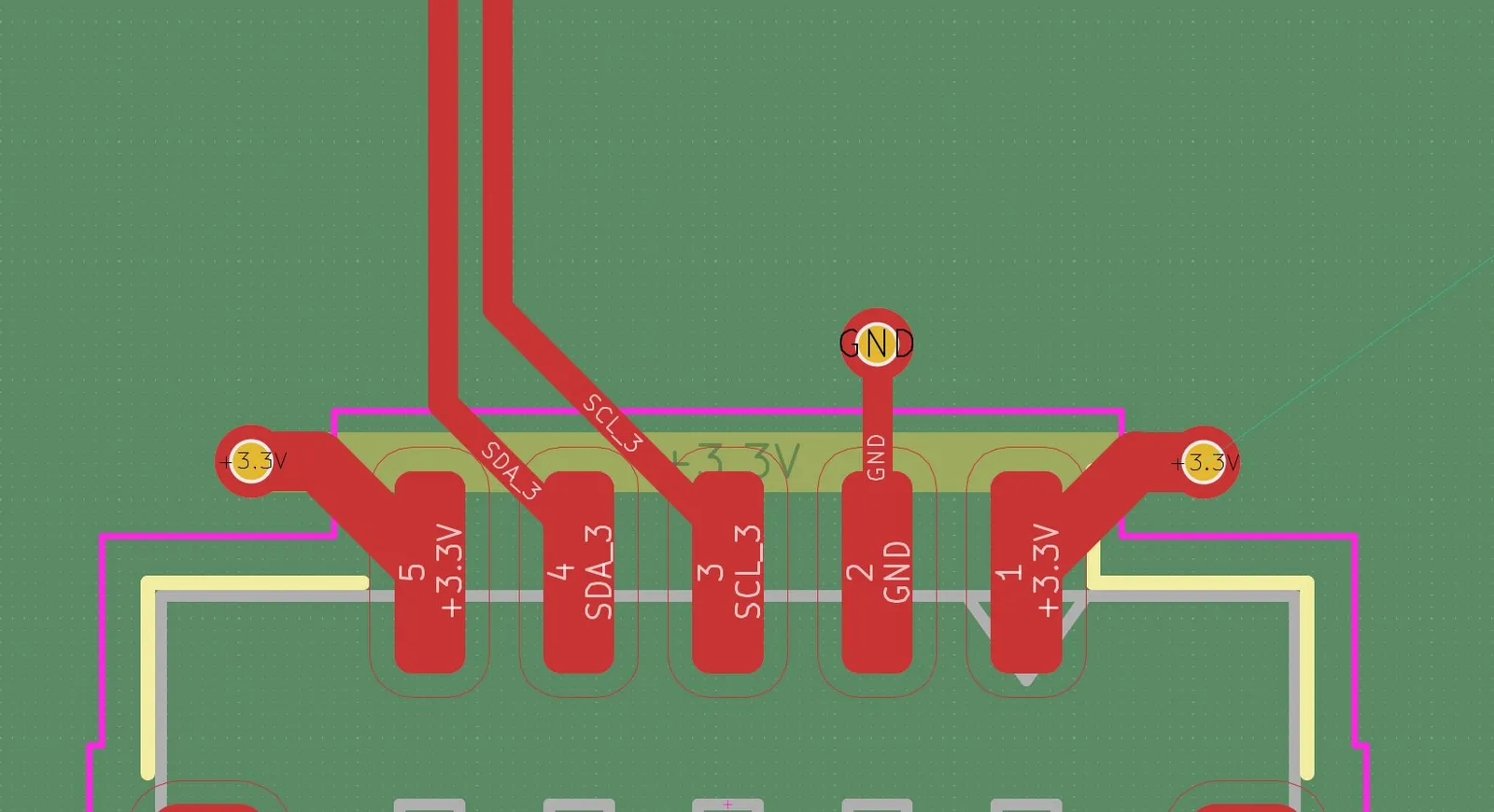
And then I did the same to all the other 3 sensors.
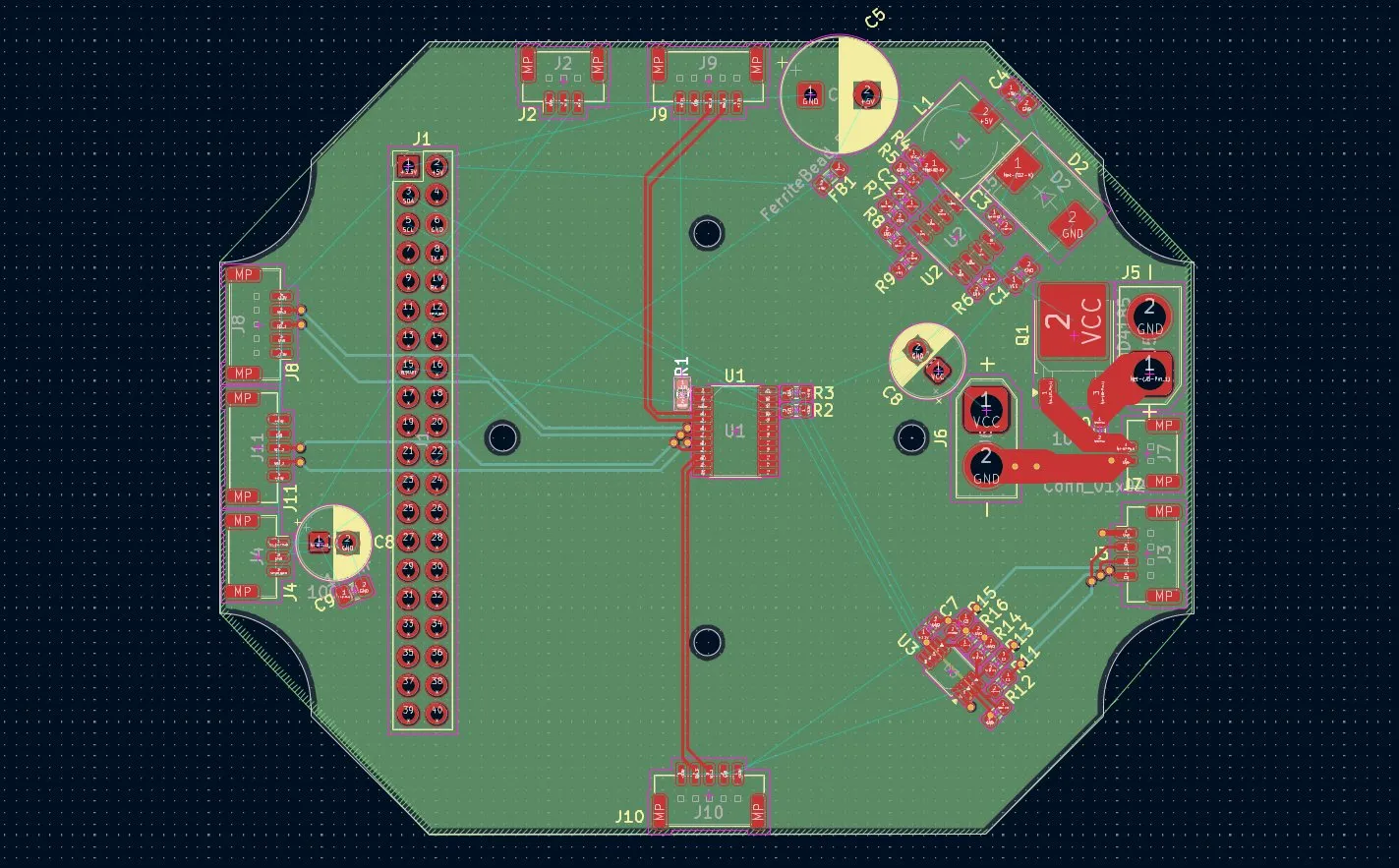
And then, after all, it looked like this:
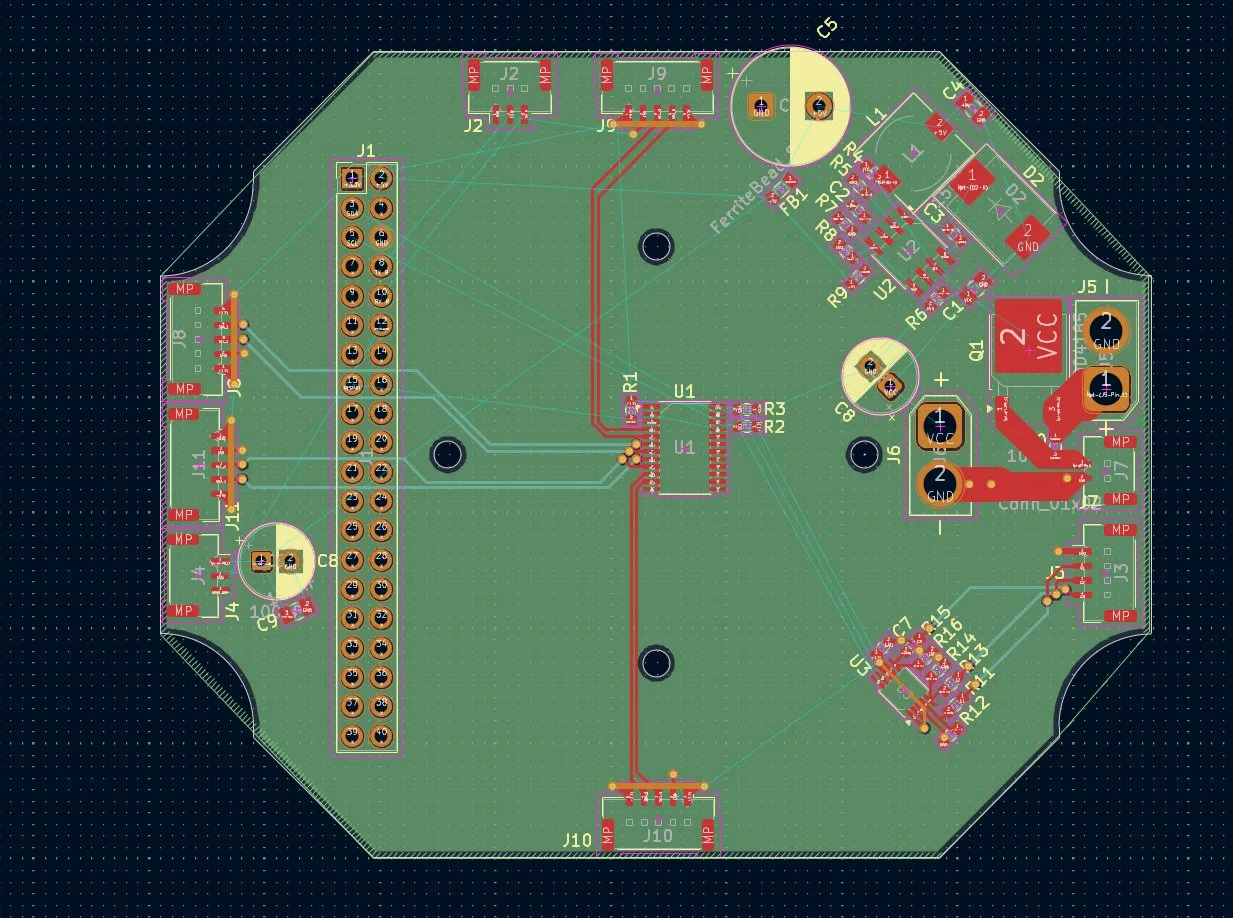
I didn't have much time today (I have a math exam on Friday T-T), but I managed to finish the battery percentage and connect the sensors with the I2C.
Session recordings
Timelapse recordings of this session.