Starting the PCB!!!
- Session
- 15 of 33
- Date
- 10 May 2026
- Time worked
- 2 h 47 min
- Reading time
- 4 min
- Images
- 8
First I created a new folder in Autodesk Fusion 360 project called “landing station” because now I will start with the landing station!!!!
Yesterday in class we had a substitution lesson and I had 90 minutes to think of a concept for my landing station, and my planning looked like this:

Basically:
- I thought of making a funnel-like structure on the top that is 10mm wide so that if the drone has an error of max 10mm it would center itself
- It’s separated into 2 parts: the platform with the walls, and the funnel part — I’ll do it in two parts so it can be printed better and without problems
- I decided to make a plate exactly under the position of the camera so the drone can land perfectly
- There will be LEDs or a small display that shows the battery percentage and whether it is charging, and the landing station will be powered by USB-C and the power goes through pogo pins into the drone
- The whole thing will be about 50mm tall so the drone can still recognize the AprilTag in the last centimeters of landing
- Everything will be mountable without screws so parts like the AprilTag holder can be moved forward/backward for adjustment
After that (now), I first wanted to create a new file called “platform”, but when I tried I got a message that I reached the document limit, so I was cooked T-T.
So I submitted the form for pro for students, but it takes up to 24h. SOOO I decided to make the PCB of the drone instead (scared, never did a PCB before!!!).
So I started KiCad and created a new project.
Then I had to check how I could add a Raspberry Pi and the flight controller so I can make my circuits.
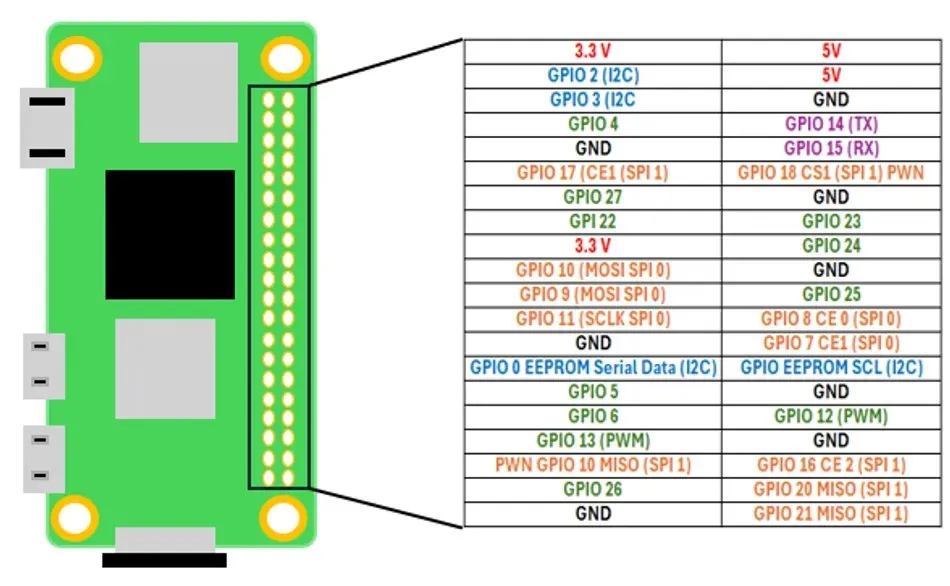
For that I first opened the MAVLink connection video again to check which pins I needed. I saw that I needed TX2, RX2, and GND → so 3 wires.
Then I remembered JST-GH connectors, which are like safer and better male/female connectors. So I decided to use them. The Raspberry Pi would then connect like this:
RX2 → TX2
TX2 → RX2
GND → GND
At first I didn’t really understand what these pins do, so I started researching:
TX (Transmit): sends data out
RX (Receive): receives data
So basically they allow communication, and the drone can receive commands from the Pi.
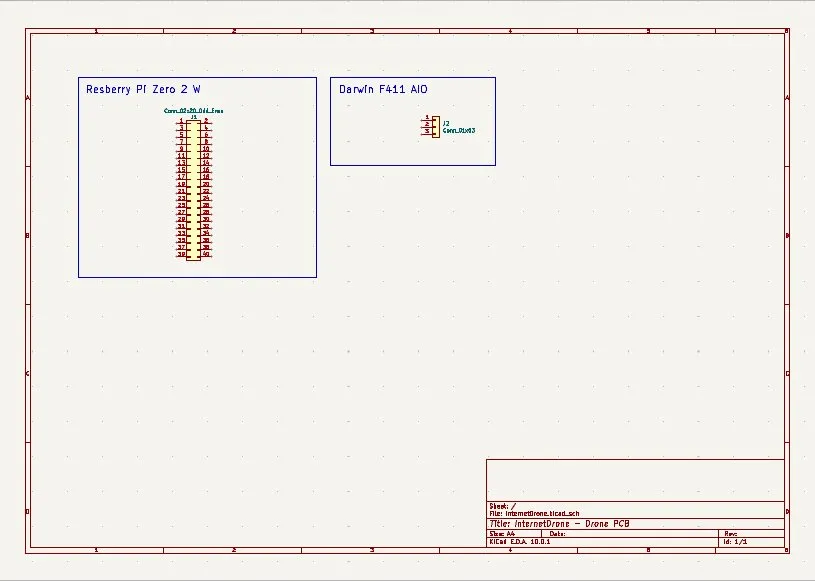
After that I wanted to add a 2x20 pin header so the Raspberry Pi can connect later. I didn’t know KiCad, but I found out that you just press “S” and search the component, and then I found Conn_02x20_Odd_Even.
Then I added JST-GH 3-pin connectors and after checking I found Conn_01x03.
But the KiCad workflow confused me at first!!! But then I understood that you first design the logic in the schematic and then define the physical PCB layout.
So I started drawing the Raspberry Pi and the flight controller:
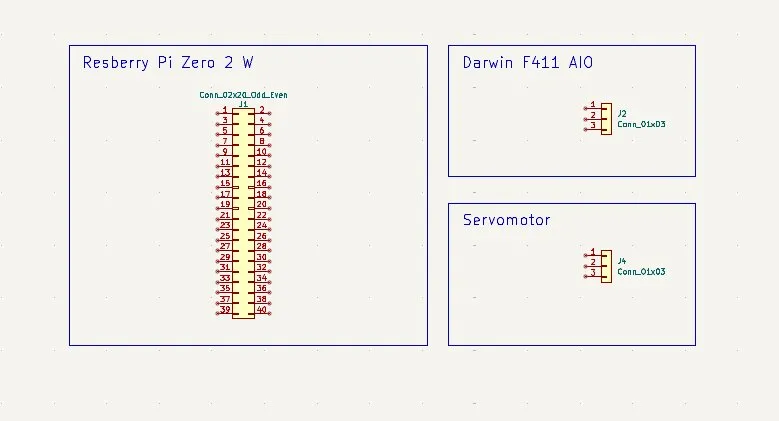
Then I continued adding the servo motor JST-GH and the 4 sensors, but I was so tired (0:20am) that I went to sleep:
Next day: continuing PCB
(Btw my Fusion 360 student pack got approved!!!)
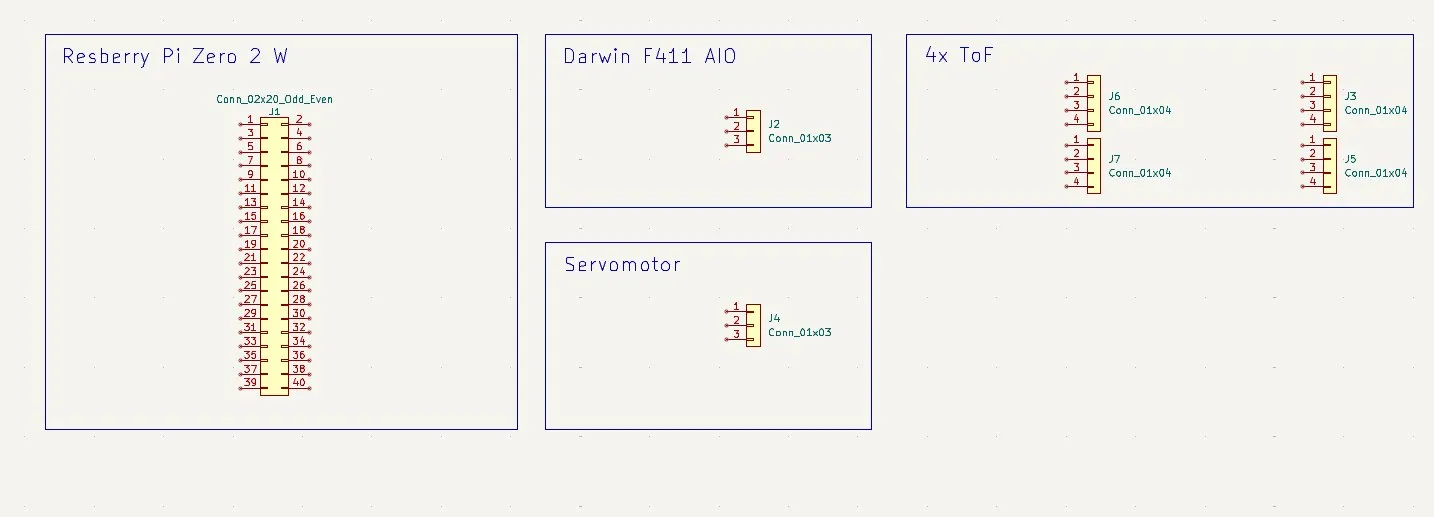
I started adding the 4 connectors (JST) for the ToF sensors. They have 4 pins:
After that I started wiring Raspberry Pi ↔ Flight Controller connections.
I didn’t know how to connect them, so I searched and found:
- W = create wire
- L = create label
So I checked which pins are TX2/RX2/GND on the controller:
Then I added labels:
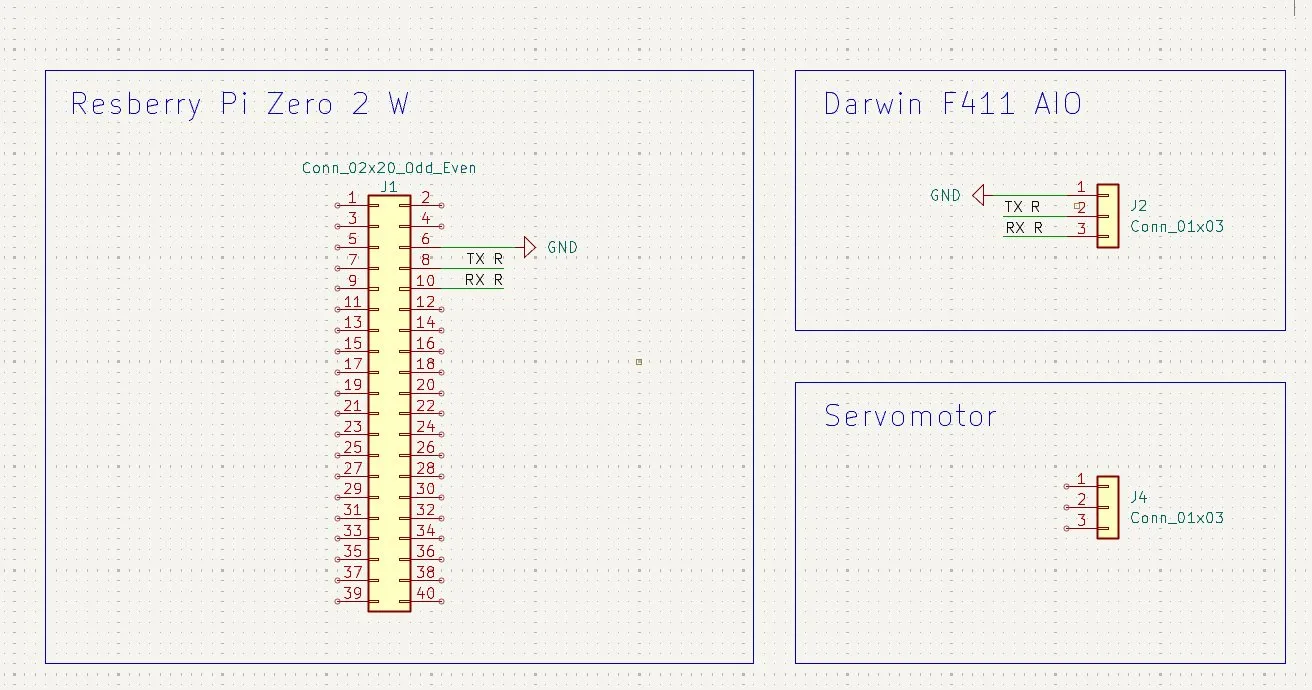
After wiring the FC and Raspberry Pi, I continued with the 4 sensors.
But then I realized I should combine them properly, so I researched and found that I should use I2C.
I2C allows multiple sensors to connect to one controller using only 2 wires. It avoids conflicts that would happen if each sensor had a separate connection.
At first I wasn’t sure how it worked, but then I understood it better:
Instead of directly asking each sensor, the controller communicates through a shared bus.
But then I still wasn’t sure, so I chose the TCA9548A, because:
- very common
- 8 channels (very good)
- well documented
So I started integrating it:
After reading the datasheet I understood:
- SCL/SDA → Raspberry Pi I2C pins
- GND → GND
- VCC → 3.3V
- pull-up resistor (10kΩ) for safety
Then I connected A0/A1/A2 to GND to set the I2C address (0x70).
Then SCL/SDA of the sensors connect to channels 0–7.
But while doing that I noticed something important: the ToF sensors actually have 6 pins, not 4:
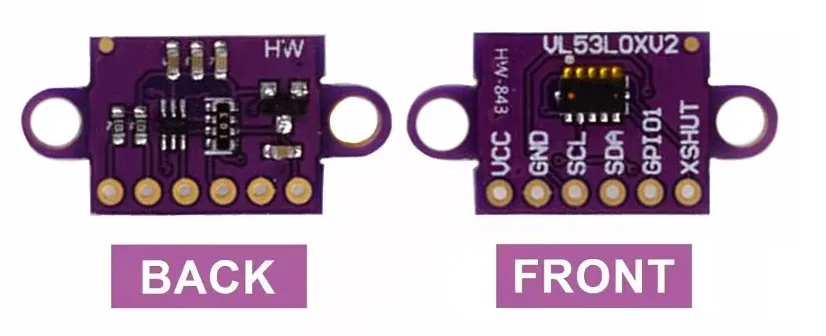
Pins:
- VCC → 3.3V
- GND → GND
- SDA → data
- SCL → clock
- XSHUT → enable/disable sensor
- GPIO → not used
So I updated everything and changed the connectors to 5–6 pin layouts.
Quick update:
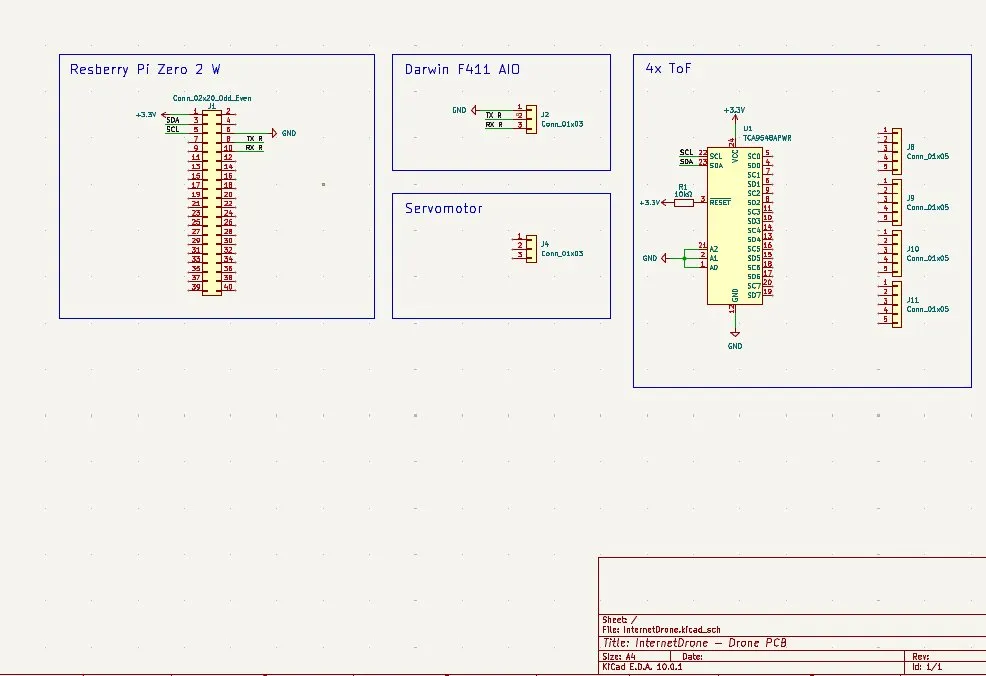
Then I connected:
- VCC + GND
- XSHUT → 3.3V
- SDA/SCL → I2C bus
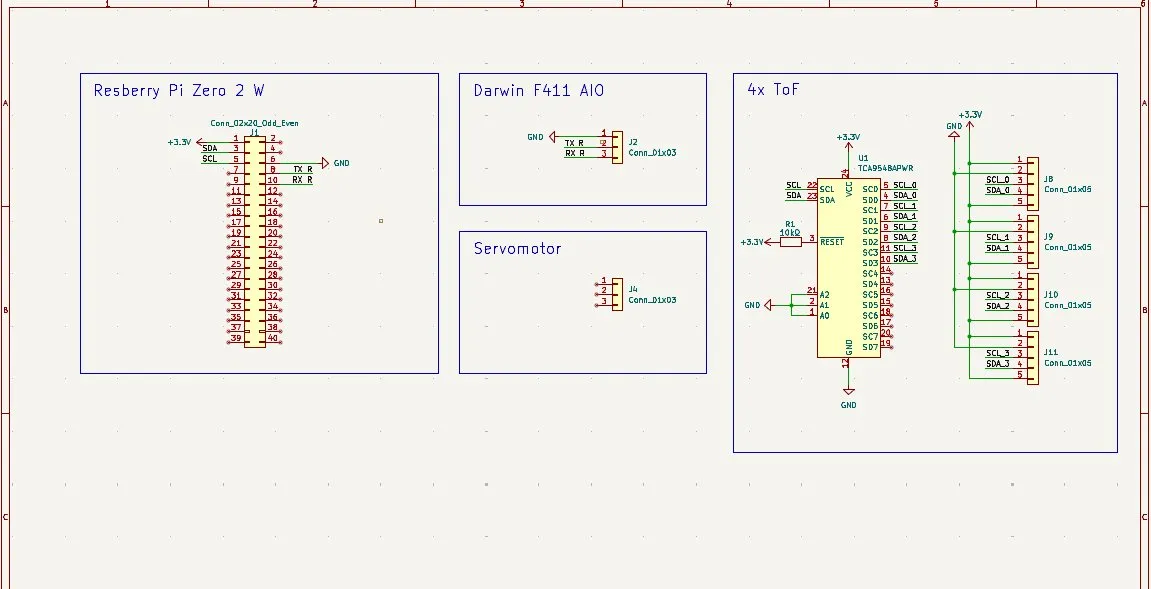
After that I moved on to the servo motor.
I wasn’t sure if I could power it directly from the Pi or not, so I searched and found out:
You should use an external 5V supply for better stability.
So I decided I need to design the full power system of the drone first. That will be harder, but I will need it anyway.
But since it was already late and I have a physics test tomorrow, I stopped here and will continue tomorrow with the power system.
Overall I’m really happy with the progress. I learned a LOT about KiCad, PCBs, I2C, and electronics in general. Tomorrow will be power supply day!!
Session recordings
Timelapse recordings of this session.