Finished the schematics for my drone PCB!
- Session
- 18 of 33
- Date
- 13 May 2026
- Time worked
- 1 h 11 min
- Reading time
- 3 min
- Images
- 9
Added a not_conn by pressing q (thx @anvar), after that it looked like this:
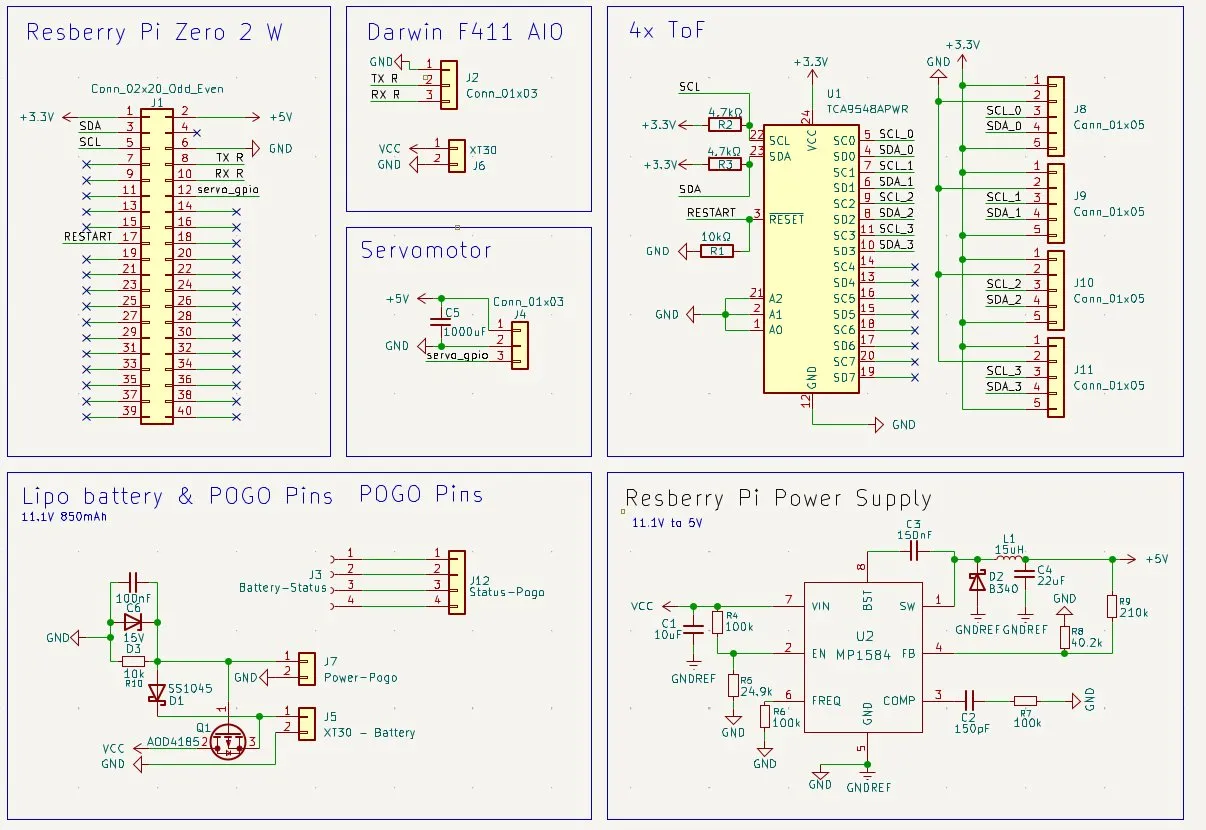
And then I thought that it would be smart to add the battery percentage measurement also in the drone, so that the drone can automatically land if the battery is too low.
So that I can start that, I firstly had to think how I make sure that I don't have conflicts because the 4 pins from the battery have to also connect to the landing station.
I had the idea to connect the cells with the GPIO pins of the Raspberry Pi, but the problem was that the GPIO pins only can handle up to 3.3V and the battery will be max a pin at 11V, which is almost 4x more.
So I can fix that problem, I would need a voltage divider so that I can get the voltage for every pin under 3.3V, and after that I would need an ADC chip that can translate the voltage into digital signals with 0s and 1s so that the GPIO pins can read that. And after finding out how much voltage the pins can maximally have:
- Pin 1: GND
- Pin 2: Cell 1 (ca. 3.7V - 4.2V)
- Pin 3: Cell 2 (ca. 7.4V - 8.4V)
- Pin 4: Cell 3 / Total (ca. 11.1V - 12.6V)
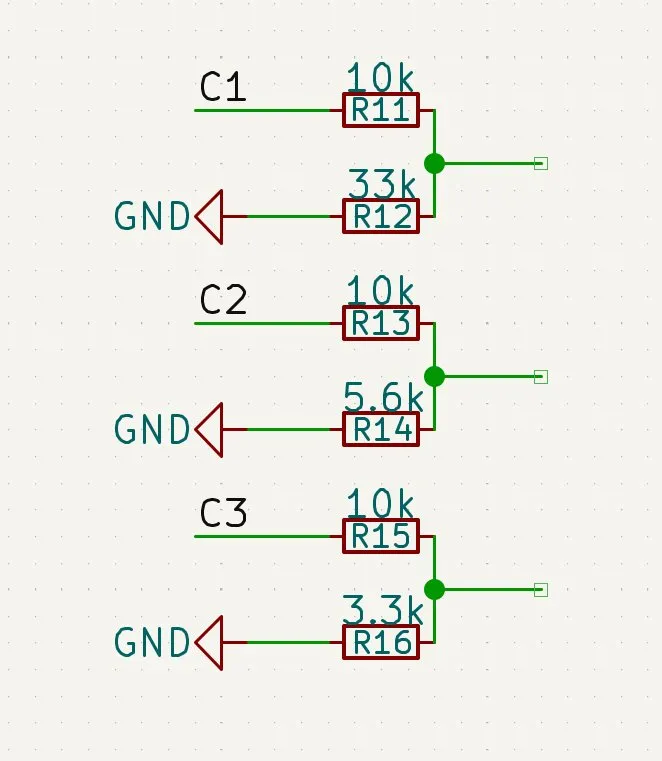
After that I had to calculate how much resistance the resistors should have... And then I found out that I would need 2 resistors per pin for the voltage reduction, and it would look like this (with the formula from the DigiKey calculator):
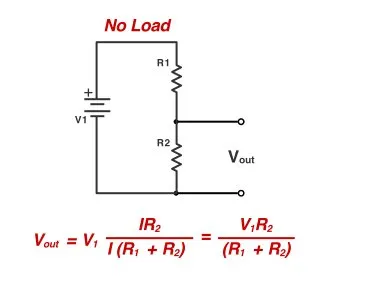
And after calculating for everyone I got these values:
Pin 2: max 4.2V
- R1: 10kΩ
- R2: 33kΩ
- Output: 3.22V
Pin 3:
- R1: 10kΩ
- R2: 5.6kΩ
- Output: 3.01V
Pin 4: (Total)
- R1: 10kΩ
- R2: 3.3kΩ
- Output: 3.12V
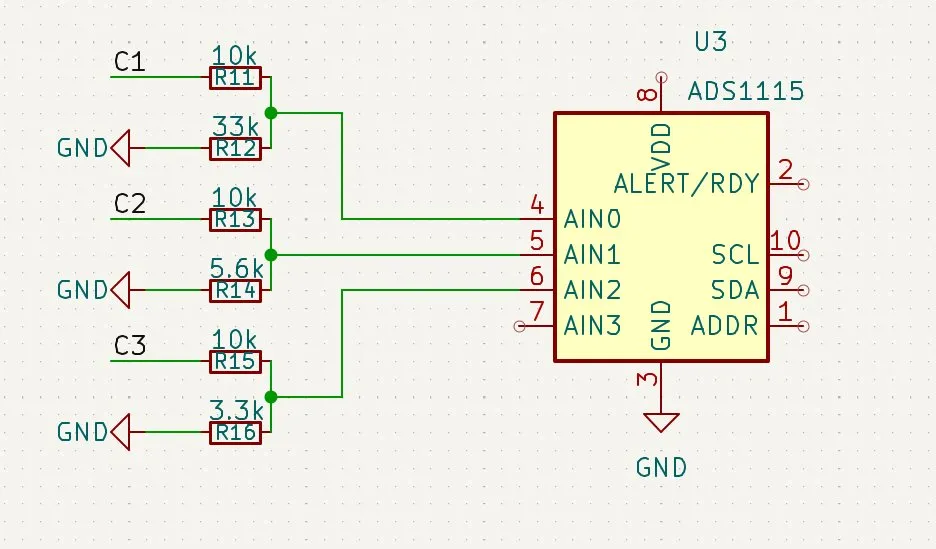
Lastly I had to find the correct ADC and I decided on the ADS1115. How it works:
- Converting the voltage into digital numbers.
- It has not like cheap ones only 8 or 10 bit, it's a 16-bit converter. That means it divided its measurement in ranges of 2^16 (65,536) tiny steps, so that it allows to see the smallest changes like 3.5 and 3.51.
- It is built for I2C, so that I can connect all 3 pins to the chip.
So that I firstly started by implementing the chip into KiCad. Then I branched off and made another way from the 4 data cables which were going to the pogo pins:
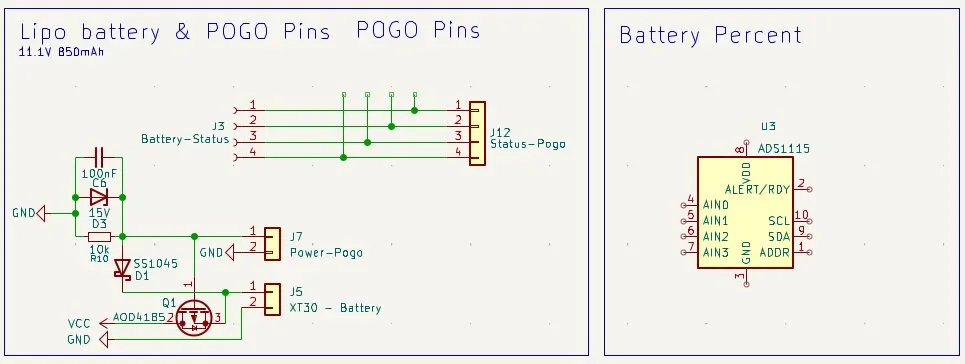
And after labeling them I started implementing the resistors for C1:
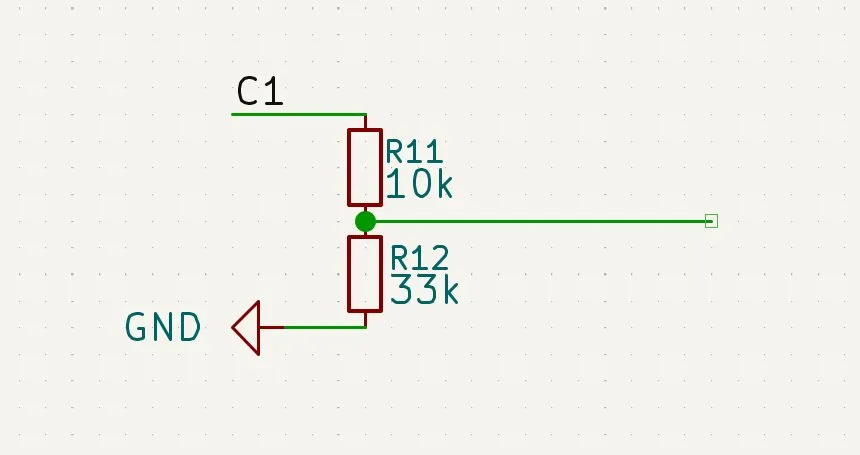
And then continued with every other:
After that I connected them to the ADS1115 chip:
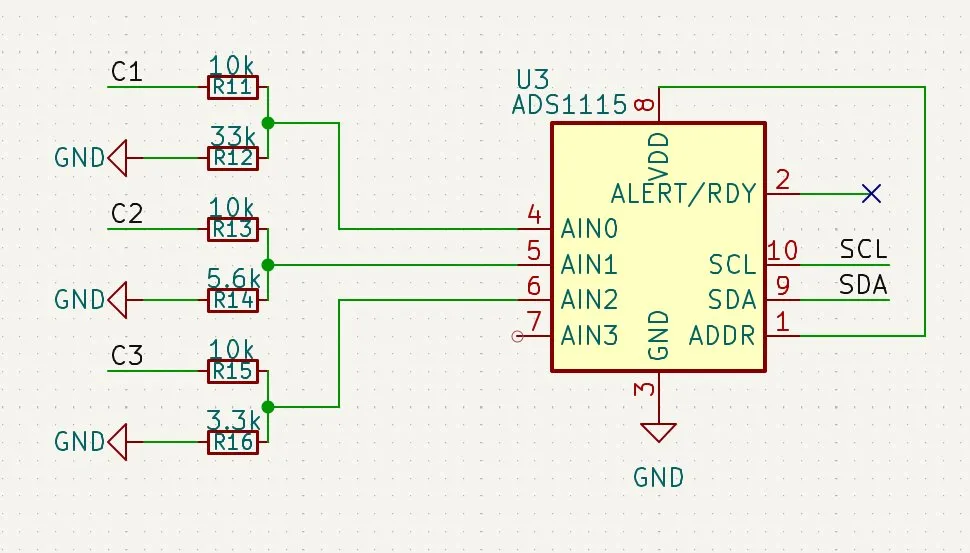
After that I wanted to make the connection to the Raspberry Pi but I noticed that I already used the SCL and SDA pins on the Raspberry Pi. But luckily I found out that you can connect the I2C buses with the same pins as long as they don't have the same address.
So after checking again which address both have, I found out that the:
- ToF: 0x48
- Battery: 0x49 (if ADDR connected to VCC)
So everything was fine and after also connecting the SCL/SDA pins it looked like this:
And after also making the VDD connection with 3.3V with a 100nF capacitor that goes to GND, and after doing that I was finished:
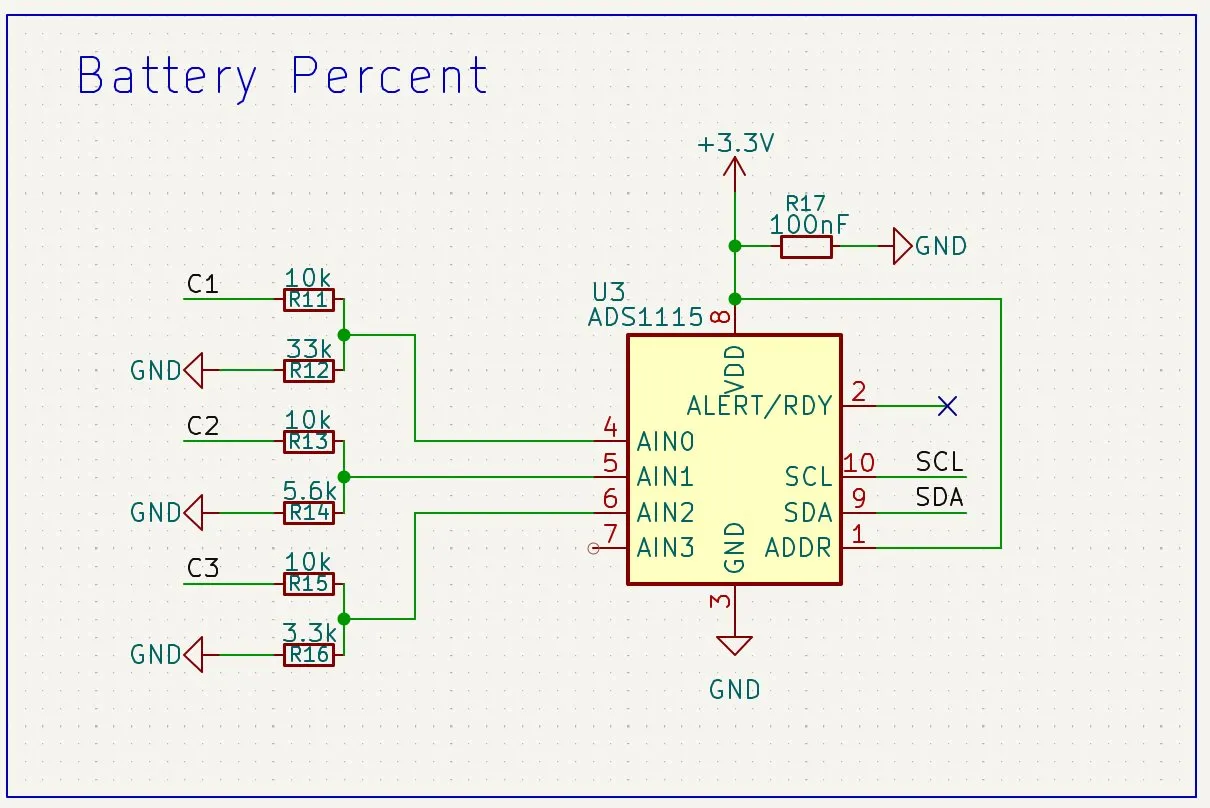
And after all, my schematics looked like that:
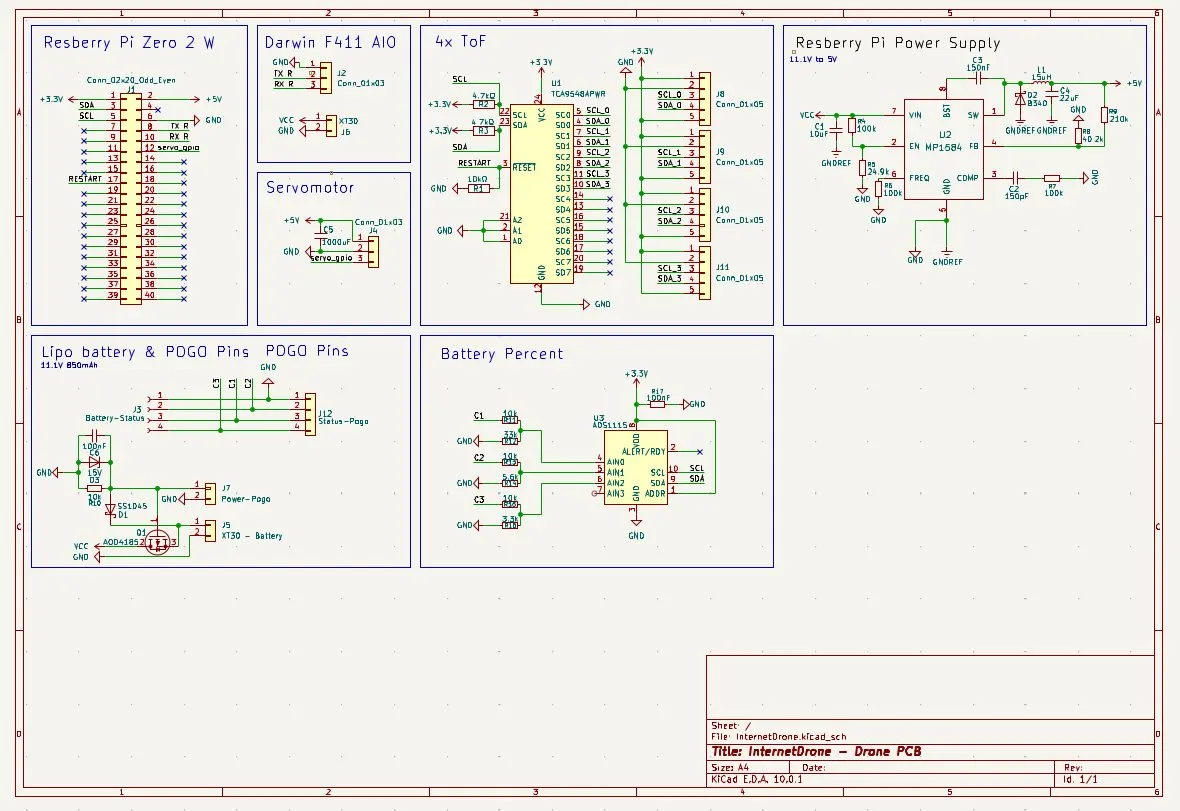
Happy with progress! Finished the drone schematics. TMW will be the routing and happy with the progress!
Session recordings
Timelapse recordings of this session.