Building the camera and servo mechanism
- Session
- 11 of 33
- Date
- 4 May 2026
- Time worked
- 7 h 6 min
- Reading time
- 13 min
- Images
- 49
FOR CLEARANCE!!!: I accidentally left the recording running while printing and measuring one part. It begins from there on where the screen is black! Please DO NOT count these hours. I do not want to get banned (so I think the last 30 minutes were not stopped, so don’t count them).
Today I wanted to make the servo camera stand rotating thing, so that I could finish the main CAD.
To start, I searched for the camera size and where all the holes are positioned.
But after going to the AliExpress page of the camera I’m going to buy,
I quickly realized the problem: there were NO sizes of the camera. So I decided to search the camera on other sites, but I couldn’t find the exact product. After finding the manufacturer, I found some more products from other sellers, but again: NO DIMENSIONS
So I decided to take the dimensions of another camera that had dimensions and decided to draw the holes for the camera, then when I bought the cam. But now I will just design the plate and the holes later in the build phase.
The size of the camera is 24×25 mm.
So I first made a drawing to test and make a plan. I decided to make an arm that connects to the holder of the cam and can be rotated via the servo, so that the camera can look to the front but also down.
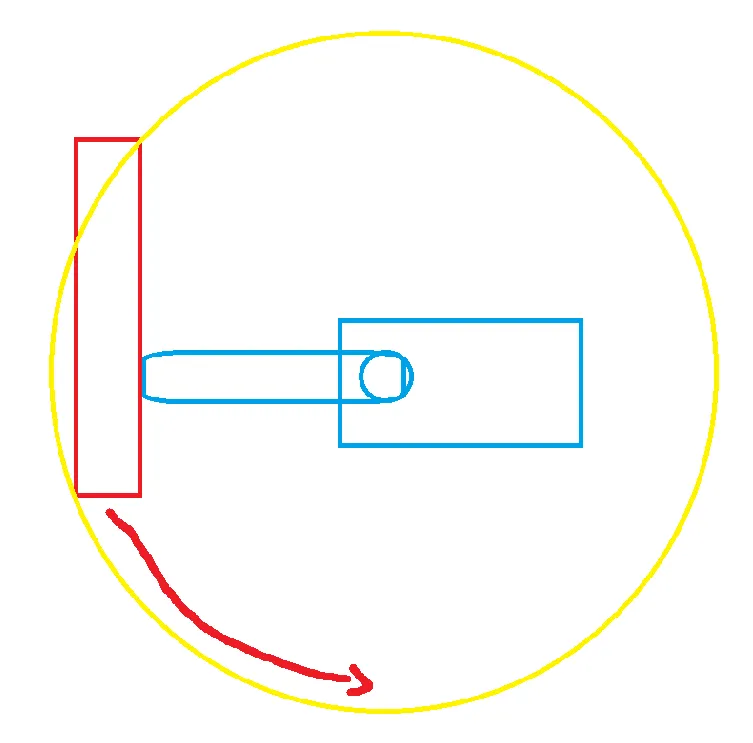
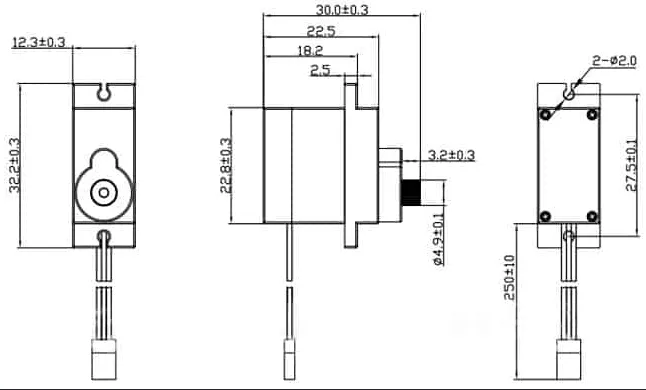
Then, after drawing, I searched for the dimensions of the servo motor to start with the design of the servo motor holder.
And then I found a perfect sketch of all sizes:
But then I planned the thing I was the most afraid of: the camera holder and connector to the servo:
But before I continued, I thought about the servo-to-arm holder connector, because I remembered that I once (3 years ago) built one of these, but they broke very easily and I had to glue them together, etc. 
But I think the problem was that the part around the servo rotator was too thin, so I didn’t have enough place to get grip on it, and also it was too thin, so it broke. So this time I’ll try to build that bigger and also more stable.
But because I firstly didn’t know that my printer could print the rotator which is clipped on the servo, because there were tiny components of 0.1 mm, I sadly decided to design a part around it and glue it with super glue and then connect it to the arm/cam...
So after clearing everything, I started with the 3D design. I decided to start with the servo motor holding case.
Therefore, I created a new file called "servo_holder" to design the holder of the servo motor first.
Then I continued by making a first draft sketch of how big the servo is and drew all the sizes from the side view.
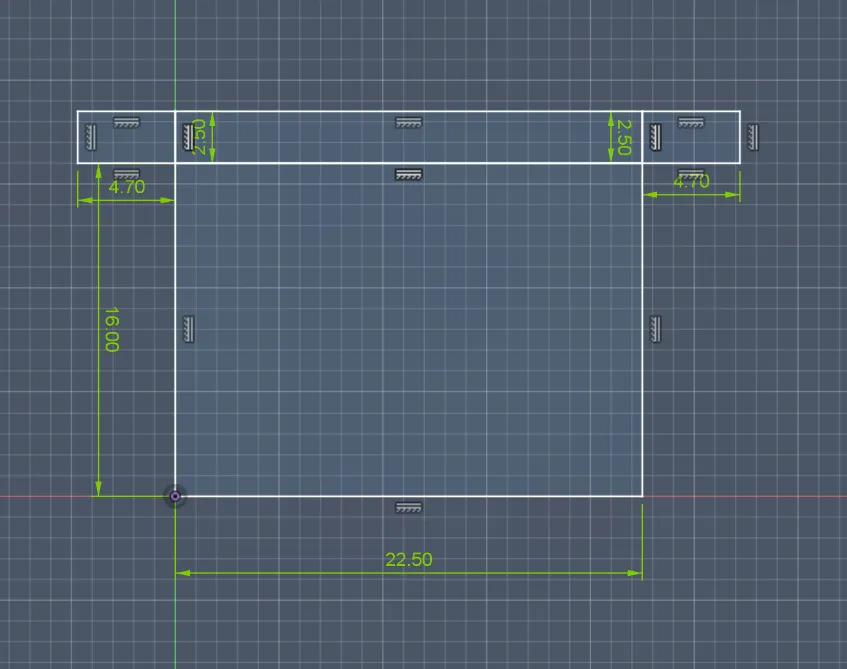
After that, I added a tolerance of 0.2 mm to every side so that it would fit well, and then I also made a bigger hole on the lower left side of the holder, which has a radius of 4.5 mm, to make sure the cable can go through it.
On the bottom left corner, I also made a hole because I saw in a previous video that if you make holes in the corner, the parts that have to fit in the case can fit better and with a higher percentage.
And lastly, I also rounded the corners to optimize the 3D process.
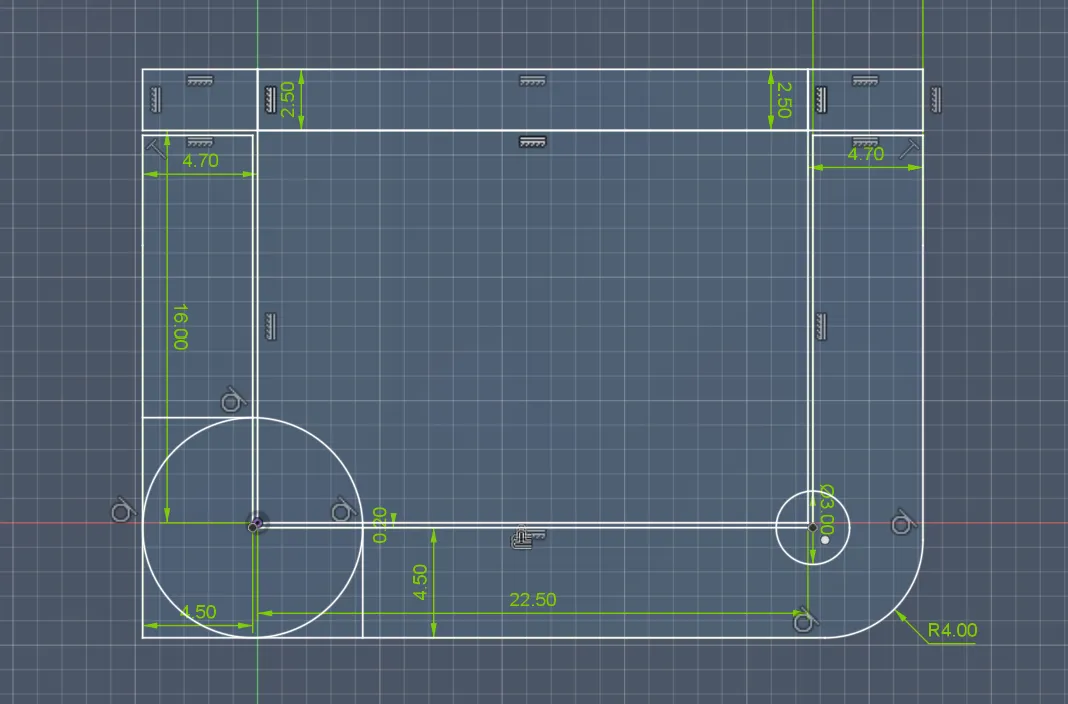
After that, I also extruded the whole thing (bottom) by 1 mm, then the walls, where the servo motor will sit for 12 mm, and then an additional 3 mm on the top.
But because the servo is completely still and doesn’t move, I thought of this:
To connect the servo to the connector, I had to screw in the screws that are delivered with the servo directly into the 3D-printed material. I directly tried that out on the holes of some older benchies:
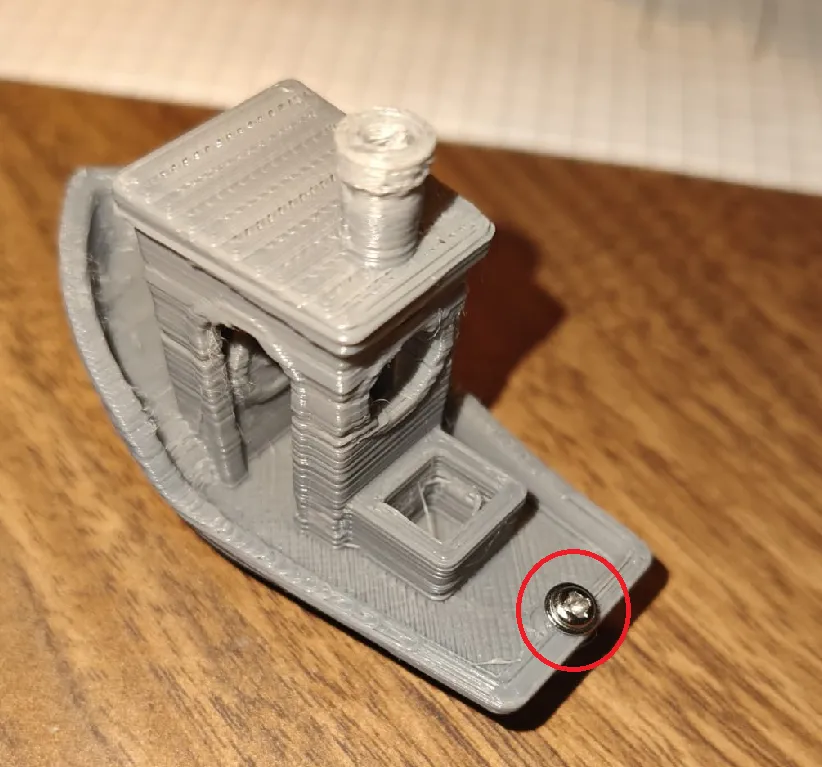
And then I found out that the best diameter for the hole was 1.5 mm, so I went to the next step:
After searching the positions of the holes on the 3D model and applying them to the 3D model with a tolerance of 0.2 mm, it looked like this:
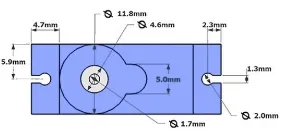
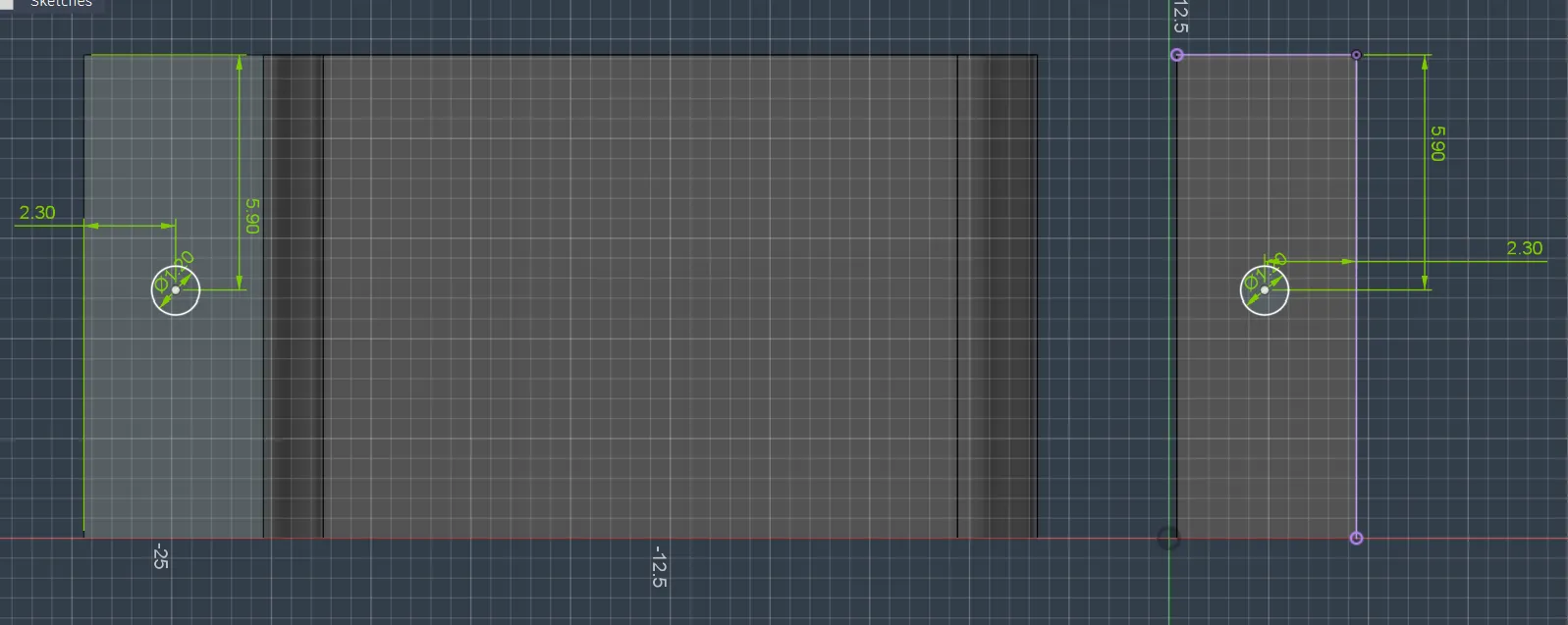
And after that, I rounded the corners of the 3D model:
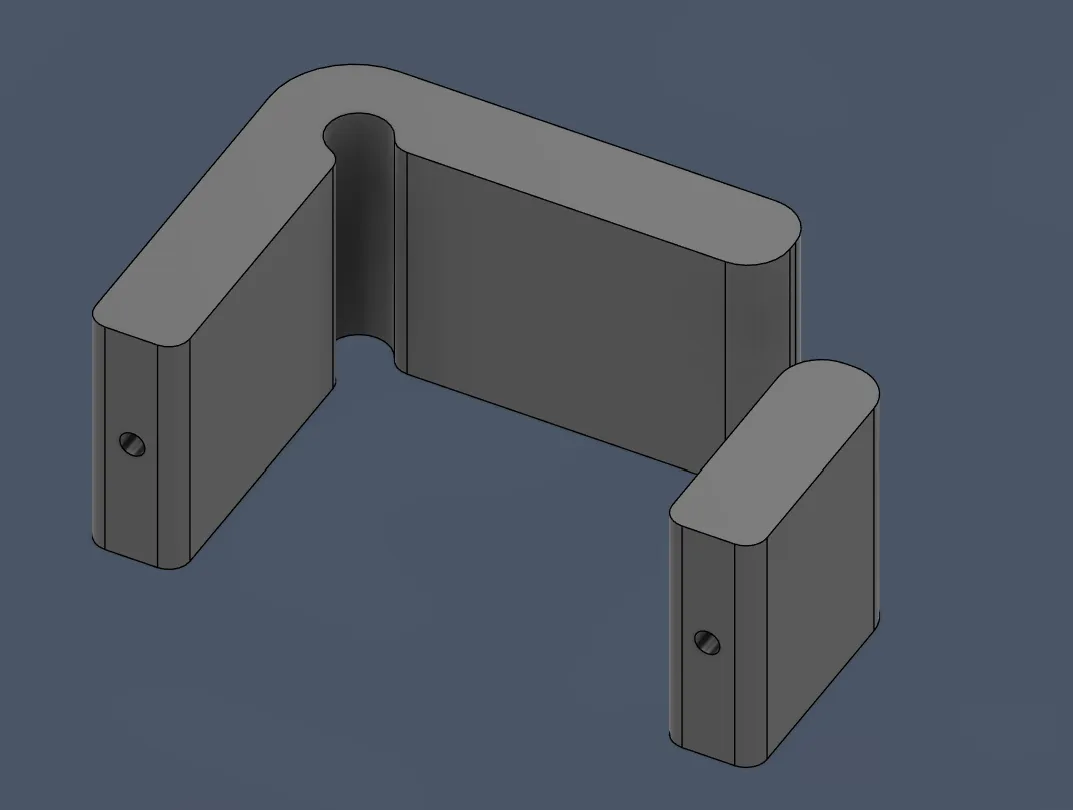
After all that, I also added the bottom and the top, so that the servomotor is perfectly covered and clean.
For the bottom, I first made it only 1 mm, because the height would be experimented with because of the rotation of the camera.
- I started by creating a sketch on the underside of the connector, projecting the essential points and lines and drawing over the gaps.
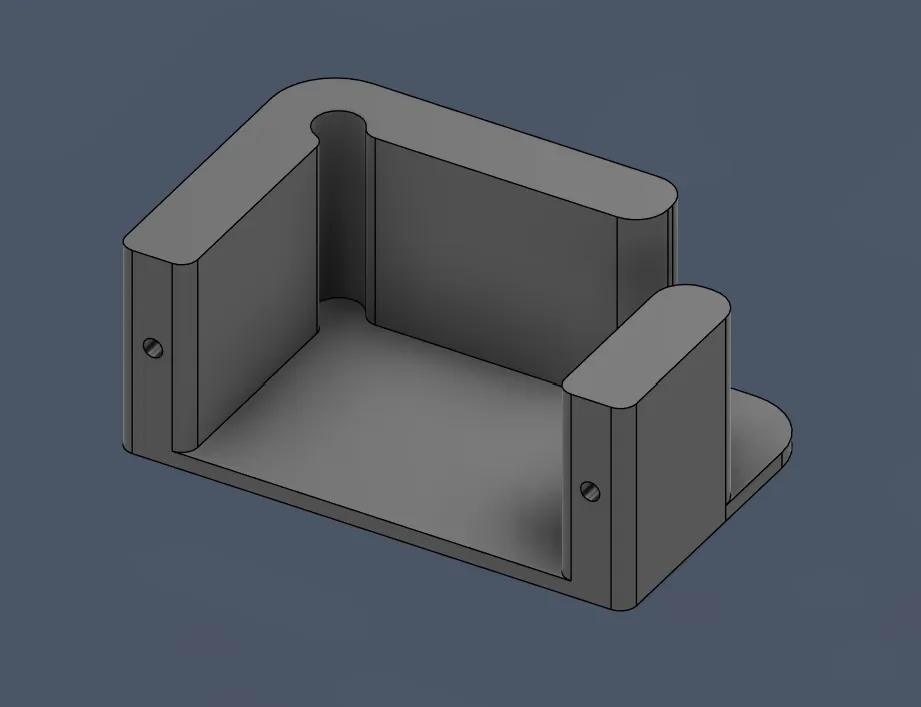
After that, I exactly did that on the top/cover:
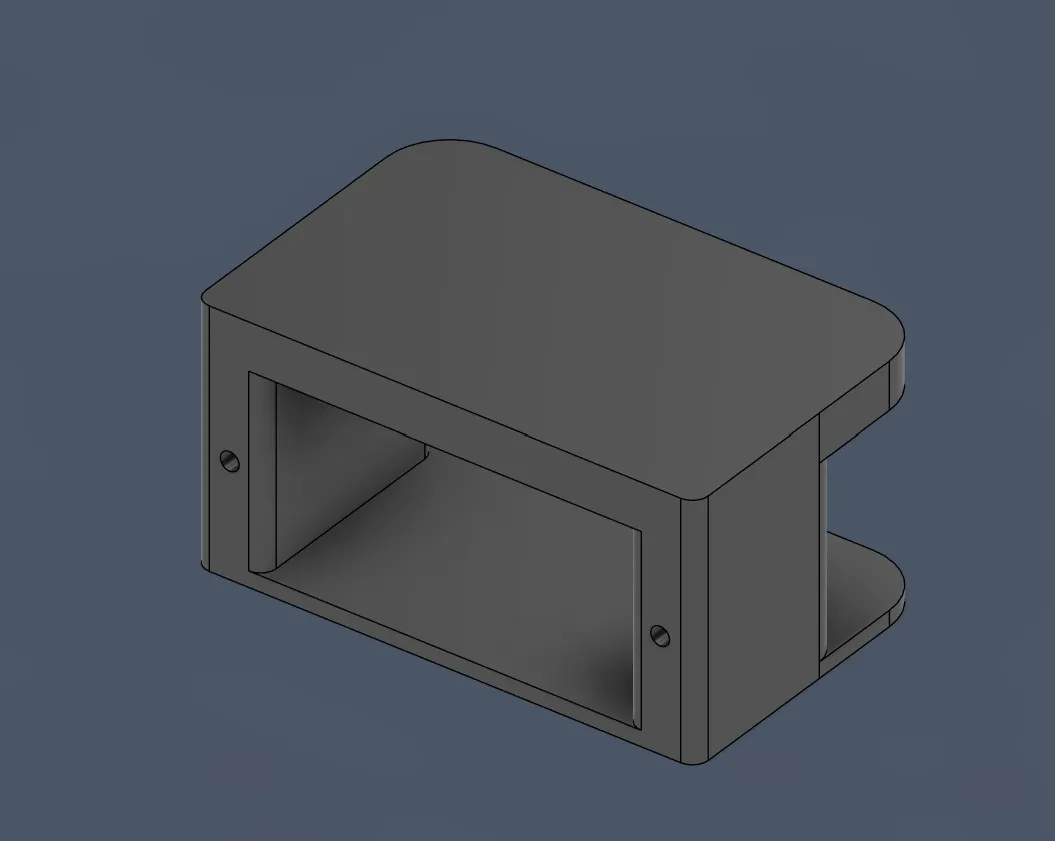
And after all this, this part was finished (just on the top 3 mm).
After finishing the servo holder, I continued on the servo connector with the camera holder.
And then I thought of another idea because I did not like the idea with the glue:
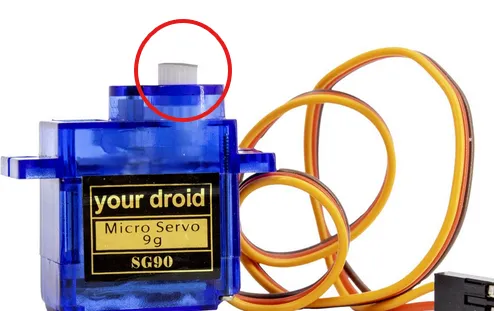
I found a 3D model of the horn and printed it quickly to see how good it would be (it took only 3 minutes to print, yippe!!!).
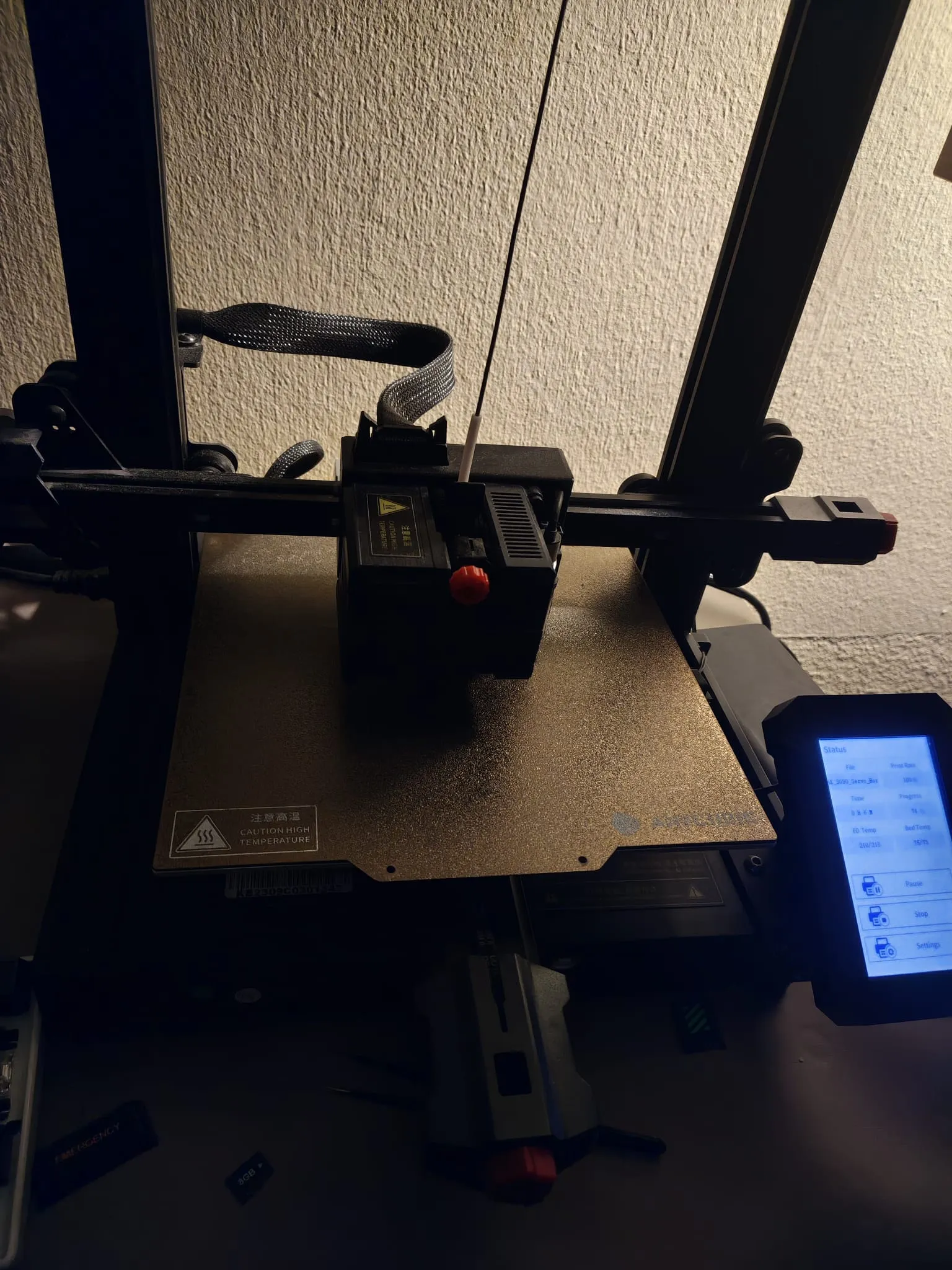
During the print, there were many crispy sounds, so the filament is very wet. I need to dry it later in the build phase (btw it’s currently 0:15 am T-T).
Some insight of the print :3
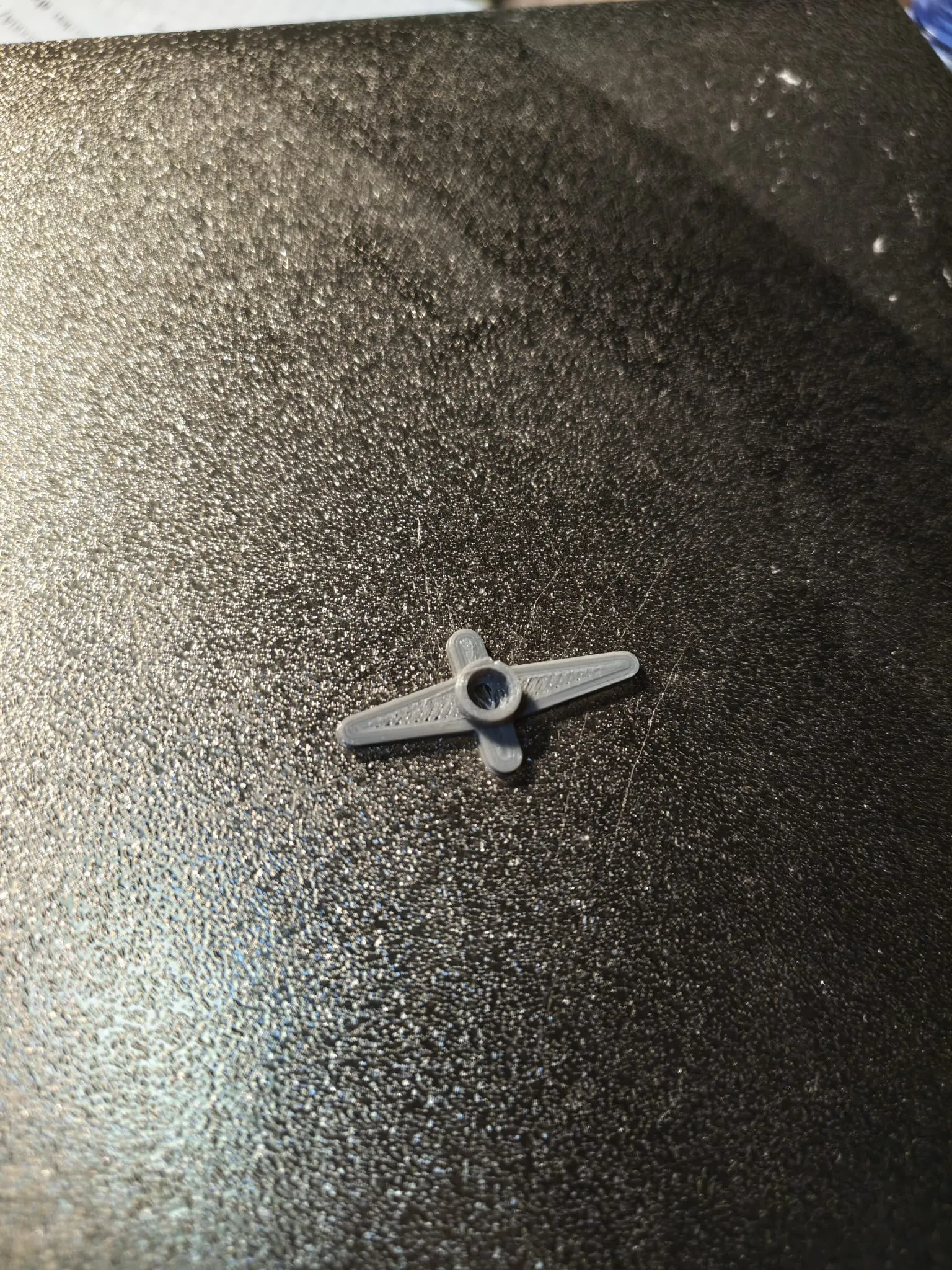
..., and it fitted PERFECT!!!
Next, I started by importing the 3D model so that I could then take the parts that I needed and design the camera holder.
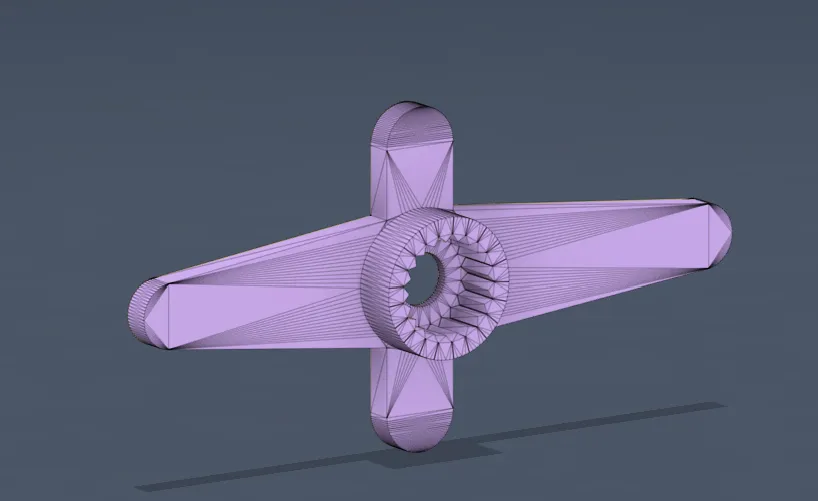
After importing, I saw that the model did not have any sketches, so I couldn’t use it. But luckily, after finding the designer again, he showed all the important instances:
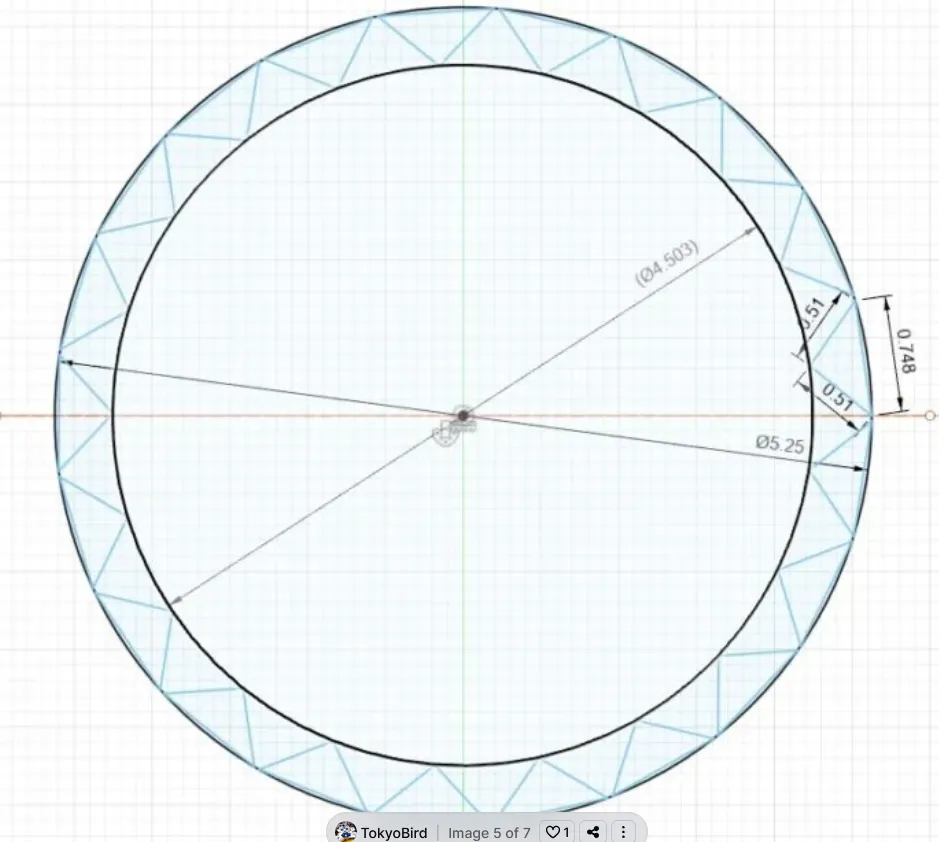
So I started designing:
I started with the circles, which were very easy to design:
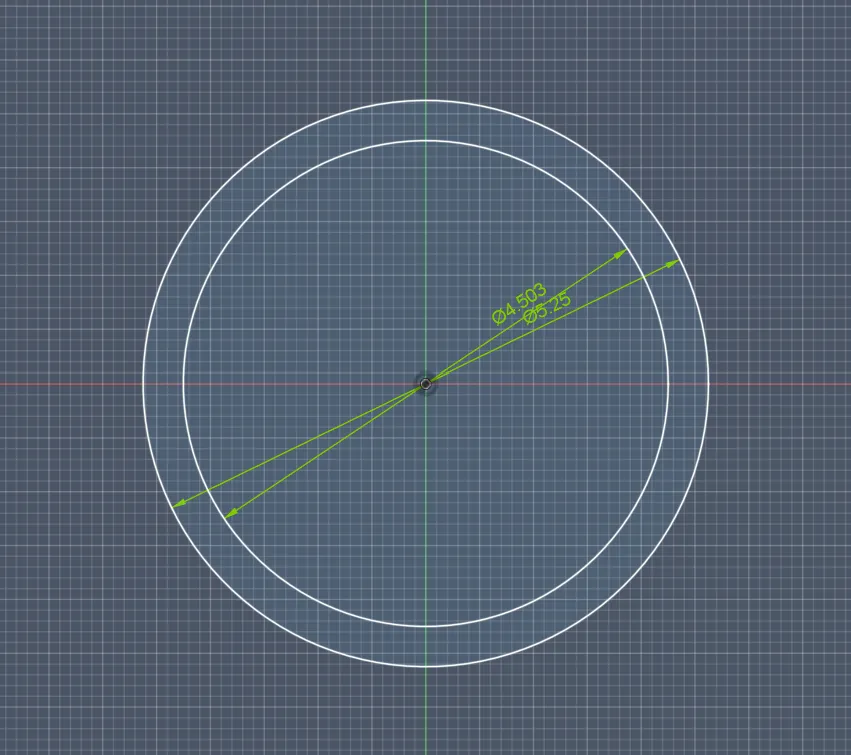
(Btw my lookout is crashing ALL THE TIME and it didn’t record for some reason for some minutes, the 2nd monitors where I am writing this. Not sure what it missed, but FYI I searched up again, like I said before, the 3D thing and the website and wrote that during this time.)
But then I had to think about how to make those teeth, because I didn’t want to do everything manually.
So, after searching online for the best way to make this, I found out that I first had to create one tooth manually and then there is a feature called circular pattern that can create the others. So I started by creating only one first:
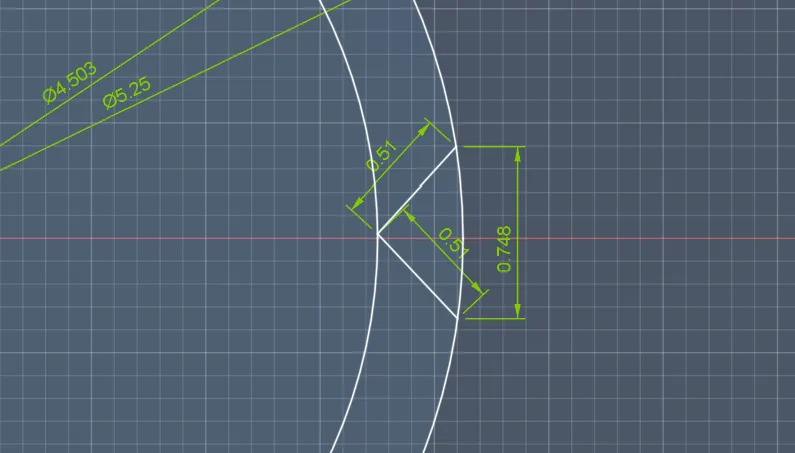
And after that, I opened the circular pattern tool, selected the tooth and then the middle points of the circle, counted on the reference how many there are (21), typed that into the settings of the pattern tool, and... FIRST TRY!!!! It worked.
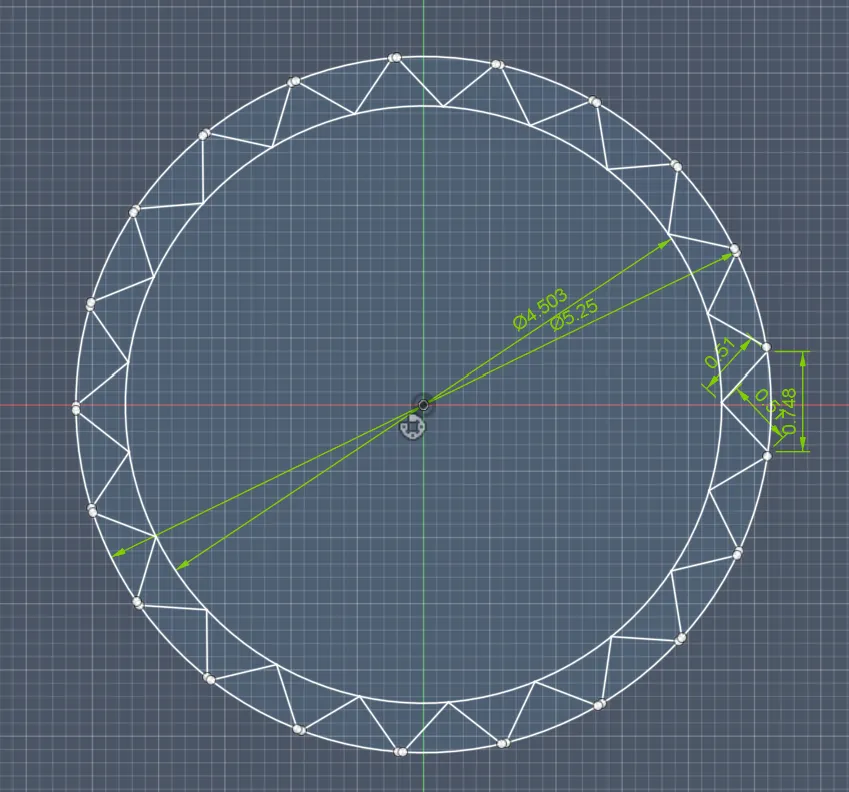
Amazing!!! Next, I drew the holes around the teeth so that there is a wall, and I also did that with 1.5 mm for best stability:
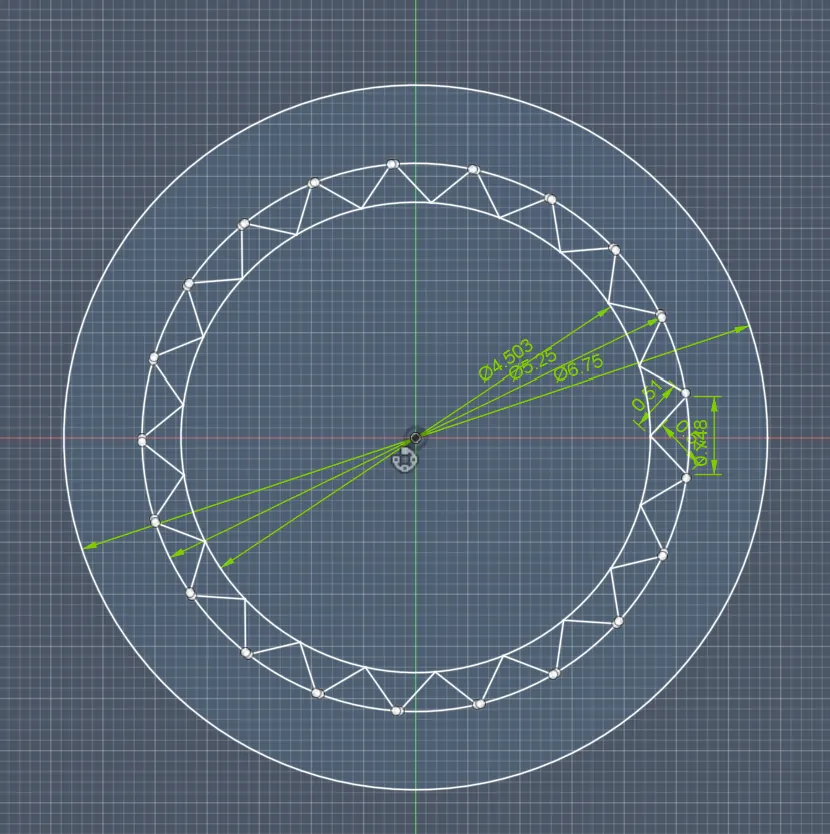
After that, I extruded everything for 2.5 mm because that part of the servo is about 2.5 mm.
Then, after that, I added the separation so that you can screw the holder to the servo with a screw and the screw really holds the connector to the servo and puts pressure on it.
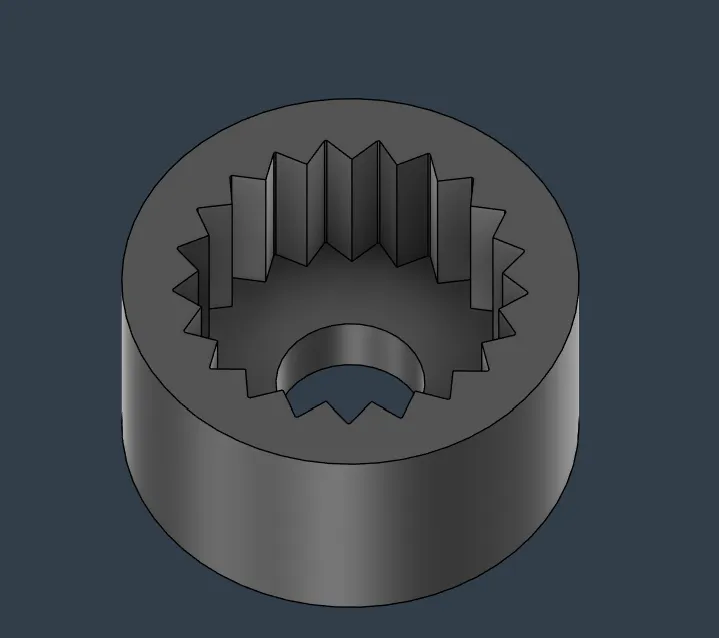
And lastly, I extruded the walls again, so that in the end it looked like this:
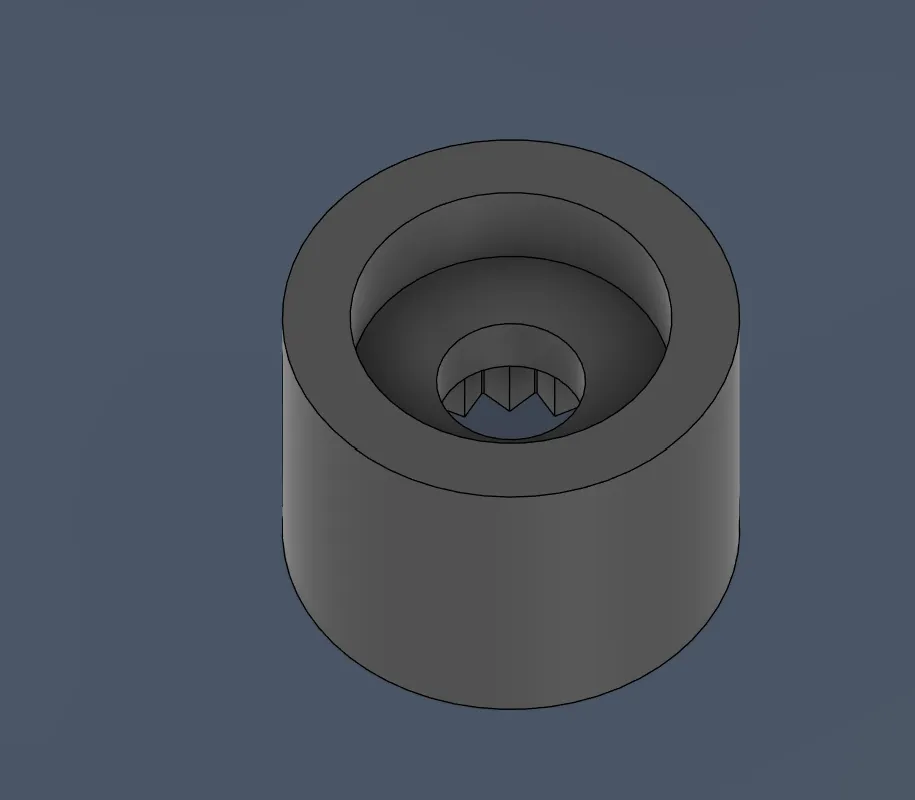
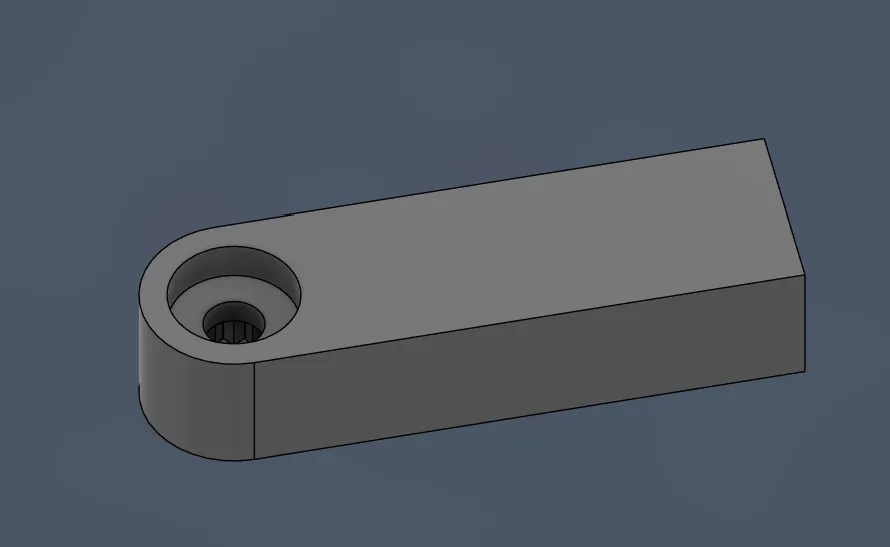
Then I made the arm that goes from the connector to the camera and made it exactly 20 mm long because it is the closest possible distance from the arm that does not hit the servo, and the servo has to be 20 mm above the ground so that the camera can rotate perfectly under the drone without making it look unclean. And I made the thickness 5 mm like the whole connector, so that it looked like this:
But then I wasn’t sure how to position the plate that holds the camera onto the arm:
- Should the arm connect to the middle of the plate, the top, or the bottom?
And I asked myself so many of these questions!!!
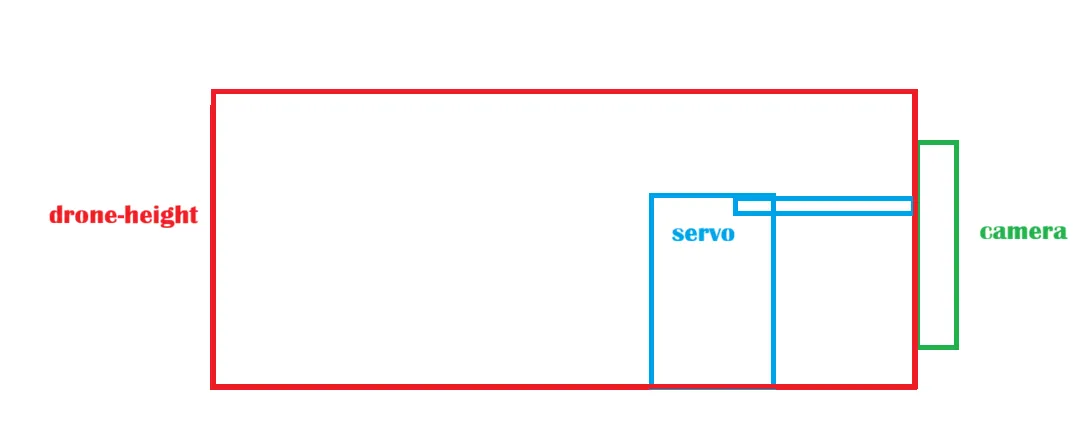
But in the end, I decided to make it in the middle first because it is the most reliable and you can calculate more easily where the camera will be. But the 3D print would be bad because it had to print the teeth upwards, and this would cause bad grip, so I decided first to make it from the top. But then I thought that the servo had to be 20 mm up in the air, and if the camera is about 25 mm high, then the camera would be over the drone, which would look horrible. So I decided to calculate roughly: the camera is 20 mm high, but the camera has to be in the middle, so 25 mm - 20 mm = 5 mm. The connector should connect from the top 5 mm down, so something like that:
After drawing the camera holder with the dimensions of 24×25 mm, it looked like this:
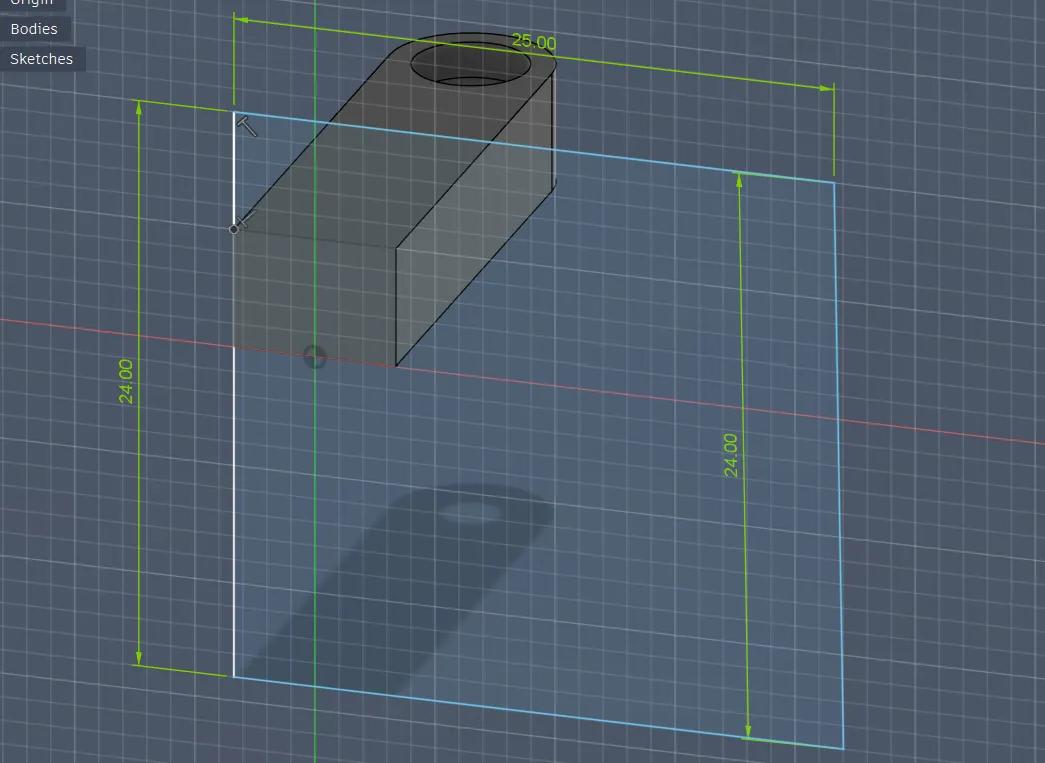
And I extruded that for 1.5 mm.
Then I saw that I built the direction from the camera holder wrong (the servo connector had to be rotated 90 degrees to the left T-T).
So after deleting and turning everything, I drew it again and it looked like this:
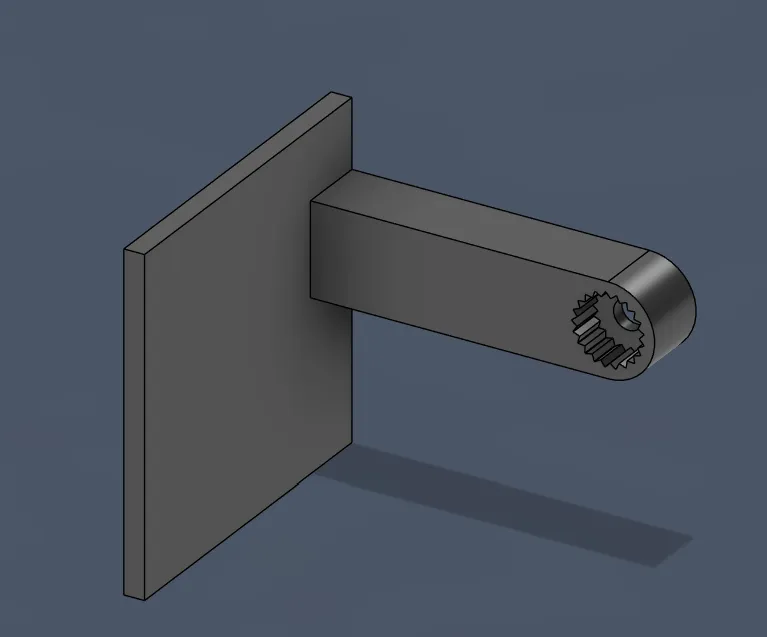
After that, I wanted to print that part, so I exported it and printed it out...
And after testing it out, they were PERFECT!!!!! 
Next, I want to combine both parts and add them to the base: So, I
- opened the base file again and measured the middle to first see where the camera would be positioned
- drew where the camera will be (the camera is about 25 mm wide)
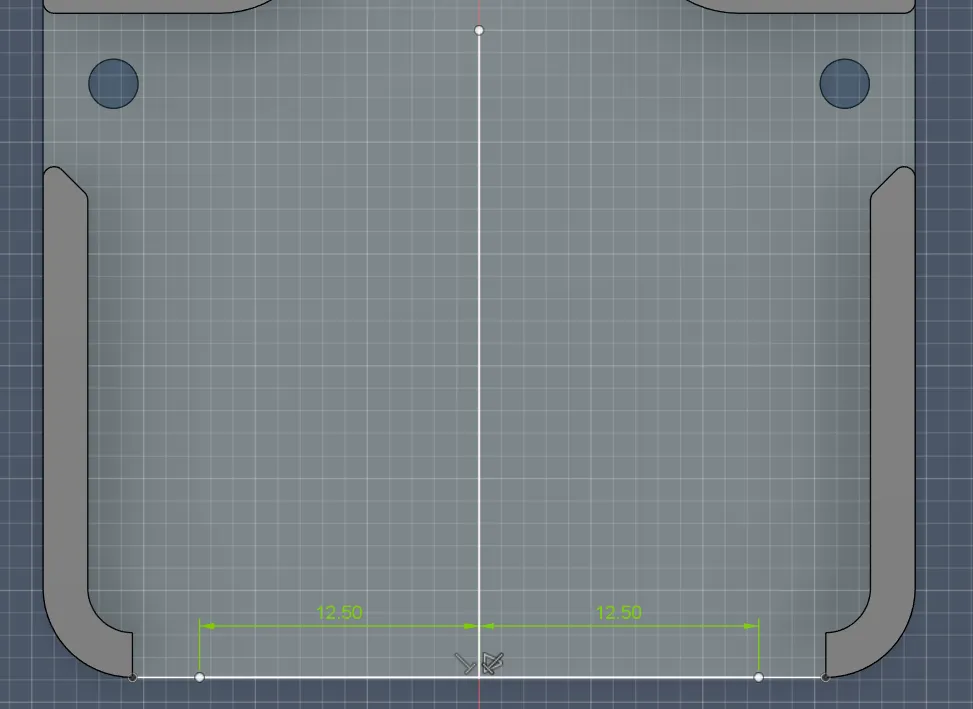
And after measuring how long the arm to the center exactly is, to see where the servo should be positioned, it was 21.5 mm. But I also have to add 1.5 mm for the thickness of the camera platform.
So together it is 21.5 + 1.5 = 23 mm
I also wanted to bring everything about 2 mm more back because the camera is pretty chunky and I do not want it to be completely outside.
So in total it is 23 mm + 2 mm = 25 mm
So after I drew the middle points of the servo gear:
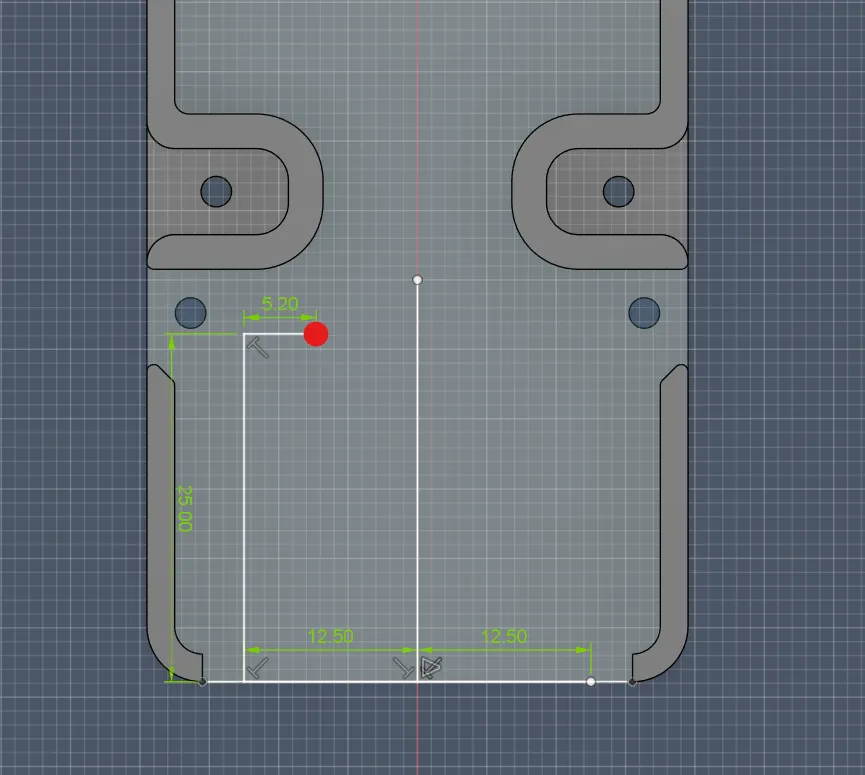
But then I realized that I was extremely dumb and that, how I designed it, it would not fit:
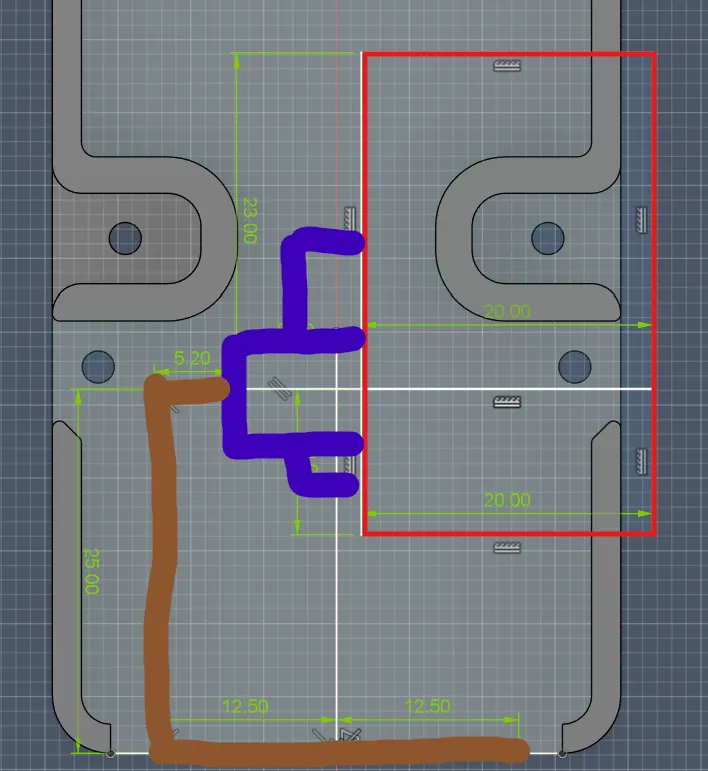
So after measuring how much space I had on that thing and on the inner sides (inner wall to inner wall I only had 35 mm, which is very small because the servo itself is 30 mm),
But to fix that problem I had 3 ideas:
make the servo connector/arm thinner
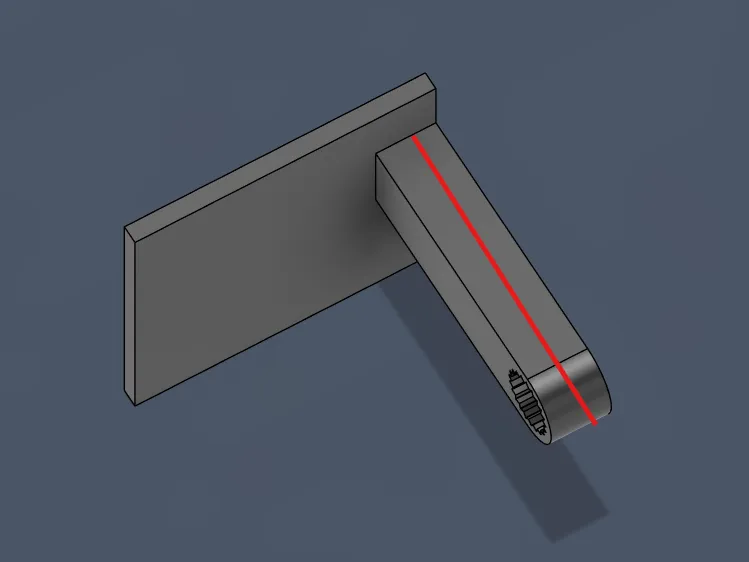
would save me 1.5 mm, and then I would also need to remove the back side of the servo motor holder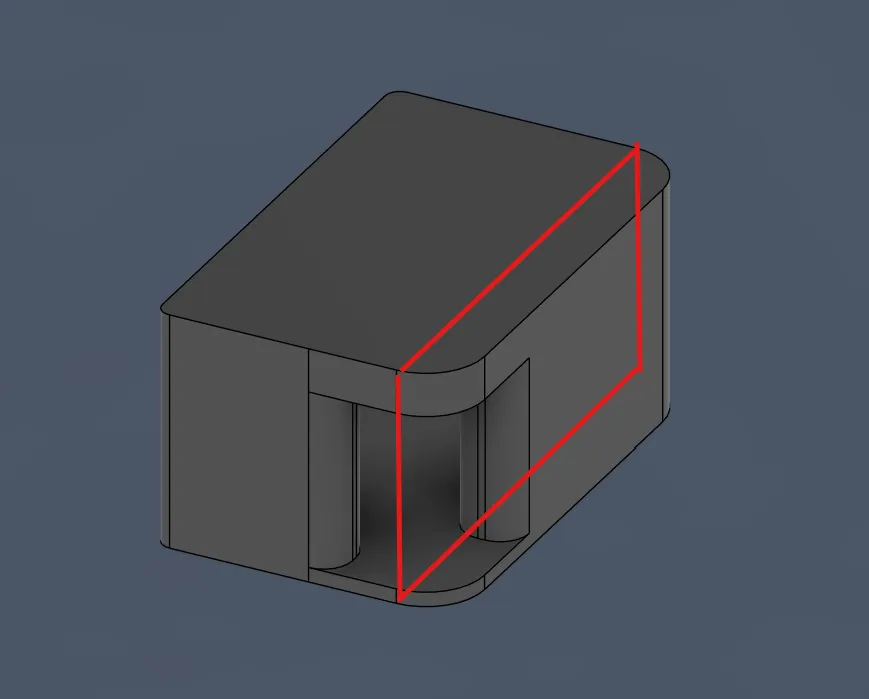
I had to remove the back wall of the servo holder to save 5 mm, and that would mostly solve the problem.
If I would implement that, I would only have a width of 32 mm, but then the whole servo construction would still be outside the case. If I want the camera to be in the middle, then I also have to change the arm of the camera holding module so that the servo can be at the center.
So, I started by removing the back of the servo holder.
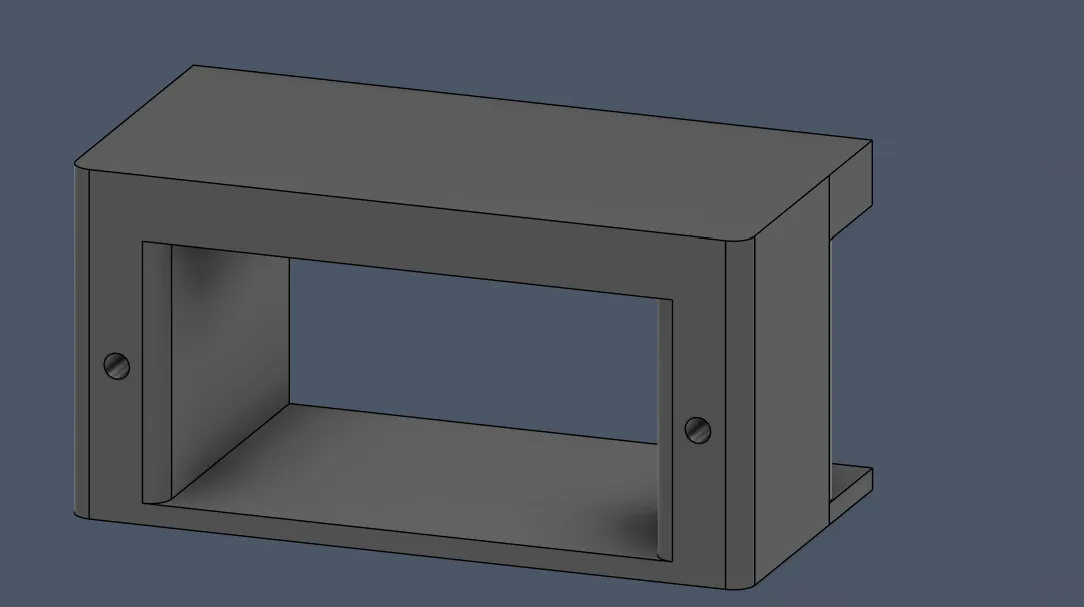
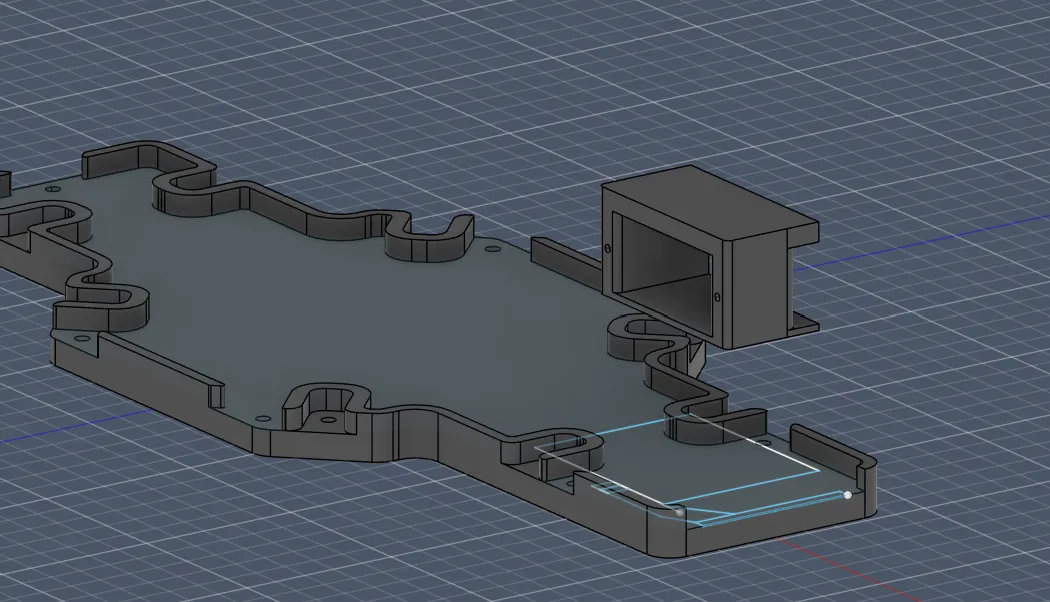
After I drew the servomotor and the camera, I tried multiple positions, like the distances to the walls of the servo when it is connected to the connector with the arm, how far away it should be, where I also had to pay attention to the motor arm connector being higher than them and also higher than the platform-wall connectors, and lastly I also drew how the arms should be designed to hold the camera:
And so it all locked then together:
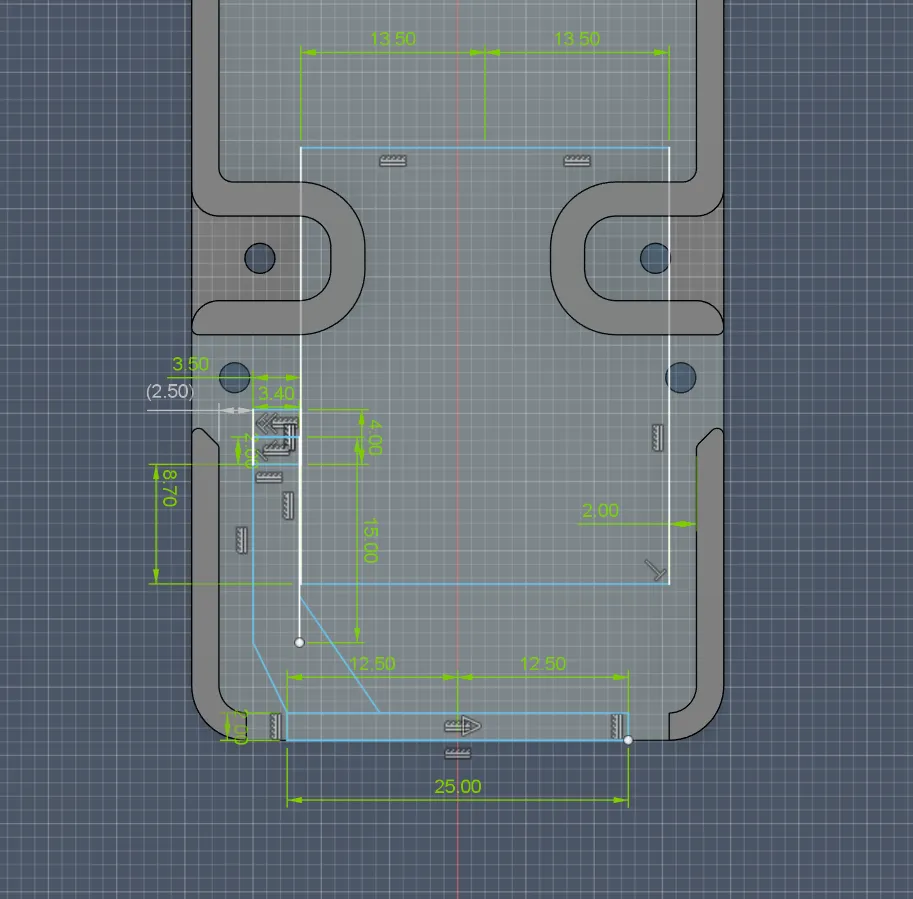
And after that, I inserted the servo holder into the file to position it right.
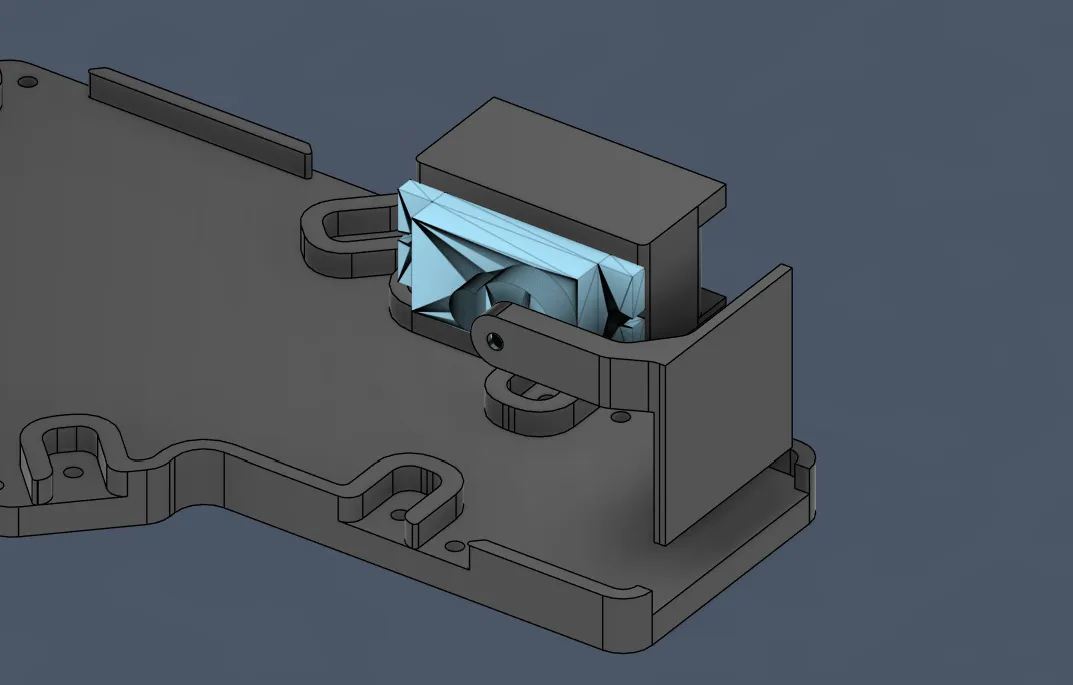
After I positioned it, I wanted to import a servo 3D model to see if it was fine.
And after adding the servo into the servo holder, I saw that it didn’t fit perfectly, and after I also checked it with mine, it also didn’t fit perfectly. So I quickly fixed the values.
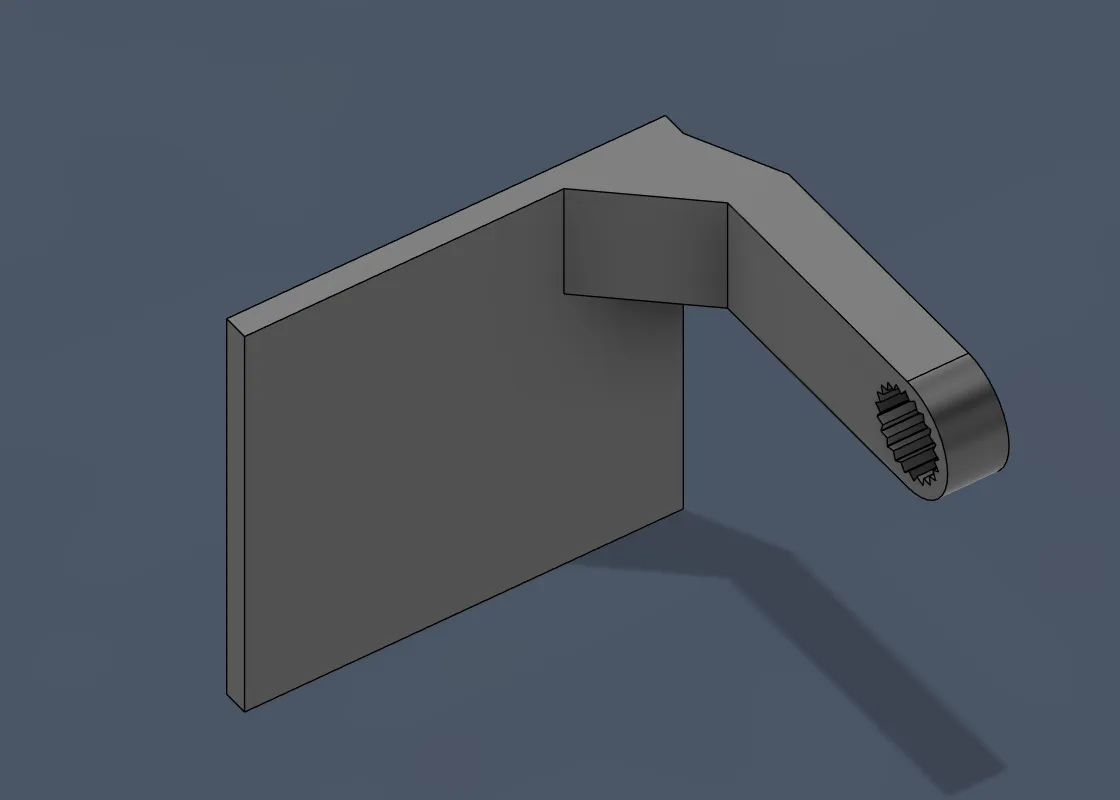
And then I had to recreate the servo motor arm/connector with the sketch I did previously, and then it looked like this:
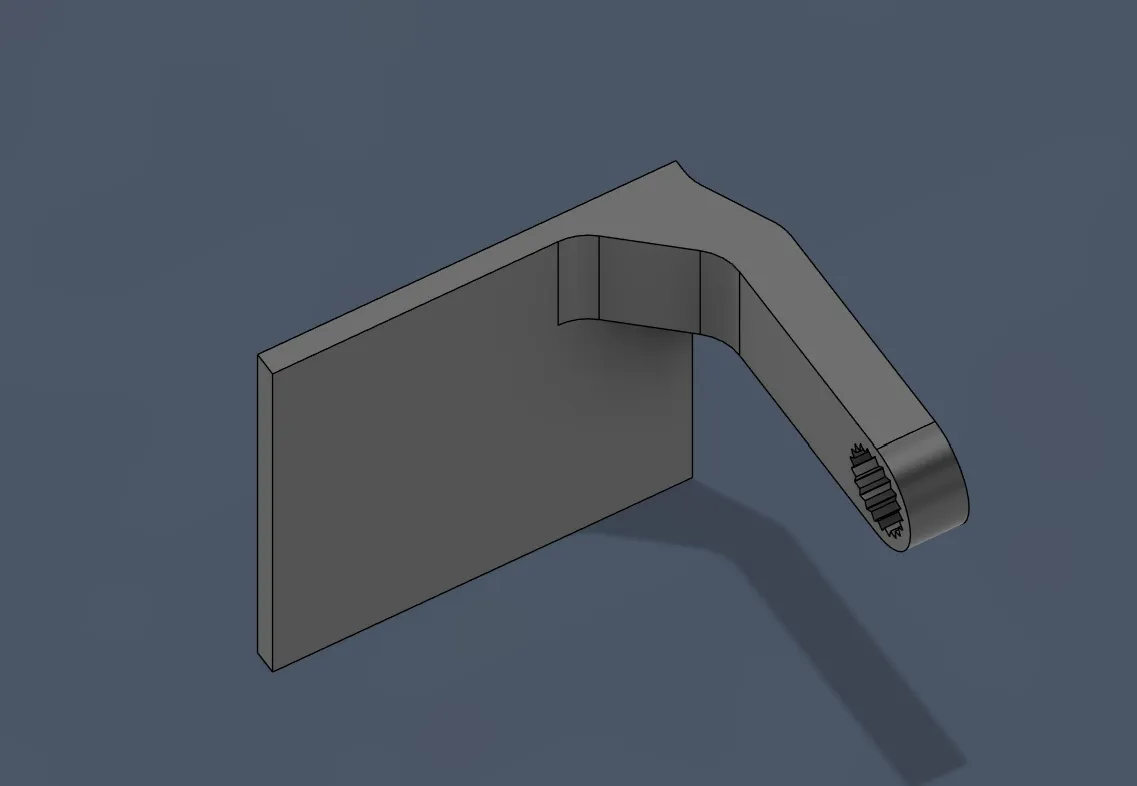
After rounding like that:
And after combining:
Then I wanted to see if the rotation would be fine. That’s why I searched up how it works, and you could have done that with joints, which I wanted to do, but I first did not find the joints and then it also didn’t work, so I ended up just using the move copy tool.
But after it worked and I tried it, it was (after rotating) inside the connector for platform and wall and the arm connectors:
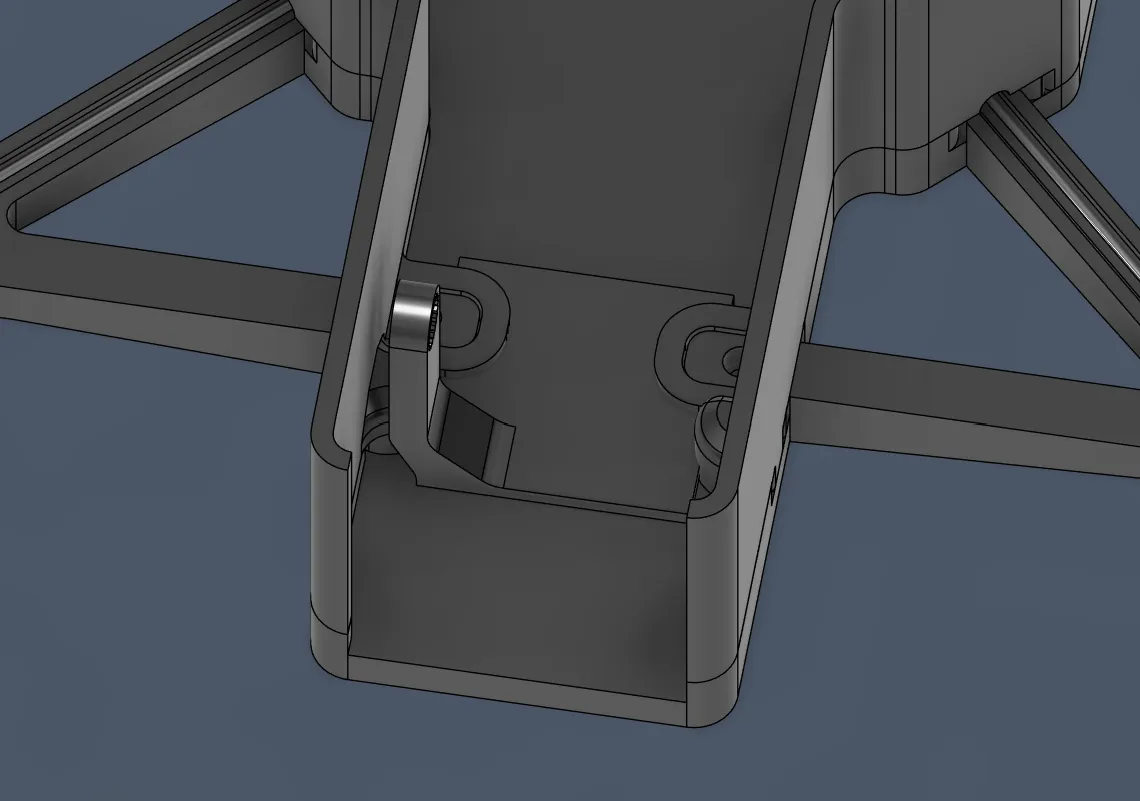
But then I thought for almost 30 minutes about how to solve this and thought: should the camera be inside the case, or can it also exit it for better compatibility? But what happens with the cable and where does it go? And if I let the camera go outside the frame, where will the cable go? And on and on and on...
So I decided to take a short break and go outside, and while doing that I had (firstly) a BRILLIANT idea!!!
- I could just connect the arm that connects the servo and the camera, and not at the top with the camera frame, but on the bottom, so that the camera does not go that far back when rotating. And after measuring it, it works perfectly.
But I still had some issues:
- The connector from the walls to the platform was blocking the camera arm and the camera itself
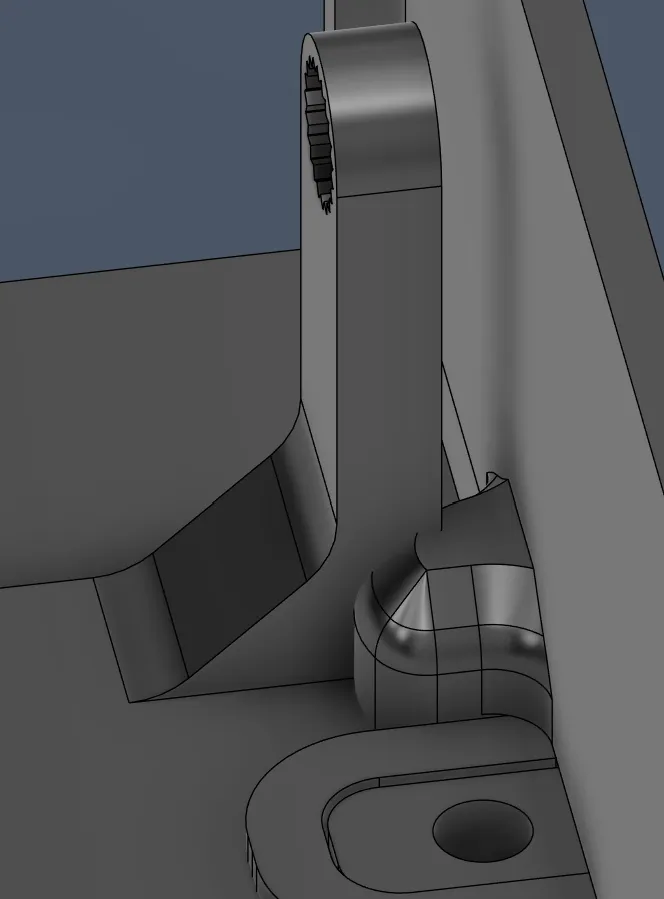
Solution: after a bit of thinking I had the idea to just curve the arm a bit earlier and deeper in the middle, and also cut a bit of material at the connector and make the camera arm a bit shorter, so that the whole construction can go further in the front.
- I didn’t really know whether the camera should still be inside the frame or go outside, but I decided on the first option because during landing, the second option would just damage the cam.
And after finding an amazing solution, I started designing the arm of the drone again and changed what I said before.
So I started completely redesigning the arm and deleted everything except the gear in the middle:
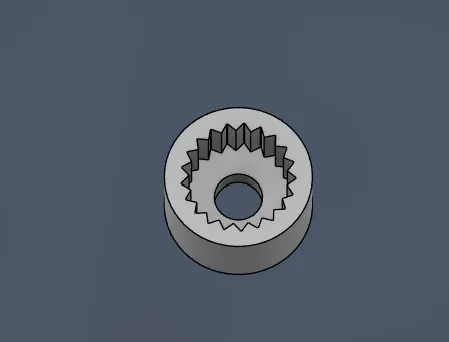
And then started designing that:
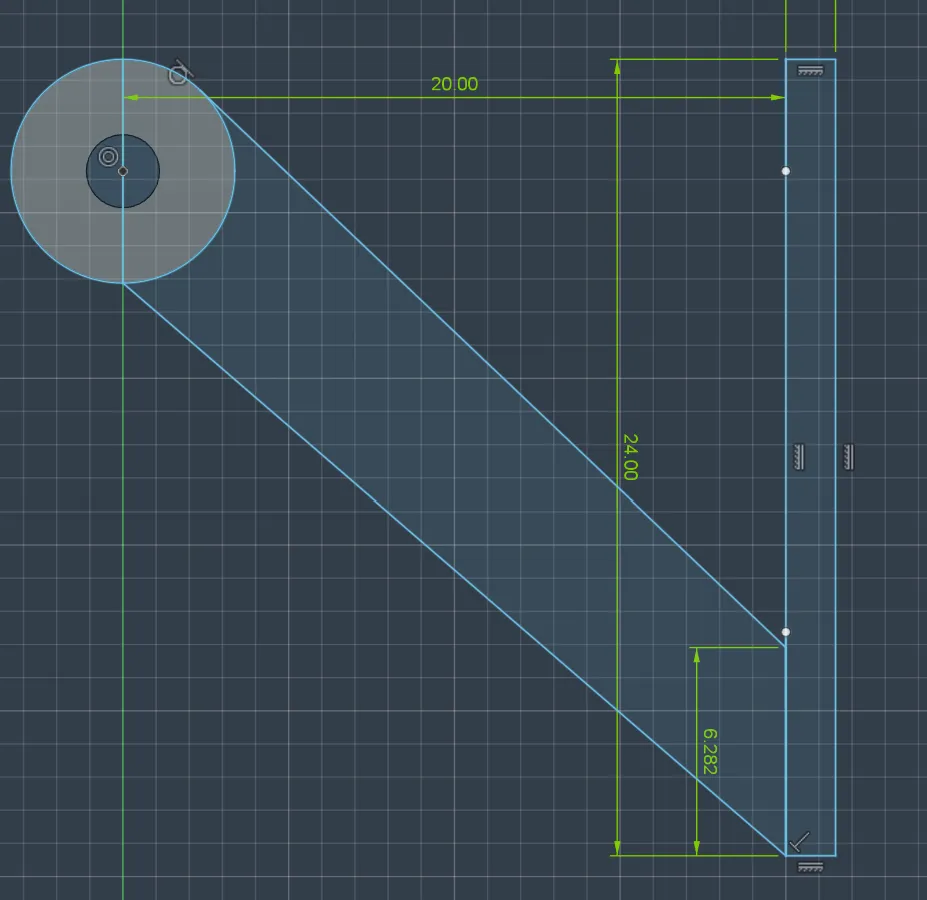
BUT while doing that, I was completely shocked. I WAS SOOOO WRONG!!!! Making the arm go from the top to the bottom would NOT change the position of the camera, and then I almost cried because I worked on this mechanism for 5 hours and now everything was for the trash, and I had to almost redesign everything. But after a bit of depression time, I had a new idea:
I could just flip the servo motor 90 degrees to the right so that it does not lie on the ground (it stands upwards now), and the gear is on the bottom. Then I save a ton of place, and the height is fine, and then I wouldn’t have the problem with the camera size and motor arm connectors, because the camera would turn not completely to the back but further to the front and just be under the drone, but only by 8 mm, and that should be fine because my landing station will be about 20 mm high. So this time I really had the perfect idea:
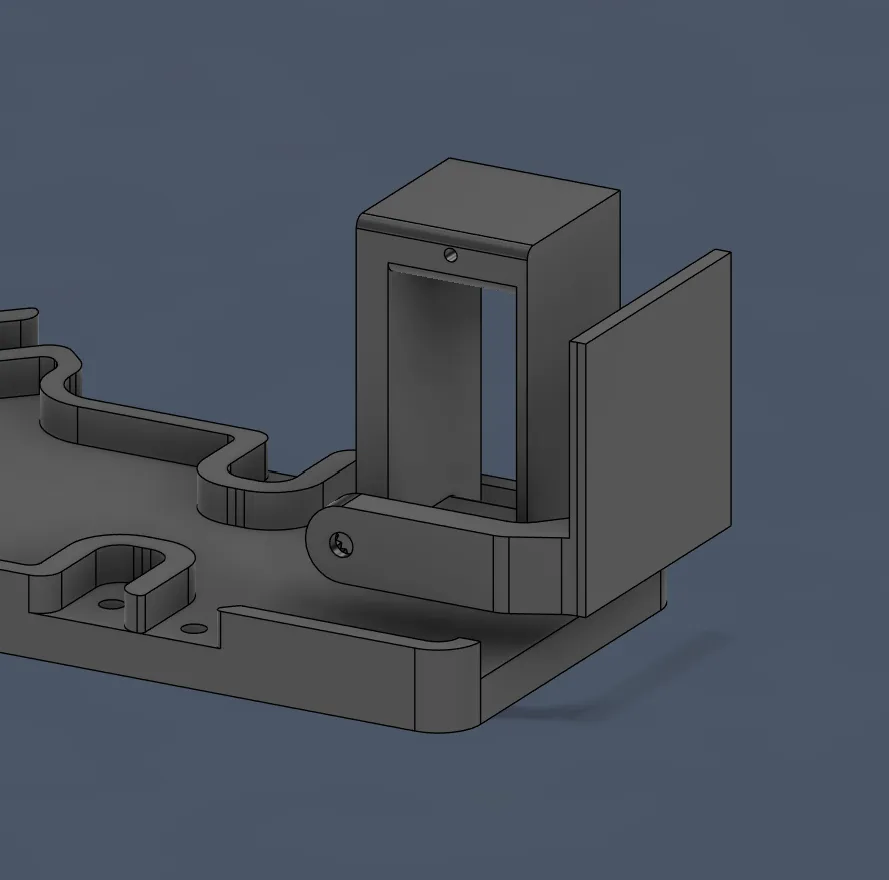
So now I was SUPER motivated again and directly started modifying the servo holder.
I actually decided to build the motor holder again because I messed it up a bit, and I want to fix that now.
I went through it exactly like before:
First of all, I drew the rectangles:
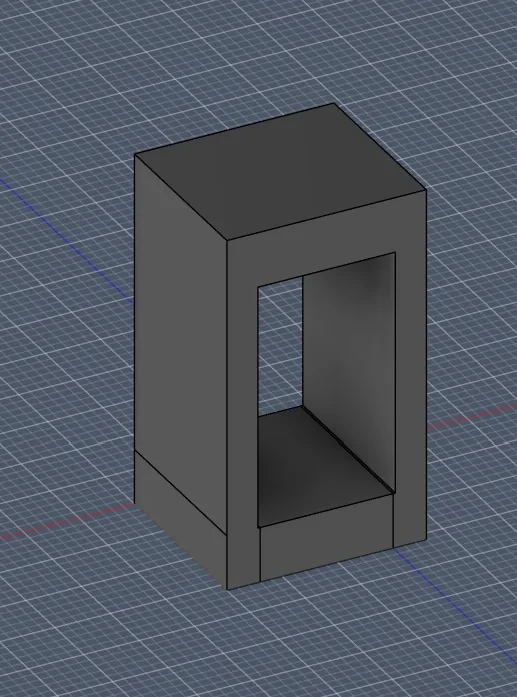
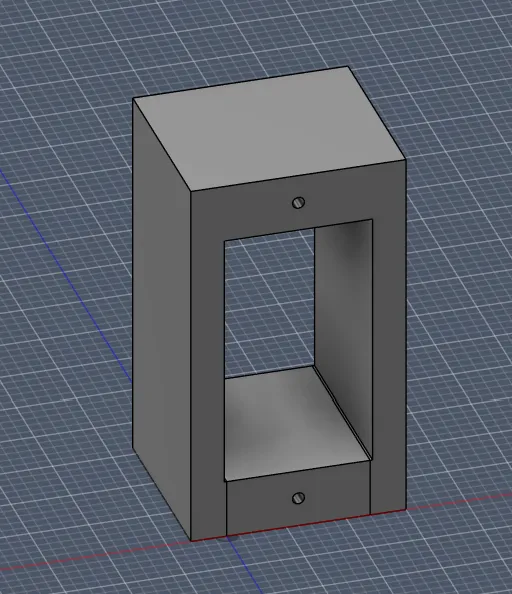
Then I added at the top boxes in the center holes with 1 mm diameter for the screw:
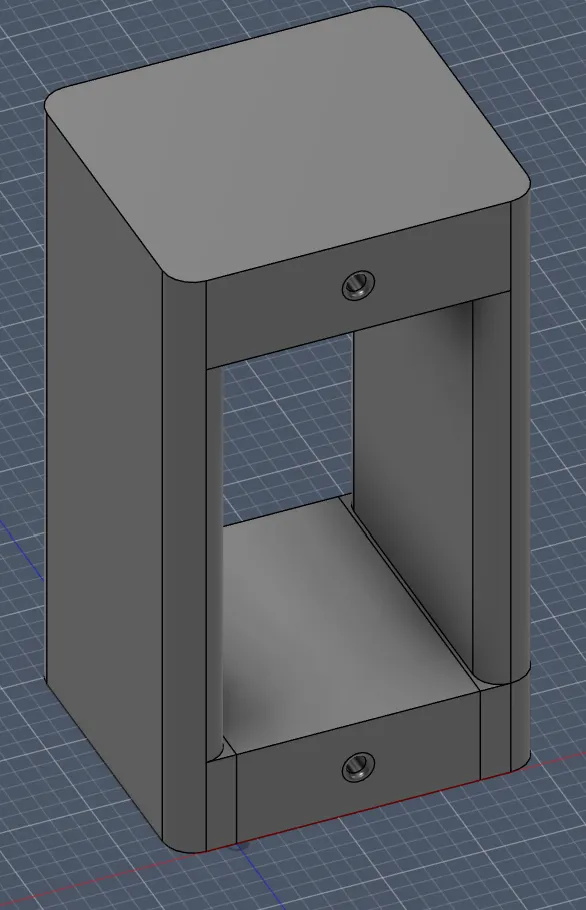
And lastly, I rounded everything for better printing:
And after positioning the base it looked like this:
For the position, I paid attention to the center of gravity/mass position and the distance to the sides, so that the arm has enough room and is not too far away from the camera.
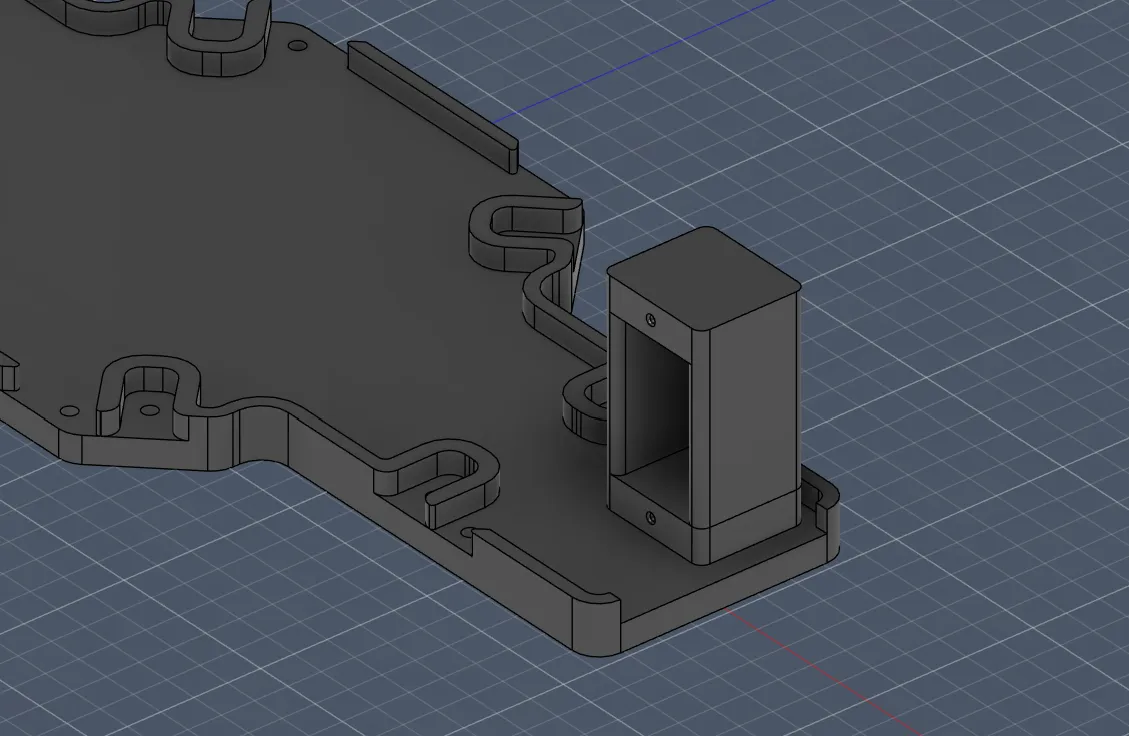
After placing the servo motor in the correct place, I measured where the center point of the rotating part on the servo motor was. I calculated and measured all distances so that everything would work.
And then I started designing the arm:
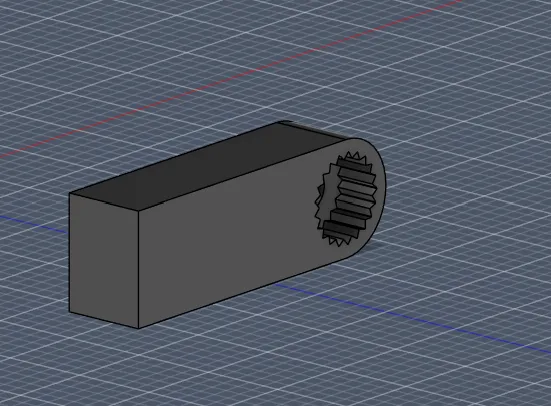
For the camera holder, I measured the distances for applying:
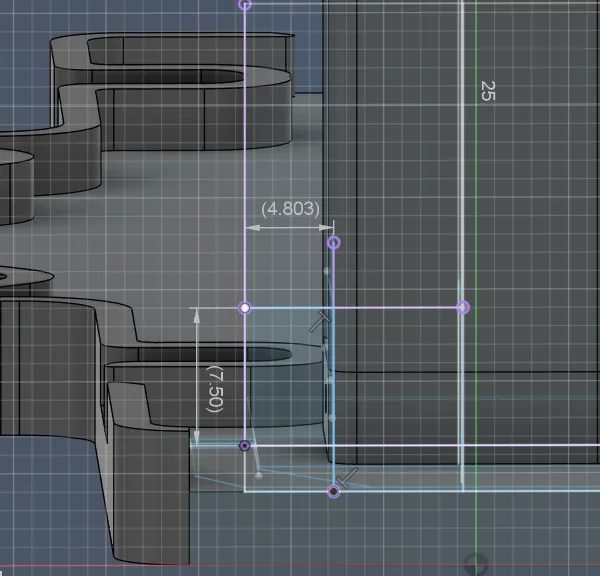
And after hours of trying, I got this:
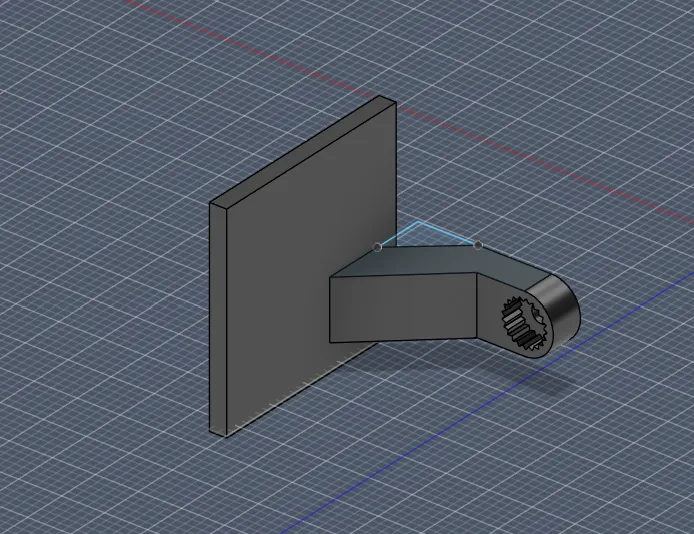
And after all that, it looked like this:
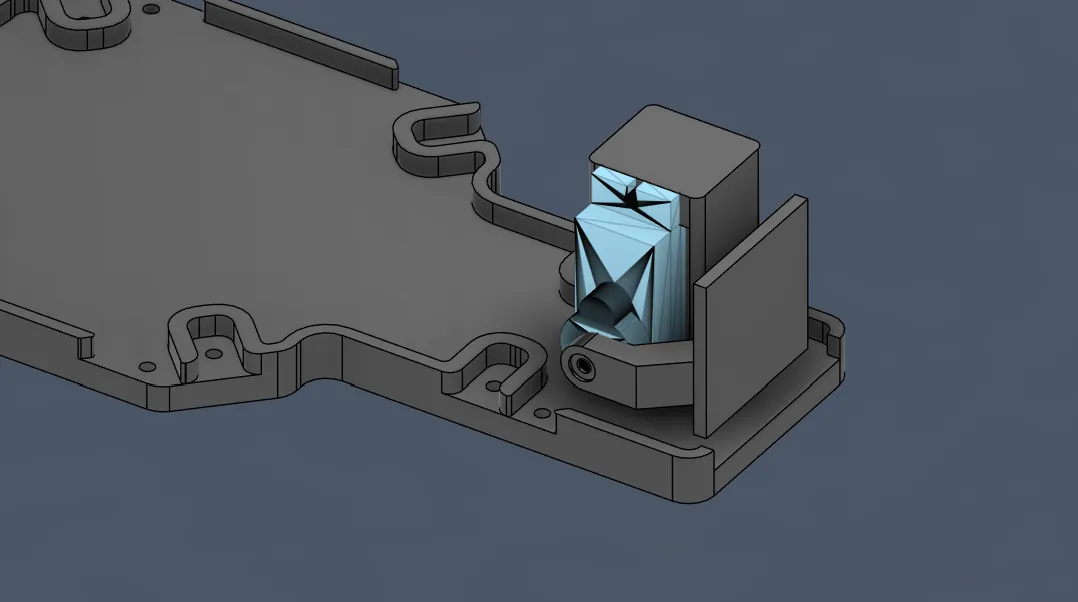
<- fire
Happy with the progress: 7h!!! (sorry that the journal and session became so long <3, next one will be shorter) But also completely exhausted, do not want to touch that part again!!!
Session recordings
Timelapse recordings of this session.