Adding the combiner for the wall part and designing the small wall on the platform
- Session
- 8 of 33
- Date
- 1 May 2026
- Time worked
- 2 h 43 min
- Reading time
- 3 min
- Images
- 21
In this session I wanted to make the connection between the base and the wall, because I plan that the main case (where the drone is connected with the arms) will be in 3 parts: the platform, the walls and the top dil
So in this session I focused on making the walls as a separate part.
My plan is to have 3 main parts in the end: the base with the bottom plate, middle walls and the top cover.
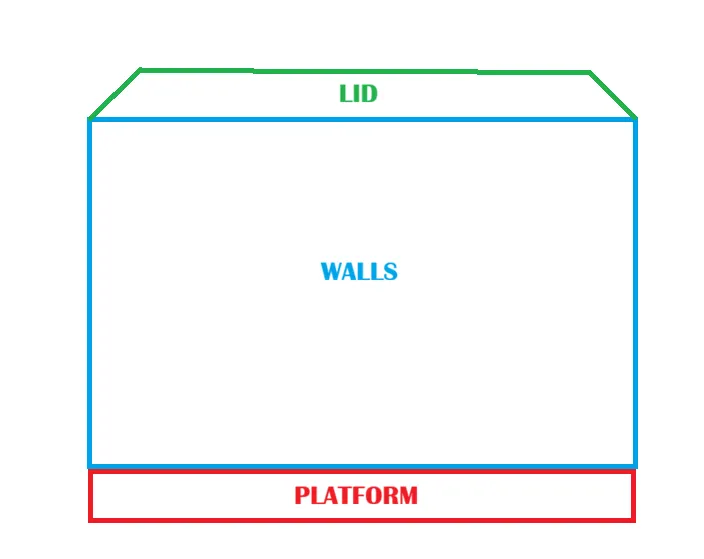
I want to connect the wall and the platform, like all other parts, with M2 screws and M2 heat inserts.
After starting the design, I wasn’t really sure where the inserts and screw holes should be placed, because in the front it’s mostly open and the camera takes a lot of space and has to rotate.
So I first made a drawing and planned where everything should go, and decided to use this:
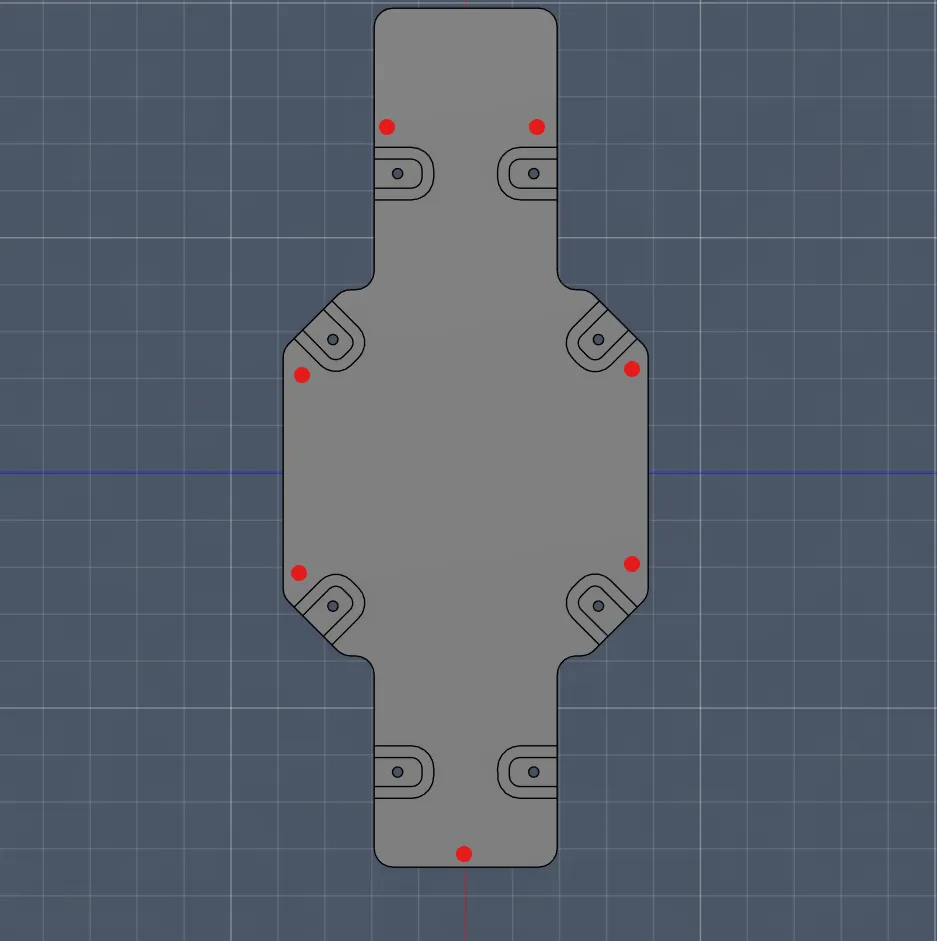
Afterwards, I sketched where the screws should be and tried to figure out how to position them so they use as little space as possible:
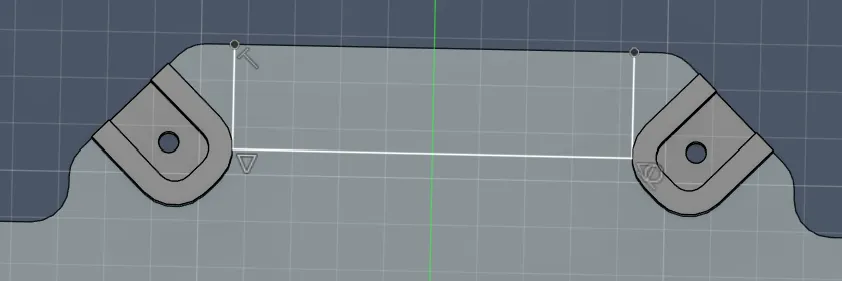
Next, I drew the hole for the screw itself and its head to check where it can be placed so it doesn’t collide with anything or doesn´t look good. I also had to consider the screw head hole on the other side:
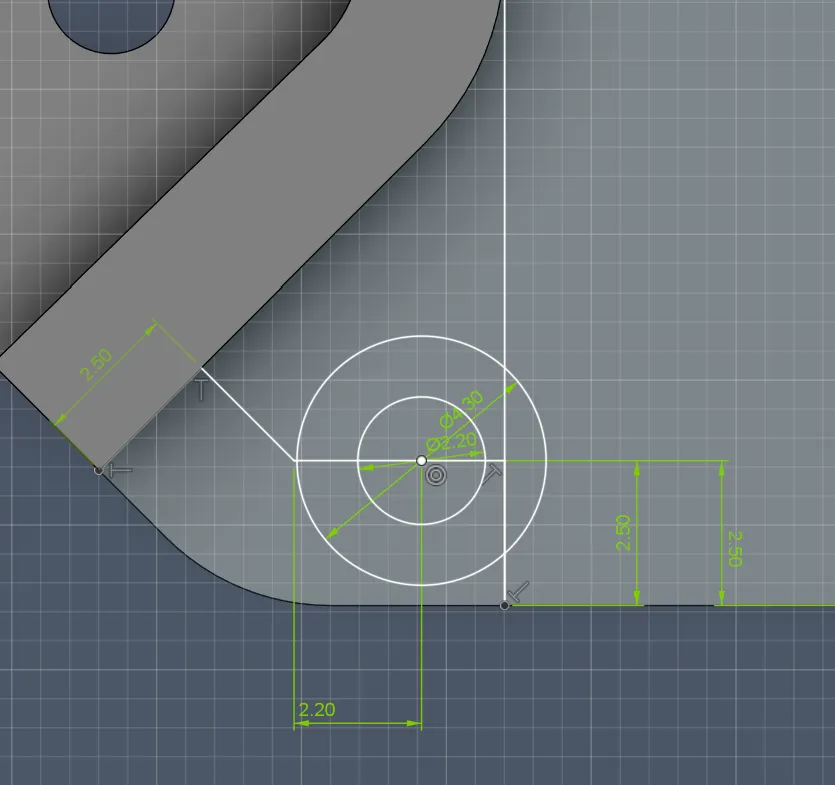
After finding a good position, I applied it to all four corners:
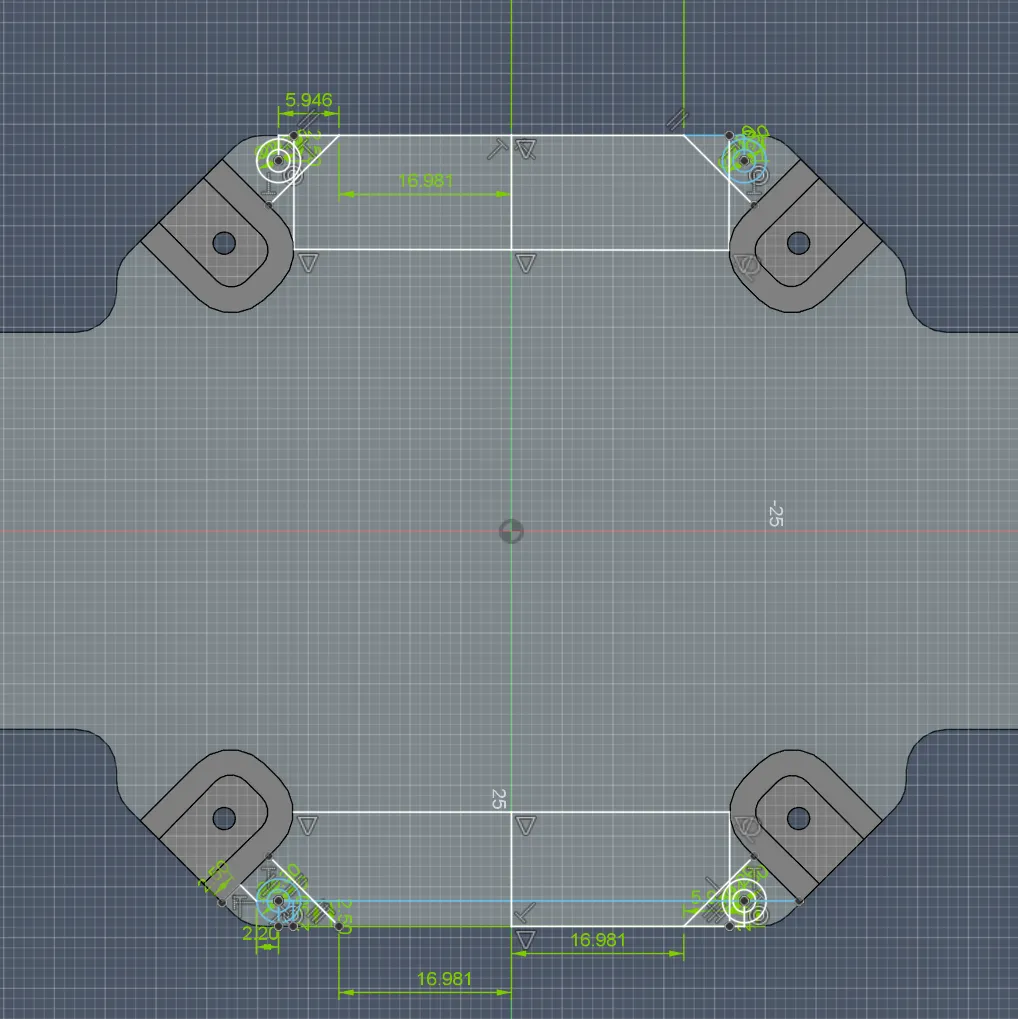
Then I cleaned up the sketch so it would be easier to check and extrude later:
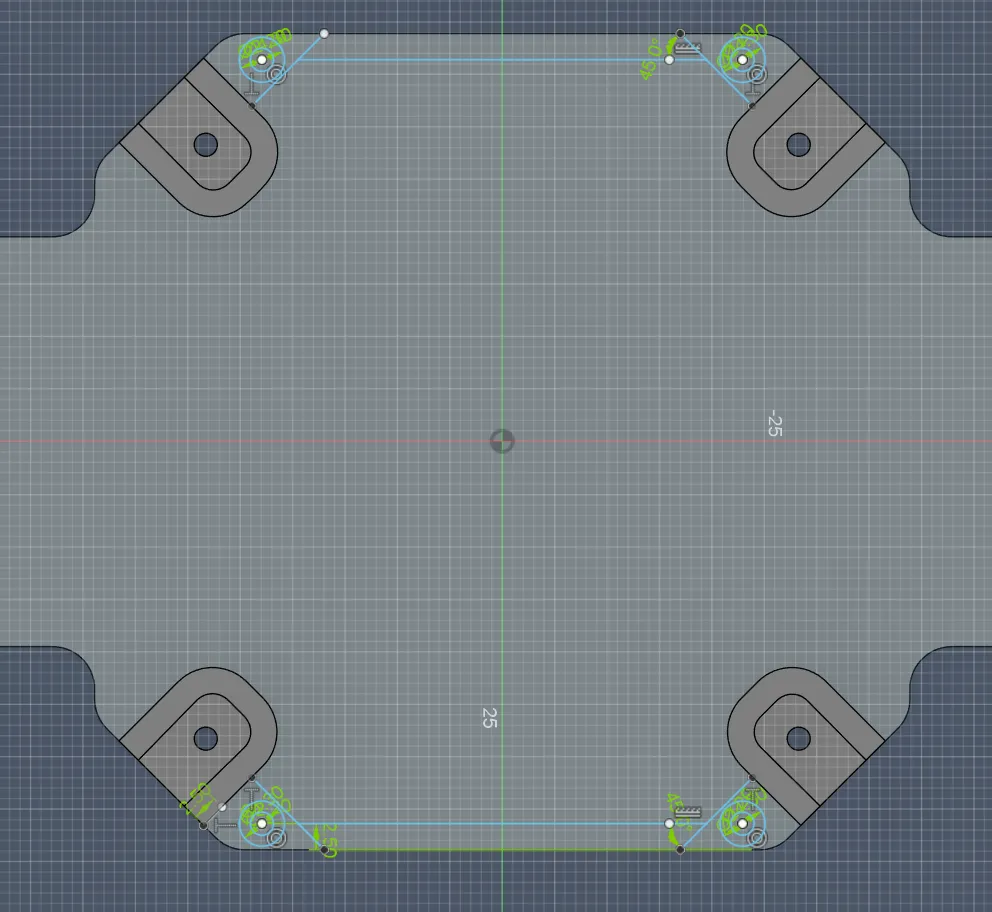
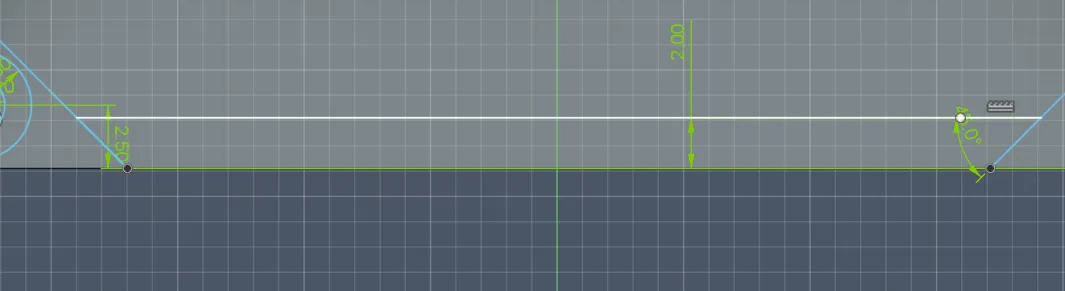
I also changed the wall thickness from 2.5 mm to 2 mm because that should still be stable enough and saves weight:
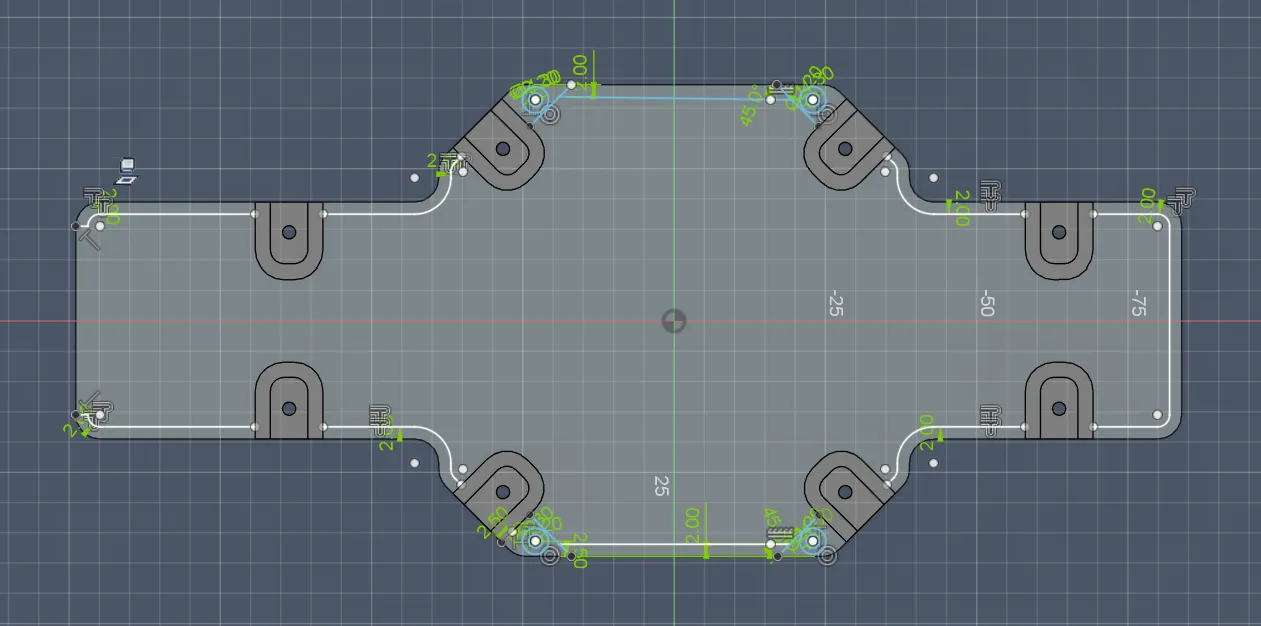
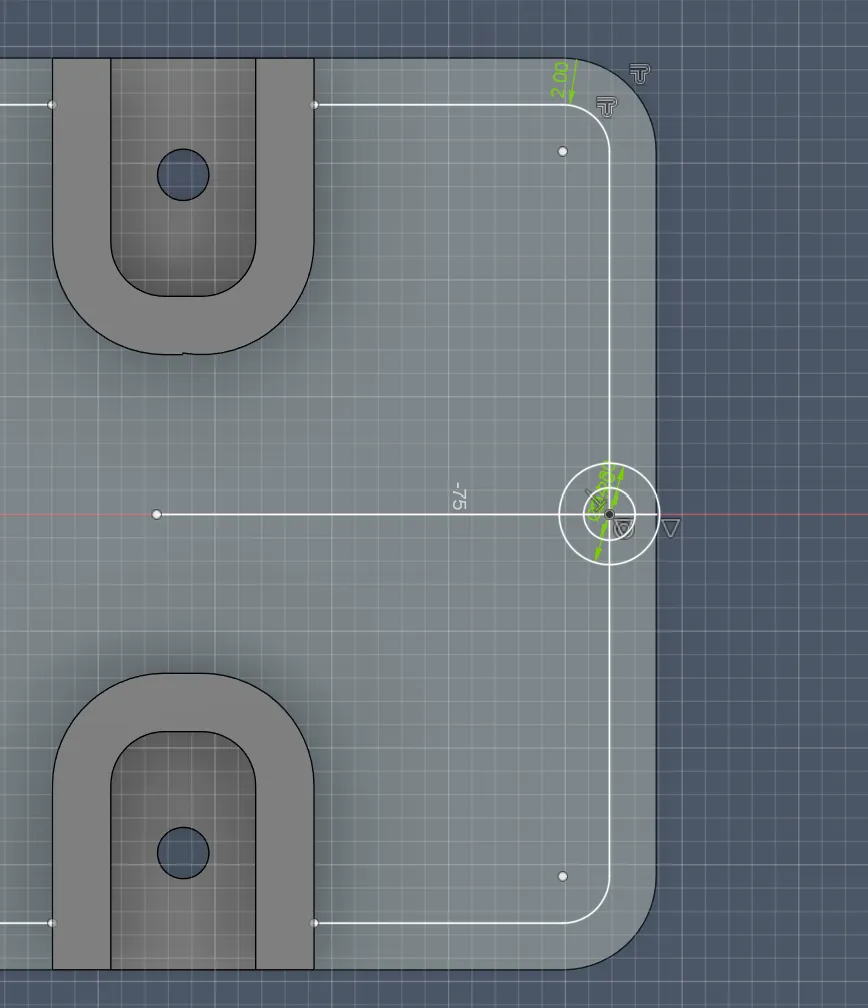
After that, I added a 2 mm outline to all sides of the platform (except the front, because it will probably stay open due to the camerarotation).
I also discovered that there is a tool for the outline, which I didn’t know before!!! That would have been SOOO useful in the last session
Next, I continued with designing the mounting hole between the platform and the wall at the back (where the battery will be):
- I found the center to align the hole
- I drew the screw hole (2.2 mm) and the screw head hole (4.3 mm, 1 mm depth)
But the distance to the edge was too small, so I added +1 mm.
Then I noticed that the 4 corner holes were also WAY too close to the edge (only 0.3 mm), so I increased that as well:
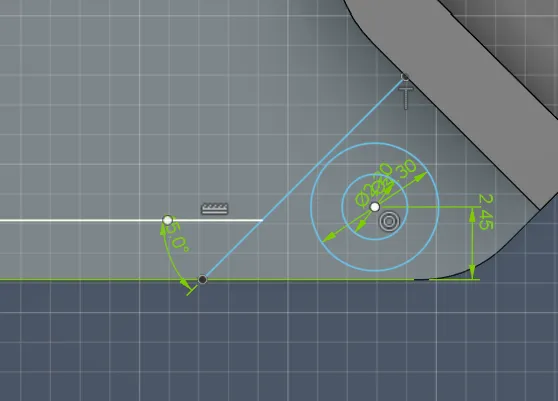
Then I added tangents from the screw head circle at 45° into the edge, so I can later split the platform and wall and still have a strong connection.
(actually, I made all connections with 45° angles for better grip and stability.)
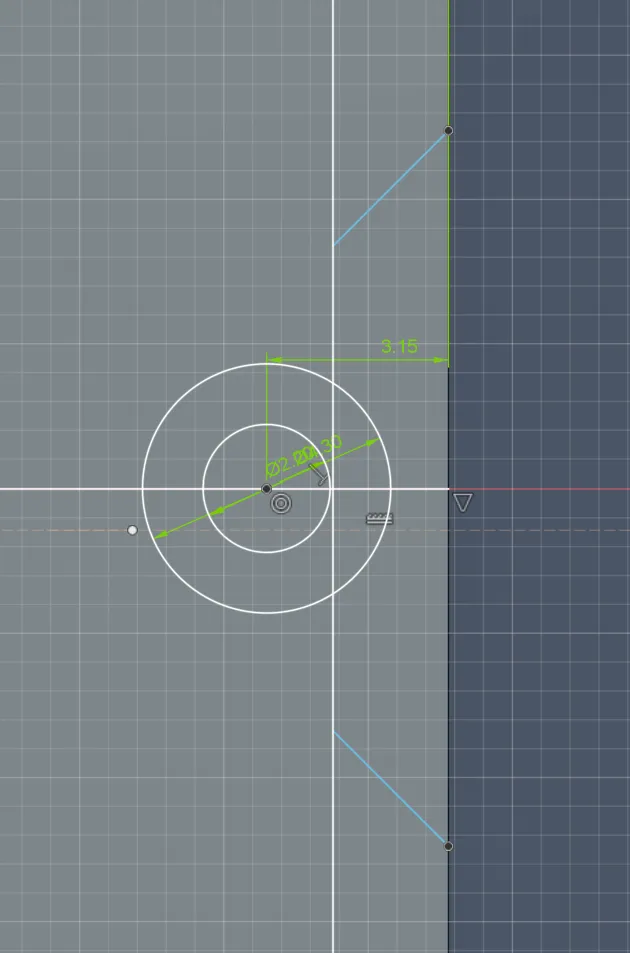
Then I worked on the front connectors (where the camera and servo will be). Here I had to be VERY careful to leave enough space for the rotating camera. I started by drawing two circles and kept a distance of 3.15 mm from the edge and from the arm holder. Then I added tangents and parallel lines so I can later split wall and platform cleanly:
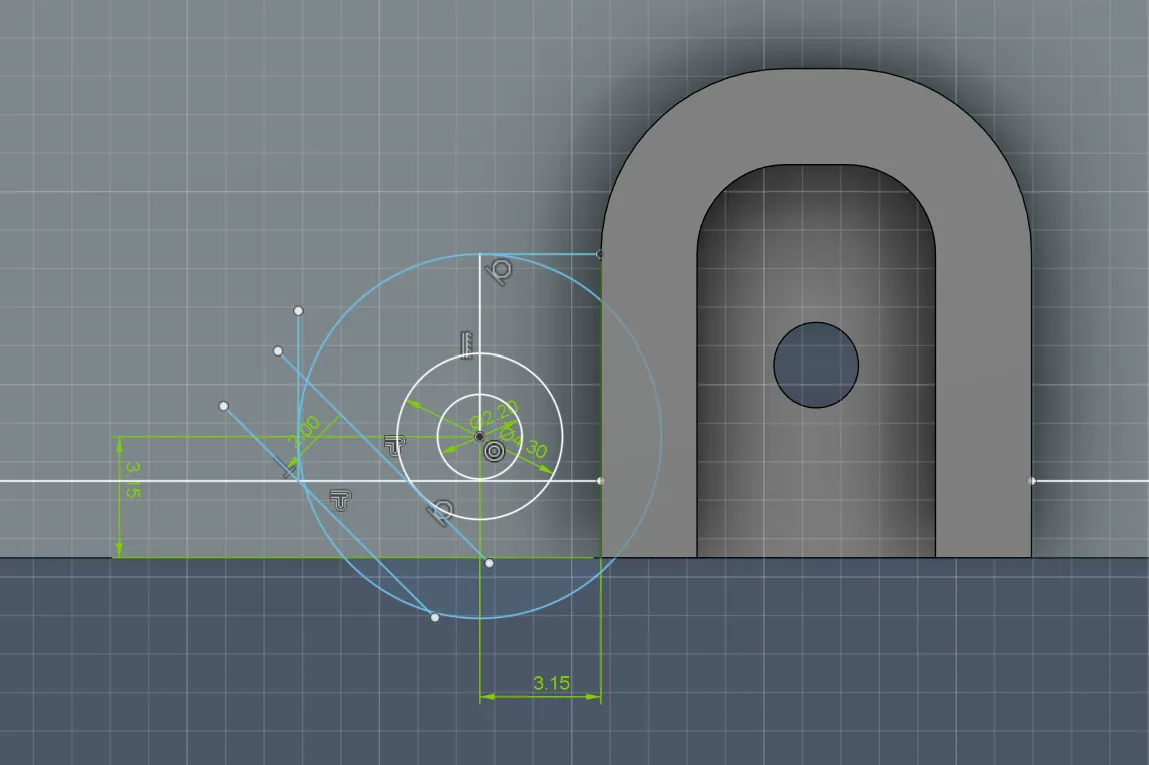
Then I built that on the other side aswell:
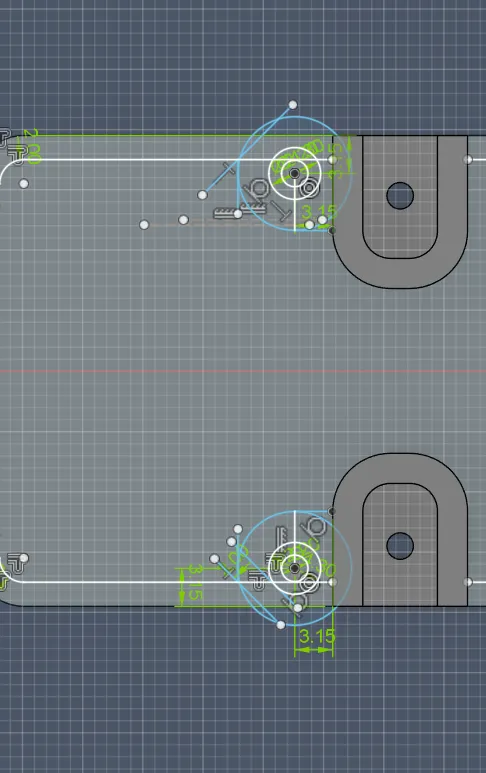
So in the end it looked like this:
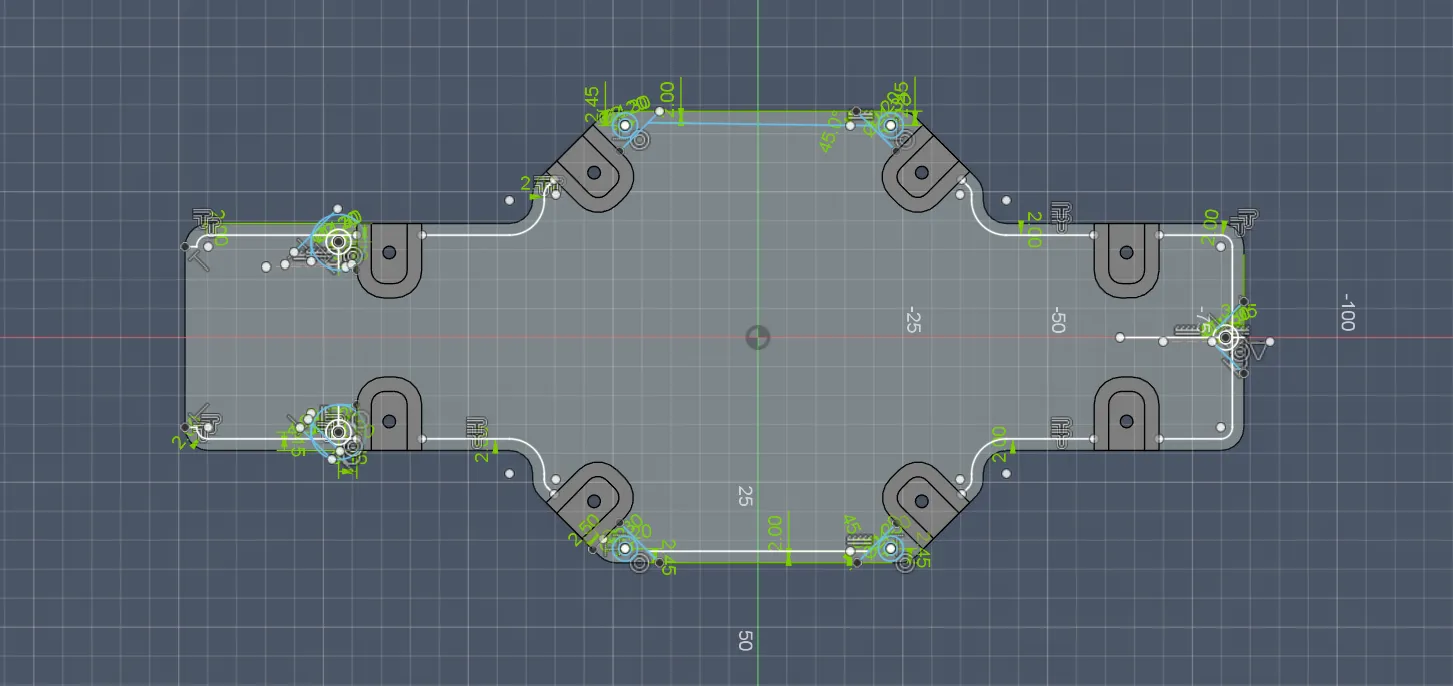
But then I realized the inserts need thicker walls, otherwise they might break.
So I modified the 4 corner connectors and made them stronger:
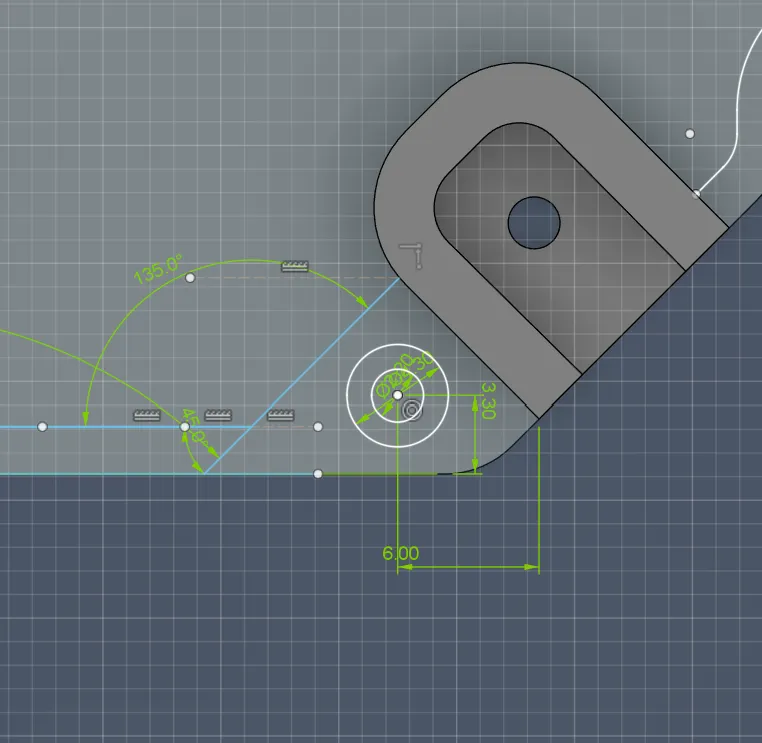
and again, I made that for every of the 4
After designed the fist I applied that to the other 4.
Then I also improved the back connection by making the outer circle bigger and moving the hole deeper into the platform:
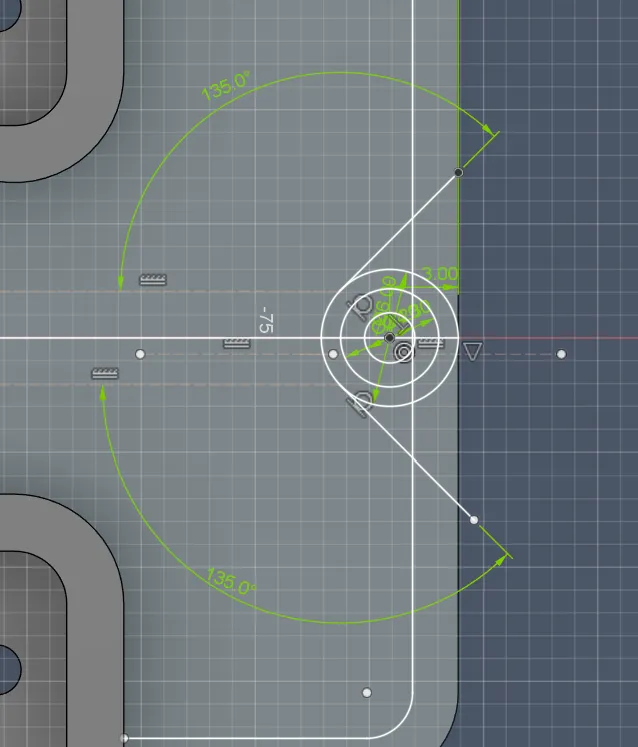
After modifying it, it looked like this:
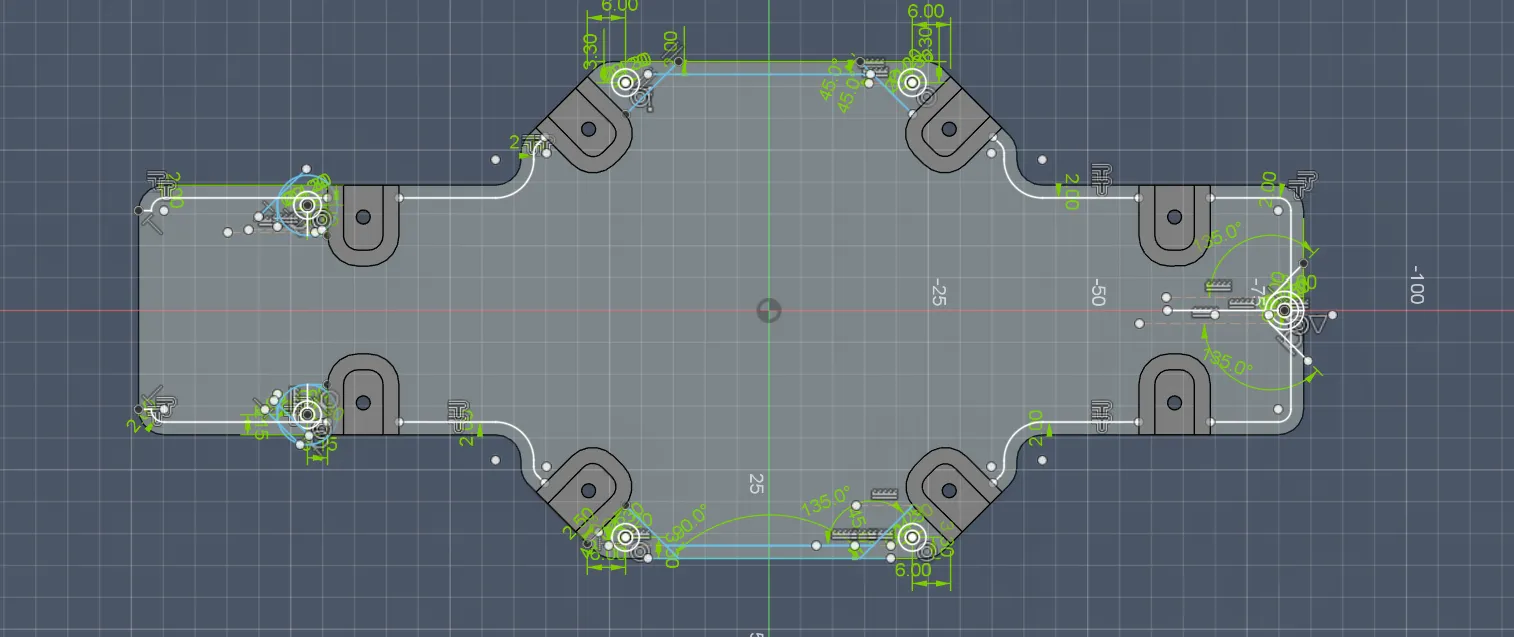
Then I realized I forgot to add a 0.2 mm tolerance between platform and wall (again), so I fixed that and extruded everything to 3.3 mm:
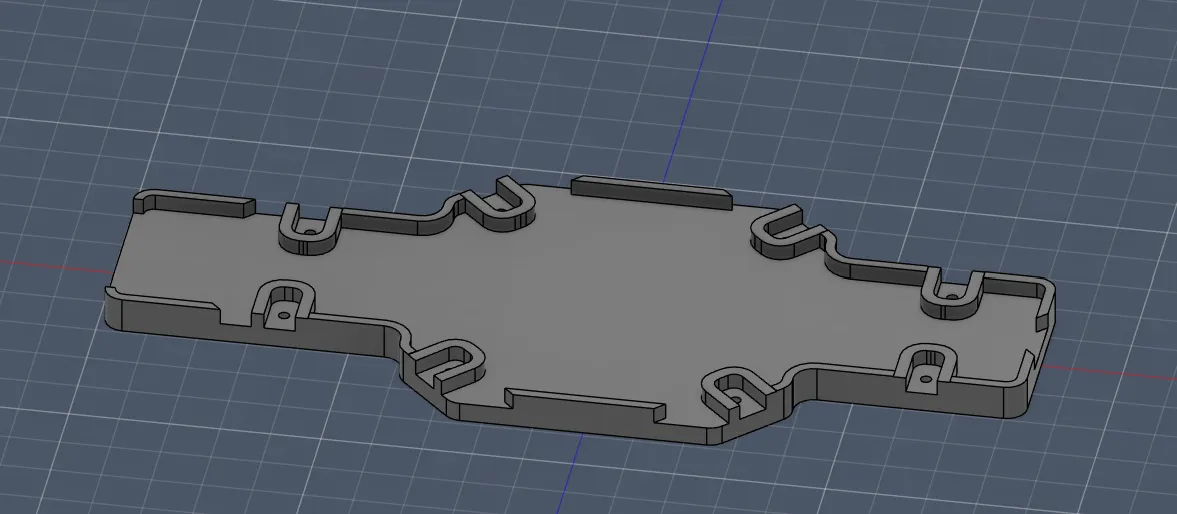
And finally it looked like this:
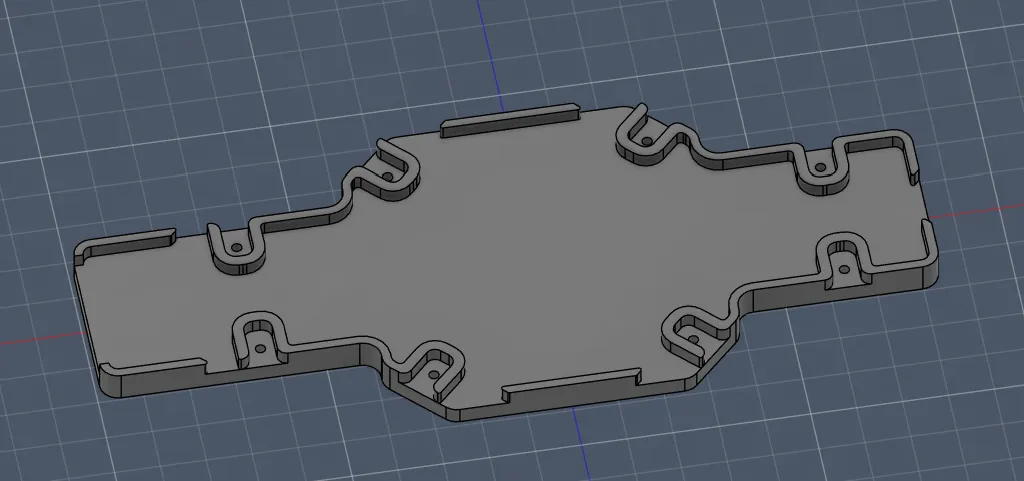
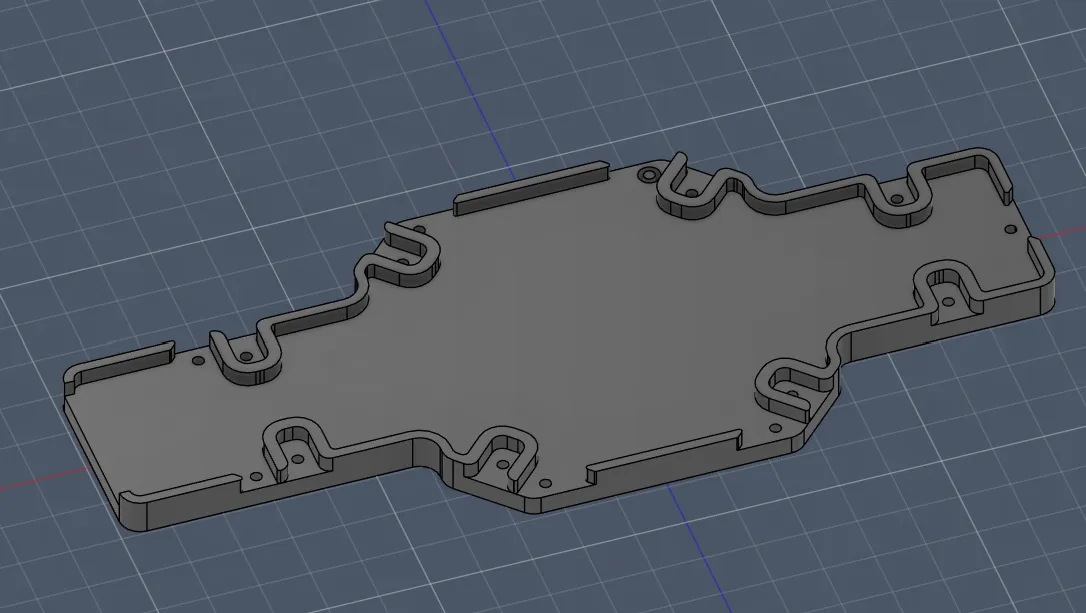
After cutting the screw holes and screw head holes, I got this beaufully piece:
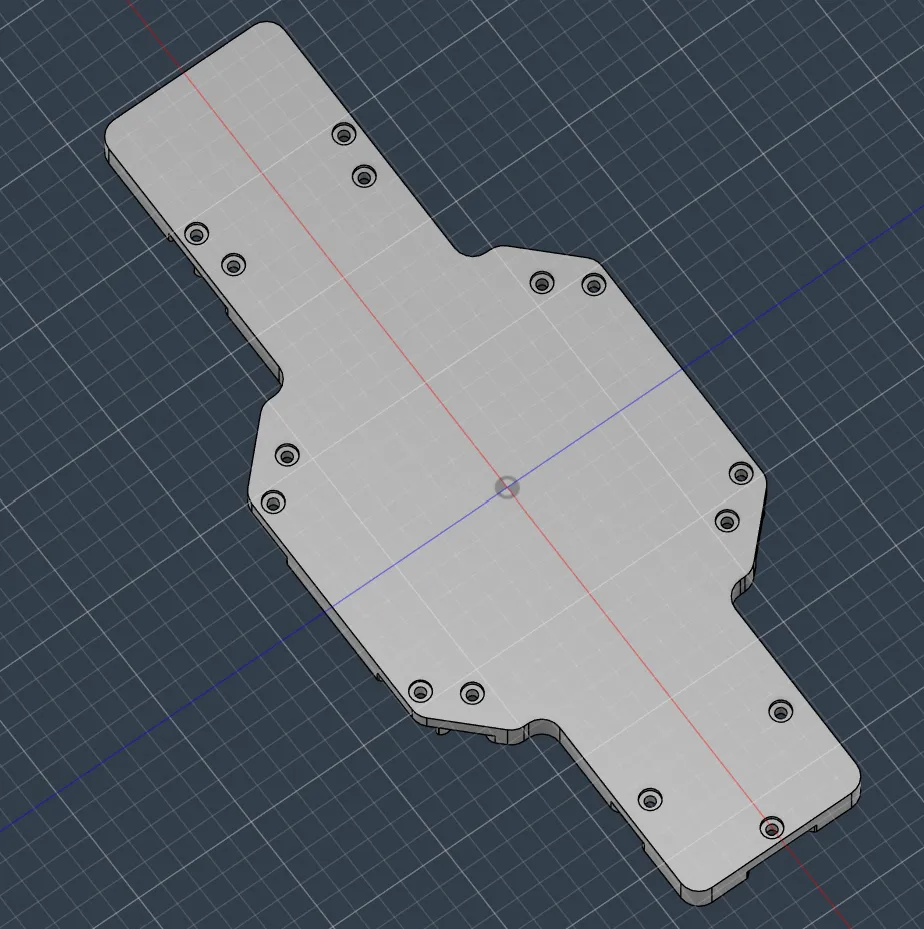
P.S. I noticed I wrote "1 March" in the last journal, that should be May, sorry ;)
Happy with the progress. Next session will be about the walls. Pretty excited!!
Session recordings
Timelapse recordings of this session.